AI Sports Announcer Voice Generator for Broadcasting & Content
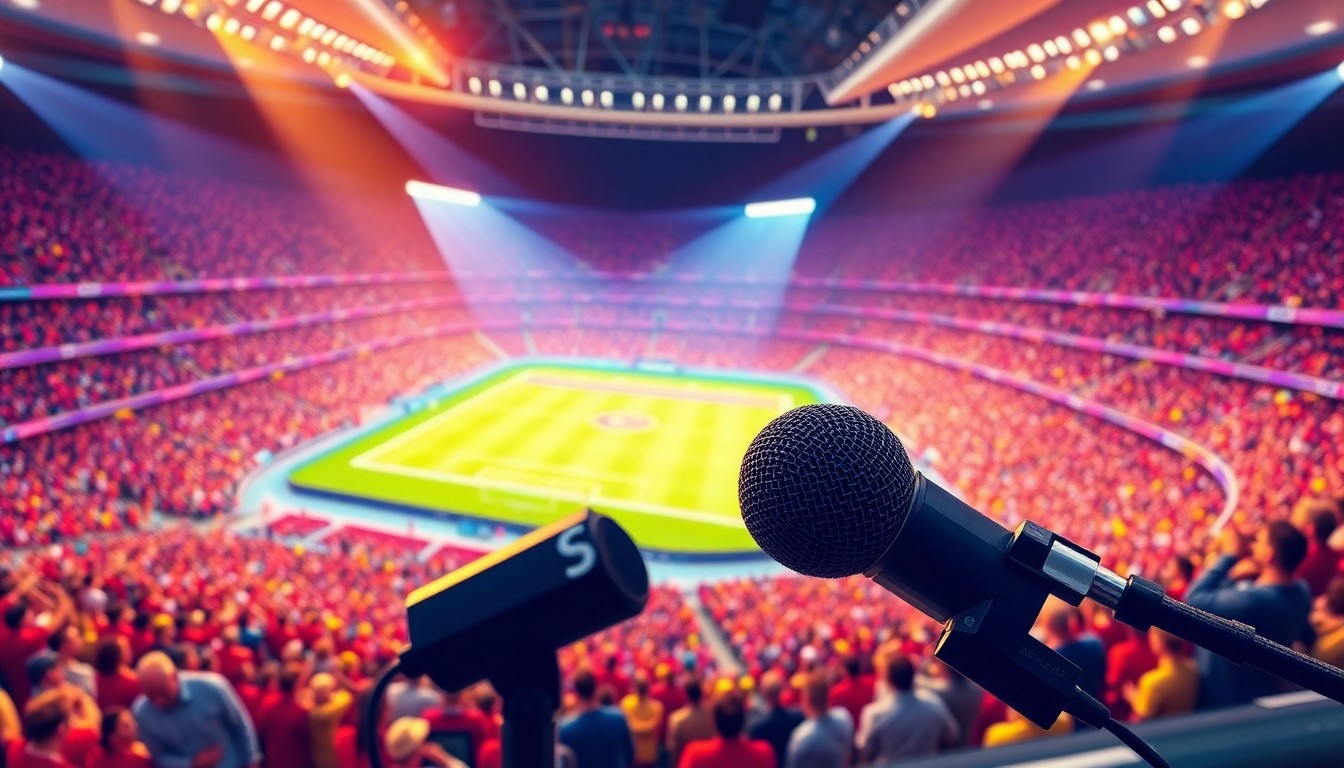
Sports broadcasting demands energy. Authority. Presence. The voice that calls the winning touchdown shapes how millions remember that moment. That voice needs authenticity, timing, urgency. But hiring professional announcers for every YouTube highlight reel, fantasy league recap, or gaming tournament stream isn't realistic. AI sports announcer voices solve this problem. They bring professional broadcast quality to content creators at every level, from bedroom streamers to established sports channels. This guide covers everything about AI sports announcer voice technology. You'll learn how these voices work, which platforms deliver the best results, and how to create commentary that sounds like Sunday afternoon television.
The evolution of sports broadcasting audio has accelerated dramatically. Professional announcers spent decades perfecting their craft. Now AI models capture those decades of expertise in minutes. TryAIVoices offers specialized sports announcer voices trained on legendary broadcasters, delivering the gravitas and excitement that makes great sports content memorable.
Understanding sports announcer voice characteristics
Sports announcing isn't just talking about games. It's performance art.
The best announcers control pacing with surgical precision. They know when to whisper during tense moments. When to explode with excitement. When to let the crowd noise tell the story. AI voice technology replicates these nuances by analyzing thousands of hours of broadcast audio, learning the patterns that separate great announcers from mediocre ones.
The anatomy of broadcast authority
Professional sports voices share distinct characteristics. Deep resonance that cuts through crowd noise. Crystal clear enunciation even at rapid-fire speed. Emotional range that escalates with game intensity.
These traits aren't accidents. Broadcasters train their voices like athletes train their bodies. They practice breathing techniques, vocal exercises, projection methods. They develop signature calls that become part of sports history. "Do you believe in miracles?" isn't just a question. It's a moment frozen in time, carried entirely by vocal delivery.
AI models trained on legendary announcers capture these elements. The technology analyzes pitch patterns during crucial moments. Pacing variations between regular play and highlight moments. Tonal shifts that signal drama building. When you generate sports commentary with a quality AI voice, you're tapping into patterns refined across decades of professional broadcasting.
Play-by-play versus color commentary styles
Sports broadcasting uses two distinct vocal approaches. Play-by-play announcers describe the action. Color commentators provide analysis and context.
Play-by-play voices prioritize clarity and speed. They narrate events as they unfold, often speaking rapidly during fast-paced sports. Basketball and hockey play-by-play requires processing multiple events per second. The voice must remain intelligible even at high speed. Baseball and golf allow for more measured pacing, but require sustained energy across hours of coverage.
Color commentary voices lean conversational. They break down strategy, share insider knowledge, inject personality. These voices sound less formal, more like a knowledgeable friend explaining the game. They complement the play-by-play voice by filling gaps between action with valuable context.
Understanding which style your content needs matters. Highlight reels typically benefit from energetic play-by-play delivery. Analysis videos work better with conversational color commentary style. Mixing both creates dynamic content that keeps audiences engaged through longer videos.
TryAIVoices' sports voice collection includes both play-by-play and color commentary styles, letting creators match voice to content format.
 Photo by Vienna Reyes on Unsplash
Why sports content creators need AI announcer voices
Content creation in sports moves fast. Game highlights hit YouTube minutes after final whistles. Fantasy football recaps need production before Sunday night. Gaming tournament streams require real-time commentary. Traditional voiceover workflows can't keep pace.
Professional voiceover artists charge hundreds per project. Studio time adds delays. Revisions mean additional costs. For creators publishing daily content, these constraints kill momentum. AI voices eliminate these barriers entirely.
The content velocity challenge
Sports content has a shelf life measured in hours, not days. A highlight reel posted six hours after a game performs worse than one posted in thirty minutes. Audiences want immediate reactions, instant analysis, rapid turnaround.
Recording traditional voiceovers takes time. You need quiet space, quality microphones, audio editing skills. You need to nail the delivery, manage energy levels, maintain consistency across takes. Then you edit, clean up background noise, balance levels. By the time you finish, the moment has passed.
AI voices compress this timeline dramatically. Type your script. Generate audio. Download. You're creating while competitors are still setting up microphones.
TryAIVoices processes voice generation in seconds, letting sports creators publish while topics trend.
Cost considerations for frequent content
Professional voiceover rates vary widely, but sports announcing commands premium pricing. The energy required, the technical vocabulary, the performance skill all justify higher fees. For one-off projects, these costs make sense. For channels publishing multiple videos weekly, they become prohibitive.
Calculate the math on a typical sports content channel. Three videos per week with five-minute voiceovers. That's roughly 15 minutes of professional voiceover weekly. At typical rates, you're spending thousands monthly on voice work alone. That's before equipment, editing, or any other production costs.
AI voices flip this economic model. Subscription-based platforms offer unlimited generation within plan limits. You can produce hours of content for a fixed monthly cost. The pricing structure makes professional-quality voices accessible to creators at every budget level.
Consistency across content libraries
Branding in sports content relies heavily on audio identity. Audiences develop preferences for specific announcing styles. When your content sounds different every video, you lose that identity advantage.
Hiring the same voice actor for every project helps, but introduces scheduling complexities. Voice actors get sick, take vacations, move to other projects. Maintaining consistency becomes a logistical challenge.
AI voices deliver identical quality every generation. Your audience hears the same announcer voice whether you publish Tuesday or Sunday, whether you're creating your tenth video or your thousandth. This consistency builds brand recognition, helping channels stand out in crowded sports content markets.
Best AI platforms for sports announcer voices
Not all AI voice platforms handle sports announcing equally well. The demands are specific. High energy without distortion. Clear enunciation at rapid speeds. Emotional range that sounds natural, not robotic.
Evaluating voice quality for broadcast use
Quality assessment for sports announcing focuses on different criteria than general text-to-speech. You need voices that handle rapid speech without mushing words together. Voices that can shout without peaking audio levels. Voices that sound energized for extended periods without tonal degradation.
Testing these qualities requires specific scripts. Generate a play-by-play sequence with rapid player names and game terminology. Listen for clarity during fast sections. Generate excited calls at high volume. Check for distortion or unnatural artifacts. Generate ten-minute commentary blocks. Assess whether energy levels remain consistent or sound fatigued by the end.
TryAIVoices specifically trains sports announcer models on broadcast audio, ensuring voices handle these demanding scenarios without quality loss. The Morgan Freeman voice brings documentary-style gravitas perfect for opening narration, while more energetic character voices can handle play-by-play intensity.
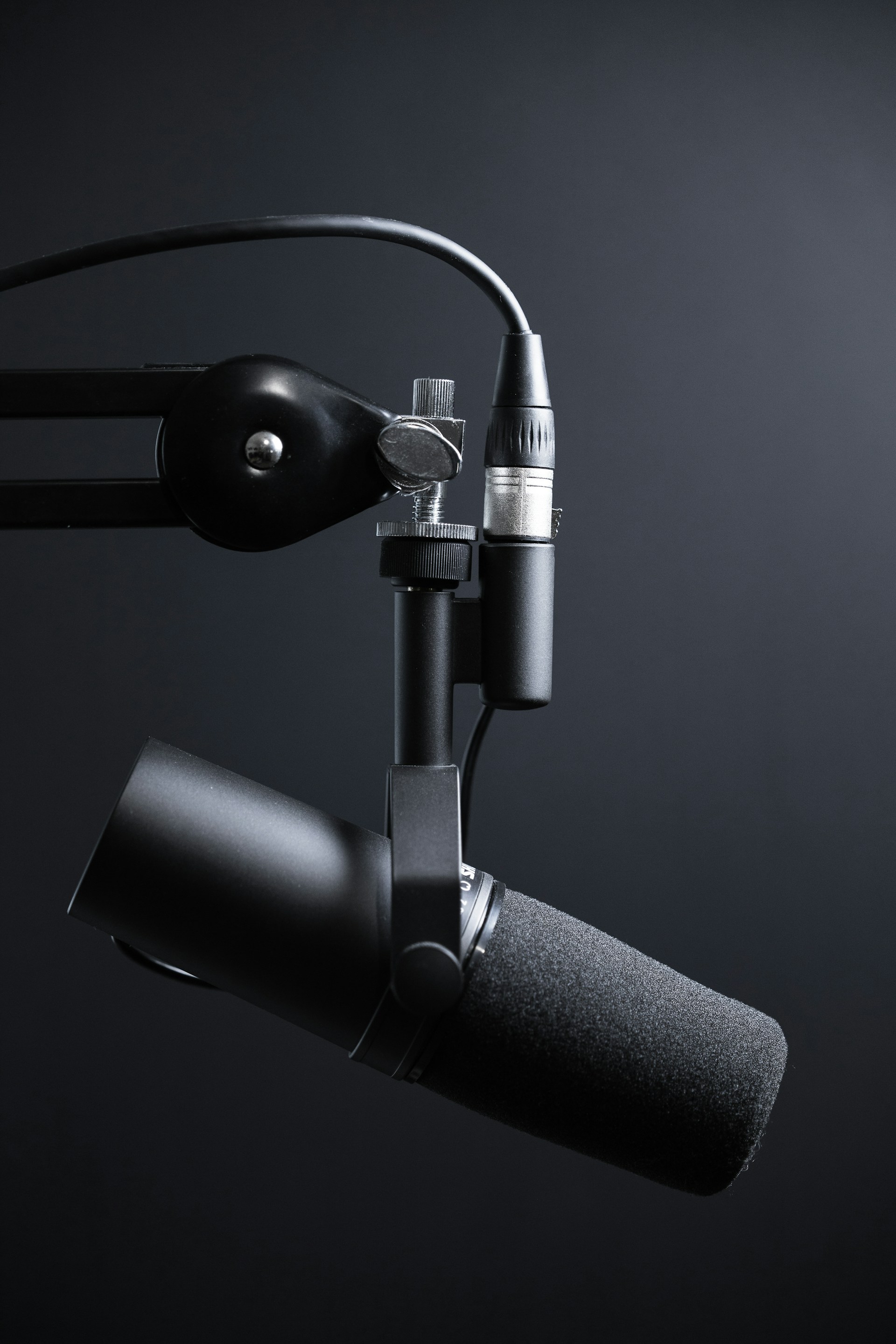 Photo by Will Francis on Unsplash
Voice selection for different sports genres
Different sports demand different vocal approaches. Fast-paced sports like basketball and hockey need voices that can accelerate without losing intelligibility. Slower-paced sports like baseball and golf benefit from voices with good conversational pacing and storytelling ability.
Combat sports need voices that build tension during staredowns, explode with energy during exchanges, then pull back for analysis between rounds. These dramatic shifts require excellent emotional range. Racing sports need sustained excitement at high volumes without becoming fatiguing to listeners.
Team sports benefit from voices that can shift between individual player focus and broader strategic analysis. The voice needs authority when discussing tactics, excitement when calling big plays, clarity when rattling off statistics rapidly.
Match your voice selection to your content genre. A voice perfect for UFC highlight reels might feel too intense for golf content. A voice ideal for baseball storytelling might lack the urgency needed for basketball commentary. Browse the sports voice library to find voices matched to specific athletic contexts.
Customization features that matter
Basic text-to-speech isn't enough for quality sports content. You need control over pacing, emphasis, emotional tone. The best platforms offer these controls without requiring technical expertise.
Pacing controls let you speed up or slow down specific sections. This matters enormously in sports commentary. You want rapid-fire delivery during action sequences, measured pacing during analysis, dramatic pauses before big moments. Platforms that only offer global speed settings force you to generate multiple clips and edit manually.
Emphasis controls determine which words get stress. In sports announcing, emphasis makes the difference between "TOUCHDOWN!" and "touchdown." You need platforms that let you specify which moments deserve vocal punch.
Emotional tone settings shape overall delivery. Excited, serious, conversational, dramatic. Sports content spans this full emotional range, sometimes within a single video. Platforms with preset emotional tones let you match voice to content moment without regenerating entire scripts.
TryAIVoices includes these controls in an intuitive interface, giving creators professional-grade customization without the learning curve of audio engineering software.
Sports announcing vocabulary and terminology
Sports commentary uses specialized language. Each sport has technical terms, slang, legendary phrases that separate knowledgeable announcing from generic narration. AI voices handle this vocabulary, but you need to write scripts that use it correctly.
Technical terminology by sport
Football commentary references formations, routes, defensive schemes. You say "play action bootleg," not "fake run pass." You say "cover two shell," not "two defensive backs." Using precise terminology signals expertise to your audience.
Basketball commentary talks about screens, switches, mismatches. You reference "pick and roll," "iso plays," "zone defense." You describe "taking it to the rack," not "going to the basket." The vocabulary sounds conversational while remaining technically accurate.
Baseball has perhaps the most specialized vocabulary of any sport. You reference pitch types, defensive alignments, situational hitting. You say "slider low and away," not "curving pitch outside." You say "shift is on," not "defensive players moved." Getting this terminology right makes commentary sound authentic.
Combat sports use technical striking and grappling terms. Soccer references formations, playing styles, tactical adjustments. Racing discusses racing lines, tire strategies, pit windows. Every sport has its own language. Learn it before writing your scripts.
Legendary calls and catchphrases
Great sports announcers create signature moments with signature phrases. "He could go all the way!" "It's good!" "And the crowd goes wild!" These aren't just words. They're cultural touchstones.
Your AI sports content doesn't need to copy legendary calls directly. That feels derivative and potentially creates copyright concerns. But understanding the structure of great calls helps you write better commentary. Great calls use simple, powerful language. They match energy to moment importance. They become memorable through delivery, not complexity.
Build your own signature phrases. Create calls unique to your channel. When viewers hear those phrases, they think of your content specifically. AI voices deliver these calls consistently, helping phrases become associated with your brand.
Sports-themed character voices on TryAIVoices can deliver custom catchphrases with the energy and timing that makes them memorable.
Emotional escalation patterns
Sports announcing isn't monotone narration. Energy escalates as drama builds. The voice during routine plays sounds different than the voice during championship-deciding moments.
Effective escalation follows patterns. Start with moderate energy. Build gradually as the situation develops tension. Explode at the climactic moment. Pull back immediately after to let the moment breathe. This wavelike pattern keeps audiences engaged without becoming fatiguing.
Listen to legendary calls. Notice how announcers modulate energy throughout the sequence. They don't scream from start to finish. They build. The building makes the explosion more impactful.
Write your scripts with this escalation in mind. Use shorter sentences as tension builds. Fragment sentences at peak moments. Return to complete sentences during analysis. AI voices follow these structural cues, delivering commentary that sounds like professional broadcasting.
 Photo by Jonathan Velasquez on Unsplash
Creating effective sports commentary scripts
Great sports announcing isn't just reading descriptions. It's storytelling. Context. Drama. Your scripts need to provide all three while remaining concise enough for AI voices to deliver naturally.
The narrative arc of sports content
Every sports moment exists within a larger story. The game-winning shot means more when you know the player struggled all season. The upset victory carries weight when you explain the favorite's dominance. The record-breaking performance lands harder when you establish the historical context.
Your scripts should establish this context quickly. Sports audiences have short attention spans. You have seconds to hook them with the story before showing the action. Open with the question the clip will answer. "Can the underdog pull off the upset?" "Will she break the record?" "Is this the greatest comeback ever?" Now your audience watches to discover the answer.
Build tension through your narration. Don't reveal the outcome in your opening. Let the action unfold with commentary that maintains suspense even if viewers know the result. Great sports storytelling makes you forget you know how it ends.
Close with context about what this moment means. Does it change playoff standings? Does it cement a legacy? Does it start a rivalry? Give your audience the full story, not just isolated highlights.
Pacing and rhythm in play-by-play
Play-by-play announcing demands precise pacing. Too slow and you fall behind the action. Too fast and you become incomprehensible. The best announcers match verbal pacing to game tempo, accelerating and decelerating fluidly.
Write your scripts with pacing variation built in. Use short sentences during fast action. Longer sentences during lulls. Fragment sentences at critical moments for dramatic emphasis. The structure of your writing guides the AI voice's delivery timing.
Consider breath marks in your script. Professional announcers breathe strategically to maintain energy without gasping. Place natural pauses in your script where announcers would breathe. This makes AI delivery sound more human and professionally trained.
Practice reading your scripts aloud before generating. If you run out of breath, your script is too dense. If you're dragging words, your script needs tighter pacing. Write for the ear, not the eye. Sports commentary is a verbal medium. Your writing should sound natural when spoken, even if it looks unusual on the page.
Balancing information and excitement
Sports audiences want information. They also want entertainment. The balance between these elements defines announcing quality.
Pure information sounds like reading statistics. "He made six baskets in the first quarter." Accurate, but boring. Pure excitement sounds like shouting without meaning. "WOW! AMAZING! INCREDIBLE!" Exhausting and empty. The sweet spot combines both.
Integrate information into exciting delivery. "Six baskets in the first quarter, matching his season high already!" Now you've provided statistics while building excitement about what they mean. The number matters because it's unusual, and you've explained why it's unusual while announcing it excitedly.
Use statistics strategically. Don't dump data randomly throughout commentary. Deploy numbers when they enhance the story. A field goal percentage matters more during a shooting slump than during routine play. A time statistic matters more during a comeback than during a blowout. Make numbers mean something by placing them in dramatic context.
Generate dynamic sports commentary by writing scripts that weave data into storytelling rather than separating information from emotion.
Specific sport applications and examples
Different sports need different announcing approaches. Let's examine how to tailor AI sports voices for specific athletic contexts.
Football announcing strategies
Football combines extended lulls with explosive action bursts. Your announcing must handle both effectively. During pre-snap, you set context. Offensive formation, defensive alignment, down and distance, score situation. This information sets up the drama of the coming play.
At the snap, your commentary accelerates. Short phrases tracking the action. "Handoff left. Breaks tackle. Cuts back. Thirty. Twenty. Ten. TOUCHDOWN!" The staccato rhythm matches the play's chaotic energy while keeping audiences oriented.
After the play, you return to analysis. What made that run successful? How did the defense fail? What does this mean for the game situation? This measured analysis contrasts with the explosive play call, creating the push-pull rhythm that makes football broadcasting engaging.
Football scripts should alternate between these modes explicitly. Mark your play-by-play sections for rapid delivery. Mark your analysis sections for conversational pacing. TryAIVoices voice controls let you adjust speed by section, making this pacing variation simple.
The Donald Trump voice brings unexpected personality to football commentary, perfect for entertainment-focused sports content where character matters as much as authenticity.
Basketball play-by-play techniques
Basketball presents unique challenges. The game never stops. Action flows continuously for minutes at a time. Announcers must maintain energy and clarity while delivering rapid-fire narration.
Basketball scripts need economy of language. You can't use full sentences during fast breaks. You need fragments that convey essential information without slowing delivery. "Curry. Behind the back. Durant. From three. YES!" Each word advances the action description without wasting syllables.
Use player last names exclusively during rapid sequences. First names and full names waste time. Save complete names for introductions and replays. During live action, assume your audience knows who "James" or "Curry" means.
Build in breathing points. Even during continuous action, basketball has brief lulls. Free throws. Out-of-bounds. Timeouts. Use these moments for deeper analysis while giving both announcer and audience a rhythm break.
Basketball commentary benefits from color commentary integration. Pure play-by-play becomes monotonous over a full game. Mix in strategic observations between action sequences. Why is this lineup effective? What adjustment will the coach make? Blend action and analysis throughout.
Baseball storytelling approach
Baseball isn't basketball. The pacing allows, even demands, storytelling. Between pitches, announcers share player histories, explain strategic decisions, build dramatic tension. Baseball announcing is as much about what happens between plays as during plays.
Your scripts should embrace this storytelling opportunity. Open with the situation. Runner on second, two outs, tie game in the ninth. Then provide context. The pitcher hasn't allowed a run in three weeks. The batter leads the league in clutch hitting. Now the pitch matters because you've explained what's at stake.
Describe pitches with precision. Baseball fans know their pitch types. They appreciate accurate terminology. "Fastball up and in" paints a clear picture. "Ball thrown near the batter" sounds amateurish. Use proper terminology to build credibility.
Build tension through pacing. As the count goes deeper, slow your delivery. Let anticipation build. When contact happens, accelerate. "Line drive! Back goes the fielder! At the wall! He caught it! What a grab!" The acceleration creates excitement even when describing an out.
Baseball allows for humor and tangential stories in ways faster sports don't. An amusing anecdote about a player fits naturally between pitches. A historical parallel has time to develop. Use this freedom to create content with personality beyond just calling action.
Combat sports commentary dynamics
Combat sports demand different energy than team sports. Rounds have distinct phases. The opening minute, the middle grind, the championship rounds. Your commentary should mirror this evolution.
Early rounds need controlled excitement. You're enthusiastic but measured, treating every exchange as significant without exhausting your vocal range. This restraint lets you escalate later. If you're shouting in round one, you have nowhere to go when round twelve becomes a war.
Between rounds, shift to analysis. What damage accumulated? Which fighter is ahead? What adjustments do they need? This analytical section provides rhythm variation and gives audiences insight beyond obvious action.
Championship rounds demand peak energy. Your commentary should reflect the stakes and fatigue fighters feel. Shorter phrases. Higher intensity. Let the drama of the moment carry through your delivery.
Combat sports also require sensitivity. When fights end with brutal knockouts, your commentary should acknowledge the violence without celebrating injury. Professional announcers navigate this carefully. Your scripts should do the same, showing excitement for athletic achievement without seeming to enjoy harm.
TryAIVoices' dramatic character voices can bring the intensity combat sports content demands while maintaining professional broadcast quality.
Soccer commentary considerations
Soccer presents announcing challenges similar to basketball. Continuous play. Rapid action shifts. Global terminology variations. Your commentary must stay energized for ninety minutes while remaining intelligible during chaotic goal sequences.
Soccer scripts need strategic depth. Much of soccer involves positioning, movement off the ball, tactical adjustments. While basketball's scoring frequency provides natural excitement, soccer's lower scoring means you must find drama in buildup play.
Describe tactical shape. Which formation is each team playing? Where are they pressing? How are they creating space? This strategic layer keeps audiences engaged during scoreless stretches.
When goal chances develop, your energy elevates. The progression from midfield to goal opportunity to shot follows a natural escalation curve. "Building from the back. Through ball! One on one! GOOOOOOAL!" The extended goal call is soccer tradition. Write it into your scripts explicitly.
Soccer terminology varies globally. "Football" versus "soccer." "Pitch" versus "field." "Kit" versus "uniform." Choose terminology that matches your target audience. Mixing British and American terms inconsistently sounds confused. Pick a style and commit.
Racing and motorsports narration
Racing announces differently than other sports. You're describing machines as much as athletes. Speed, mechanical function, strategy all matter. Your commentary must balance technical information with human drama.
Racing benefits from pre-race context. Explain qualifying results, mechanical specs, driver rivalries. This information helps audiences understand what they're watching once the race begins.
During racing, your commentary focuses on positions, strategic decisions, incidents. Track multiple storylines simultaneously. The battle for the lead. The charge through the field. The pit strategy playing out. Jump between storylines to maintain variety and cover the full race narrative.
Technical terminology matters enormously in racing. Fans know "understeer," "downforce," "dirty air." Using precise technical language builds credibility. Explaining these terms occasionally helps newer fans without alienating knowledgeable audiences.
Racing audio faces unique challenges. Engine noise often dominates. Your AI-generated commentary will overlay this ambient sound. Write scripts that work with engine audio rather than fighting it. Shorter phrases during intense on-track battles. Longer analysis during caution periods or after the race.
 Photo by Aziz Acharki on Unsplash
Technical implementation and audio production
Creating great sports commentary involves more than generating AI voices. You need to understand audio production basics to make your content sound professional.
Audio quality requirements for broadcast
Professional broadcast audio meets specific technical standards. Understanding these standards helps you produce content that sounds legitimate rather than amateur.
Audio should be recorded at 48kHz sample rate, 24-bit depth for professional work. 44.1kHz at 16-bit works for most online content. These specifications affect clarity and dynamic range. Lower quality settings create artifacts that make even great AI voices sound cheap.
Dynamic range matters greatly in sports announcing. The quiet moments need to stay audible. The loud moments need to avoid distortion. Quality AI platforms like TryAIVoices handle this range naturally, but you must preserve it during editing.
Audio normalization ensures consistent volume across your project. Sports announcing involves natural volume variation. Excited calls are louder than routine commentary. Normalization evens these peaks and valleys without destroying the performance dynamics that make great announcing.
Background noise elimination is crucial. Sports content often includes crowd sounds, music, game audio. Your announcer voice must cut through these elements clearly. Generate AI voices at higher volumes than you think you need. You can always reduce volume during mixing. Boosting quiet audio amplifies artifacts and reduces quality.
Mixing commentary with game audio
Sports content typically layers multiple audio elements. Game sounds, crowd noise, music, commentary. Balancing these elements is where amateur content often fails.
Commentary should sit at the forefront of your mix. It's the priority element. Game sounds and crowd noise support but don't compete with the voice. A common mistake is making game audio too loud, burying the commentary and frustrating audiences trying to hear the narration.
Duck background audio under commentary. When the announcer speaks, game sounds should reduce automatically. This technique, called "ducking," ensures commentary remains intelligible without requiring you to completely eliminate ambient sound. Most editing software includes ducking tools or compressor side-chain features that accomplish this automatically.
Use crowd noise strategically for emphasis. When commentary describes an exciting moment, letting crowd volume swell after the call amplifies the excitement. The announcer shouts "TOUCHDOWN!" then reduces volume briefly while the crowd roar swells, then comes back in for analysis. This creates a layered, professional sound.
Music beds work well for certain sports content formats. Highlight reels, recap videos, and analysis pieces benefit from background music that supports the mood. Keep music subtle. It should enhance, not distract. When commentary is active, music should barely register in the mix.
Exporting and format considerations
How you export audio affects where you can use it. Different platforms prefer different formats. Understanding these requirements saves re-exports and quality loss.
MP3 is universal but lossy. It reduces file size by removing audio information. For most online sports content, high-bitrate MP3 (256kbps or higher) provides acceptable quality with manageable file sizes. Lower bitrates create artifacts noticeable on quality headphones or speakers.
WAV files preserve full audio quality but create massive files. Use WAV for your master versions before compression. Export to WAV if you're delivering content to someone else for further editing. Otherwise, WAV's size makes it impractical for most publishing workflows.
AAC offers better quality than MP3 at the same bitrate. Many platforms, including YouTube, prefer AAC. If your editing software supports AAC export, use it for final deliverables.
Consider loudness standards for your target platform. YouTube and other streaming services use LUFS (Loudness Units Full Scale) normalization. If your audio is too loud, platforms will turn it down automatically, potentially reducing quality. Target -14 LUFS for YouTube, -16 LUFS for Spotify, -13 LUFS for broadcast television if you're producing content for traditional media.
Editing for rhythm and pacing
Raw AI voice generation is a starting point. Great sports content requires editing to match pacing to visual elements and create proper rhythm.
Align commentary to video action. When your script says "incredible shot," that phrase should sync with the shot happening visually. This synchronization requires trimming dead air, adjusting phrase timing, sometimes splitting generated audio and inserting pauses.
Use audio waveforms as visual guides. Peaks show where emphasis occurs. You can align these peaks to key visual moments without playing audio repeatedly. This speeds up editing significantly.
Cross-fading between audio clips smooths transitions. If you generate commentary in multiple takes or sections, abrupt cuts between clips sound jarring. One-second cross-fades blend sections naturally.
Room tone or ambient background fills gaps. Pure silence between commentary phrases sounds unnatural in sports content. Your audience expects constant low-level crowd noise or arena ambiance. Layer subtle background audio throughout to eliminate dead air without creating distraction.
Legal and ethical considerations
Using AI voices for sports content involves legal questions around copyright, personality rights, and disclosure. Understanding these issues protects you from potential problems.
Copyright and fair use in sports content
Sports footage itself carries complex rights. Leagues own their broadcasts. Fair use allows limited use for commentary, criticism, news, education. But fair use is a defense, not a blanket permission. Understanding the boundaries keeps your content legal.
Using sports footage for commentary qualifies as transformative fair use in most situations. You're adding analysis, criticism, or educational value beyond the original broadcast. Short clips commented on for educational or entertainment purposes typically pass fair use standards.
Using extensive game footage without commentary is more problematic. If you're just showing long game sequences with music, you're not transforming the content. That likely violates copyright regardless of your AI commentary.
Consider licensing when possible. Some leagues offer content licensing programs for creators. These programs cost money but eliminate legal uncertainty. For channels making revenue from sports content, licensing might be worth the investment.
Copyright affects your AI-generated commentary too. If you base your announcing style explicitly on a specific broadcaster's copyrighted calls, you might create derivative works. Generic sports announcing style is fine. Directly copying signature calls or explicitly imitating specific announcers might cross legal lines.
Disclosure requirements for AI content
Growing legal requirements demand disclosure when content uses AI generation. Transparency benefits creators even beyond legal compliance.
Many platforms now require labeling AI-generated content. YouTube added features specifically for AI disclosure. Failing to disclose when required can result in penalties, demonetization, or content removal.
Disclosures don't require extensive explanation. A simple "AI voice by TryAIVoices" in your video description or credits accomplishes the requirement. Some creators include brief on-screen text. The key is clarity without disrupting content flow.
Audiences increasingly expect this disclosure anyway. Hiding AI use creates backlash if discovered later. Being upfront builds trust. Many creators frame AI voices as production tools that let them create more content, which audiences appreciate.
Some contexts demand extra caution. If creating content that could be mistaken for official league broadcasts, clear labeling becomes even more important. You don't want audiences confused about whether your content is authorized by professional organizations.
TryAIVoices encourages transparency about AI use, helping creators build audiences that value their content while understanding the production methods.
Personality rights and name usage
Sports content inherently references athletes, coaches, teams. These references carry potential legal implications regarding personality rights.
Mentioning athletes in commentary is generally fine. News and commentary protection covers factual statements about public figures. Describing what LeBron James did in a game is protected. Using his name in your title and tags is fine.
Implying endorsement crosses the line. If your content suggests an athlete supports your channel or product, you're potentially violating personality rights. Commentary about athletes differs from using athletes to promote your content.
Be careful with athlete likenesses in thumbnails. Using official team photos or professional sports photography creates copyright issues. Creating custom graphics that reference athletes without using their exact likenesses is safer. Many sports content creators use stylized illustrations or generic athlete imagery rather than specific player photos.
Team names and logos are trademarked. Using them for commentary and news is generally protected. Using them for merchandise or in ways that suggest official affiliation is not. Know the difference between fair use and trademark infringement.
Monetization strategies for sports content
Creating great sports commentary content is step one. Monetizing that content requires strategic thinking about platforms, audiences, and revenue streams.
Platform-specific considerations
Different platforms offer different monetization options and limitations for sports content. Understanding these differences shapes your content strategy.
YouTube allows monetization of sports content if you follow fair use guidelines. Your commentary must be substantial, not just reacting to footage. You're critiquing, analyzing, educating. That makes your content eligible for AdSense revenue. Channels regularly monetize sports commentary successfully by focusing on transformation rather than just showing games.
TikTok monetization for sports content works differently. The Creator Fund pays based on views and engagement. Rights issues are less strict for short-form content, but you still need to add value beyond just posting clips. Your AI commentary adds that transformative value that makes clips monetizable.
Twitch handles sports content through live streaming. If you're providing commentary on games as they happen, that's transformative fair use. You can monetize through subscriptions, donations, and ads. Using AI voices for segments between live commentary adds production value without requiring multiple people.
Podcasting platforms monetize through sponsorships and premium subscriptions. Sports analysis podcasts work well with AI voices for consistent quality. Sponsors care about audience size and engagement, not whether the voice is human or AI.
 Photo by Adrià Tormo on Unsplash
Audience building tactics
Monetization depends on audience size. Growing a sports content audience requires understanding what makes viewers return.
Consistency is paramount. Audiences need to know when to expect your content. Daily uploads during sports seasons. Weekly deep dives in the off-season. Whatever your schedule, maintain it religiously. Sporadic posting kills momentum.
Niche focus often beats broad coverage. A channel dedicated to fantasy football analysis might grow faster than a general sports channel. Narrower focus helps SEO, builds expertise recognition, and attracts devoted audiences willing to support your content.
Engage with your community. Reply to comments. Ask for input on future topics. Sports fans love debate and discussion. Your AI commentary starts conversations. Your personal engagement keeps conversations going and viewers coming back.
Cross-promote across platforms. Your YouTube analysis can promote your Twitter takes. Your TikTok highlights can drive traffic to YouTube deep dives. Your podcast can reference your written content. Build a content ecosystem where each piece supports the others.
Using consistent AI voices across platforms builds brand recognition. When audiences hear the same announcing voice on YouTube, TikTok, and your podcast, they immediately recognize your content. TryAIVoices lets you use the same voice across unlimited projects, building this consistency effortlessly.
Sponsorship and partnership opportunities
Direct platform monetization is one revenue stream. Sponsorships often provide more lucrative options for sports content creators.
Sports betting sponsors heavily fund sports content. Affiliate programs pay for referrals. Many betting companies actively seek content creator partnerships. Your channel doesn't need millions of subscribers to attract these sponsors. Engaged audiences in the right demographic are worth more than massive but disengaged viewer bases.
Fantasy sports platforms sponsor content too. If your content helps audiences make better fantasy decisions, platforms will pay to reach those audiences. Integrate sponsor mentions naturally into your commentary rather than creating obvious ad breaks.
Sports equipment and apparel brands partner with content creators. These partnerships typically require larger audiences, but niche expertise can compensate for smaller size. If you're known as the definitive source on a specific sport or league, relevant brands might find you more valuable than much larger general sports channels.
Create sponsor-friendly content intentionally. Include clear sponsorship integration points in your videos. Professional production values matter more than you might think. Sponsors want to be associated with quality. Using professional AI commentary rather than amateur voiceovers increases your appeal to potential sponsors.
Advanced techniques and creative applications
Once you master basic sports commentary, advanced techniques let you create unique content that stands out from standard highlight reels.
Creating character-driven sports content
Sports content doesn't have to sound like traditional broadcasting. Character voices create entertainment value beyond standard play-by-play.
Imagine soccer highlights called by Peter Griffin. Basketball analysis from Spongebob. Golf commentary by Darth Vader. These combinations create comedy while still delivering actual sports analysis.
Character-driven content works especially well for social media. A 30-second TikTok of a dramatic goal call in a cartoon character's voice goes viral more easily than straight announcing. It's memorable, shareable, distinctive.
Balance comedy with information. The character voice is the hook. The actual analysis is what provides value. Your Rick sports commentary should sound like Rick, but still deliver insights about what happened in the game and why it matters.
Character content also serves niche audiences. Gaming culture responds to video game character voices doing sports commentary. Anime fans appreciate commentary from anime characters. Matching voice to audience interest creates content that feels personally relevant rather than generic.
TryAIVoices' character library includes hundreds of voices perfect for creating distinctive sports content that blends entertainment with analysis.
Multi-language sports content
Sports are global. Creating content in multiple languages exponentially expands your potential audience. AI voices make multilingual content practical for solo creators.
Consider the global appeal of major sports. Soccer has massive audiences across South America, Europe, Africa, Asia. Basketball's popularity spans continents. Creating Spanish, Portuguese, French, Arabic, Chinese commentary for the same content reaches vastly larger audiences than English-only.
Multi-language content doesn't mean translating everything. Start with sports popular in specific regions. Create Spanish commentary for soccer. Portuguese for MMA. Japanese for baseball. This targeted approach delivers relevant content to passionate audiences rather than generic translations nobody wants.
The same video can support multiple language tracks. Upload the English version to your main channel. Upload Spanish to a Spanish-language channel. Portuguese to another channel. You're creating content once and monetizing it multiple times across different audience segments.
AI voices make this practical. You don't need to find, hire, and coordinate with voice actors speaking different languages. You generate multiple language versions from translated scripts, maintaining consistent quality across all versions.
Browse available languages on TryAIVoices to explore multilingual content opportunities for your sports channel.
Podcast integration and long-form content
Short-form highlight commentary is one format. Long-form sports podcasting offers different opportunities and requires different techniques.
Sports podcasts benefit from the conversational pacing AI voices handle well. You're not calling rapid action. You're discussing topics, breaking down film, debating opinions. This format suits AI voice strengths.
Create multiple speaker formats. Two AI voices debating topics creates dynamism long monologues lack. One voice handles play-by-play recap while another provides analysis. This two-voice approach mimics traditional sports radio partnerships.
Integrate interview formats creatively. While you can't interview real people with AI voices (that would be unethical without disclosure), you can create discussion formats where you respond to audio from press conferences, interviews, or game sound. Your AI voice commentary frames and analyzes these authentic clips.
Long-form content can dive deeper than highlight commentary allows. Tactical breakdowns. Historical context. Statistical deep dives. Career retrospectives. These topics benefit from the consistency and quality AI voices provide for extended formats.
Podcast audiences form loyal communities. They listen regularly, often in their cars or during exercise. Once you hook podcast listeners, they provide stable audience base for monetization through sponsorships, premium subscriptions, merchandise.
Real-time application for streaming
Live streaming sports content with AI voice assistance represents advanced technique but offers unique opportunities.
You can pre-generate voice segments for common situations. Touchdown calls. Goal celebrations. Key analysis points. During live streams, trigger these pre-generated audio clips at appropriate moments. This creates professional production value beyond what solo streamers typically manage.
Use AI voices for produced segments between live commentary. You provide live reaction during games. Polished AI voice segments during breaks provide statistics, sponsor reads, previews of upcoming content. This hybrid approach combines live authenticity with professional production.
Some creators use AI voices as co-hosts. You talk naturally on stream. Pre-generated AI segments provide the other perspective. This creates a two-person show dynamic with only one actual person.
Real-time generation technology is improving. While current AI voices typically require seconds for generation, emerging technology approaches real-time speed. Early adopters of real-time AI voice generation will have significant advantages in live streaming sports content.
Future trends in AI sports announcing
AI voice technology evolves rapidly. Understanding where this technology is heading helps creators prepare for coming changes and opportunities.
Emotion and authenticity improvements
Current AI voices handle excitement reasonably well. Future models will capture subtle emotional nuances that separate good from great announcing.
Real announcers express complex emotions. Relief after tense moments. Disappointment mixed with respect after defeats. Joy tempered with humility. These subtle emotional blends are what make legendary announcers legendary. They feel authentic because their emotions mirror audience emotions.
AI models will increasingly capture this authenticity. Current models often sound enthusiastic or calm, without much middle ground. Future models will express anticipation, nervousness, confidence, surprise with the nuance that makes audiences feel the announcer truly understands the moment's significance.
This improvement comes from training on more diverse voice data and better understanding emotional context. Models will analyze not just what words to say, but what emotion those words should carry based on game situation, score, time, stakes.
Real-time generation capabilities
The seconds required for current AI voice generation create workflow friction. Real-time generation would be transformative for sports content creation.
Imagine typing commentary during a live game and having professional announcing generated instantly. You become the writer/director while AI handles performance. This combination could revolutionize sports broadcasting by making professional quality accessible to anyone with writing skills and sports knowledge.
Real-time generation also enables interactive content. Audiences could request specific highlight commentary. "Show me that touchdown call as Peter Griffin." The system generates the requested voice instantly. This personalization creates engagement impossible with traditional voiceover.
Technical challenges remain. Real-time generation requires enormous computing power. Latency between input and output must be imperceptible. Quality can't degrade for speed. These problems will be solved eventually. Creators who understand how to leverage real-time generation early will have significant competitive advantages.
Personalization and customization
Sports content is moving toward personalization. AI voices will play a central role in this trend.
Imagine sports apps that generate highlight commentary in your preferred announcing style. Some users want excitement and hyperbole. Others prefer analytical and measured. The same highlights could be presented with different AI-generated commentary matched to individual preferences.
Fantasy sports could integrate personalized AI announcing. Your fantasy football app generates a recap of your team's week with AI commentary celebrating your success or analyzing your losses. This content feels personally relevant rather than generic.
Local sports will benefit enormously from AI voice customization. Professional announcers don't cover high school sports, but AI voices can. Schools could have AI announcers for every home game, creating professional broadcast experiences for local communities.
Custom brand voices will become common. Companies could train AI voices matching their specific audio brand identities. Sports content creators could develop signature voices unique to their channels, creating instantly recognizable audio branding.
TryAIVoices continues advancing voice customization, giving creators more control over voice characteristics, emotional range, and stylistic choices.
Troubleshooting common challenges
Even with quality AI voice platforms, sports content creation presents challenges. Understanding common problems and solutions keeps your workflow efficient.
Handling technical terminology
Sports terminology sometimes trips up AI voice generation. Uncommon player names, technical terms, slang all can generate mispronunciations or awkward deliveries.
Phonetic spelling helps tremendously. If a player's name generates incorrectly, spell it phonetically in your script. The AI voice reads exactly what you write. If "Giannis Antetokounmpo" comes out wrong, try "YAH-niss AHN-tet-oh-KOON-mpo" in your script.
Test terminology before generating full scripts. Create short test generations with problematic terms. Adjust spelling until pronunciation is correct. Then use that spelling throughout your actual script.
Create a personal reference document of phonetic spellings for common terms in your content niche. This saves repeated trial-and-error. Once you know how to spell "Antetokounmpo" for correct AI pronunciation, you never have to solve that problem again.
Some AI platforms include pronunciation guides or phonetic input fields. TryAIVoices allows these adjustments, making technical sports terminology generation straightforward.
Managing energy consistency
Maintaining appropriate energy levels throughout longer content challenges AI voices. The technology sometimes starts strong but sounds fatigued in later sections, or maintains such constant high energy it becomes fatiguing to listeners.
Generate longer scripts in sections rather than all at once. This gives you control over energy level section by section. Generate your opening at high energy. Your analysis section at moderate energy. Your closing at high energy again. Then combine these sections during editing.
Edit pacing during post-production. If AI-generated sections feel too energetic or too flat, speed adjustment tools can help. Speeding up slightly can increase energy perception. Slowing down slightly can reduce perceived fatigue.
Mix high and low energy content intentionally in your scripts. Don't write entire scripts at peak excitement. Include natural breathing points, analytical sections, conversational moments. This variation helps AI voices deliver more natural-sounding performances.
Synchronization with video
Aligning AI commentary with video action requires precision. Mistiming makes professional content feel amateur.
Generate audio before video editing when possible. Cut your video to match audio timing rather than trying to make audio fit pre-cut video. This approach gives you more flexibility and usually creates better rhythm.
Use marker tools in your editing software. Place markers at key visual moments. Generate your commentary. Listen while watching markers. Adjust commentary placement to align with marked moments. This systematic approach is faster than repeatedly scrubbing timeline trying to find perfect sync.
Leave flexibility in your scripts. Don't write commentary that requires frame-perfect timing. Write scripts that work if the phrase lands anywhere within a one or two-second window. This tolerance makes synchronization much less frustrating.
Some moments demand precise sync. A "TOUCHDOWN!" call must land exactly when the player crosses the goal line. For these critical moments, consider generating that single phrase separately. You can then place it precisely on your timeline without needing the entire commentary to time perfectly.
Training resources and skill development
Creating great sports commentary isn't just about technology. It's about understanding sports, broadcasting, and storytelling. Developing these skills elevates your content above competitors using the same AI tools.
Studying professional announcers
The best way to improve sports commentary writing is studying legendary announcers. What makes their calls memorable? How do they structure game narratives? What separates great from mediocre?
Watch games with audio isolated. Focus entirely on what announcers say and when. Notice how they build anticipation before big plays. How they modulate energy during different game situations. How they balance information, entertainment, and emotion.
Transcribe legendary calls. Write out exactly what famous announcers said word-for-word. You'll notice patterns. Short sentences during action. Specific word choices. Rhythm and repetition. These patterns work because they've been refined across decades. You can apply them to your AI-generated commentary.
Study multiple sports and announcing styles. Basketball play-by-play teaches economy of language. Baseball teaches storytelling. Soccer teaches sustained energy. Combat sports teach dramatic escalation. Each sport offers lessons applicable across all sports content.
Don't copy directly. Study to understand principles, then apply those principles to your own style. The goal is learning what works and why, not plagiarizing specific calls.
Writing practice techniques
Good commentary writing is a skill that improves with practice. Deliberate practice accelerates improvement.
Practice writing commentary for games you watch. Mute the broadcast audio and write commentary in real-time as if you were announcing. This forces you to think quickly, choose words carefully, match pacing to action. It's challenging but incredibly effective practice.
Compare your writing to professional broadcasts. After writing your own commentary, listen to what professionals said. Where did they add context you missed? How did their pacing differ? What terminology did they use that you didn't? This comparison reveals gaps in your skills.
Write commentary for different sports. Even if your channel focuses on one sport, practicing others improves your overall skills. The discipline of learning new sports terminology, understanding different pacing requirements, and adapting your style builds versatility.
Get feedback from knowledgeable sports fans. Share your commentary with friends who watch sports seriously. Do they feel your commentary captures the excitement? Does your terminology sound accurate? Would they watch content with your commentary? Honest feedback accelerates improvement faster than solo practice.
Technical audio skills worth learning
You don't need to become an audio engineer, but basic skills dramatically improve your content quality.
Learn basic EQ to fix voice issues. If AI-generated voices sound muddy, cutting low frequencies clears them up. If voices sound harsh, reducing upper-mid frequencies smooths them out. Basic EQ knowledge takes an hour to learn and improves every project.
Understand compression basics. Compression evens out volume differences, making quiet sections audible and loud sections controlled. Sports announcing benefits from compression because energy varies dramatically. Learning basic compression settings makes your content sound more professional.
Master ducking and side-chain compression. These techniques automatically reduce background audio when commentary plays. This is essential for sports content mixing game audio with announcing. Most editing software includes these features. Learning them takes practice but becomes second nature quickly.
Learn noise reduction tools. Even AI-generated voices sometimes have subtle artifacts. Noise reduction plugins can clean these up without affecting overall audio quality. This is especially important if you're mixing AI voices with recorded audio that has background noise.
These skills aren't difficult, but they separate amateur from professional-sounding content. TryAIVoices generates clean audio, but knowing how to enhance it during production makes your content stand out.
Case studies and success examples
Learning from creators already succeeding with AI sports announcing shows what's possible and provides inspiration for your own projects.
YouTube sports highlights channel growth
Several sports highlights channels have scaled rapidly using AI commentary. These channels follow similar patterns worth studying.
They publish daily during sports seasons, taking advantage of AI voice speed to maintain content velocity traditional voiceover couldn't sustain. Some channels publish multiple videos daily, covering different games or sports. This volume would be impossible with traditional voiceover costs and production time.
They focus on niche angles within popular sports. Rather than general NBA coverage competing with ESPN, they might focus exclusively on clutch performances, rookie highlights, or specific teams. This niche focus helps with SEO and builds devoted audiences more effectively than broad coverage.
They optimize around trending moments quickly. When a controversial play happens, these channels publish analysis within hours. Traditional sports media takes days to produce similar content. Speed creates competitive advantage that AI voices enable.
Successful channels invest in good video editing even when using AI voices. The voice is one production element. Quality thumbnail design, smooth video editing, engaging graphics all matter equally. AI voices let them produce professional audio without professional budgets, which they can invest in other production areas.
TikTok sports comedy accounts
TikTok's short format creates different opportunities for AI sports voices. Comedy-focused sports accounts have found particular success.
These accounts use character voices for sports commentary, creating humorous contrast. A dramatic NBA highlight called by a cartoon character creates entertainment beyond just showing the play. The voice choice is the hook that makes content share-worthy.
They focus on viral sports moments, adding comedic AI commentary to clips already trending. This strategy leverages existing interest rather than trying to create interest from scratch. The AI commentary becomes the unique angle on content audiences already want to consume.
Successful accounts post multiple times daily, testing different voice and sport combinations. Volume matters on TikTok. AI voices enable this volume by eliminating the main production bottleneck. Some accounts post ten times daily, seeing which combinations resonate with audiences.
They engage heavily with comments, using feedback to guide future content. If audiences love Spongebob calling soccer goals, they create more. If Trump boxing commentary flops, they try different combinations. AI voices make this experimentation cheap and fast.
Podcast sports analysis success
Sports analysis podcasts benefit from AI voices differently than short-form content. Several podcasts have built substantial audiences using AI voices for consistent quality.
They use AI voices for structured segments while maintaining human authenticity for opinions. The AI voice might read statistics, recap game action, deliver sponsor reads. The creator provides analysis and opinions. This hybrid approach creates professional production quality while maintaining personal connection with audiences.
Long-form content benefits from AI voice consistency. A weekly podcast requiring 30-45 minutes of voiceover would be exhausting to record personally every week. AI voices maintain energy and quality automatically, while creators focus on content rather than vocal performance.
Successful sports podcasts using AI create strong brand identity through voice selection and content structure. Audiences come to associate specific AI voices with specific content. The voice becomes part of the brand rather than a limitation to overcome.
They monetize through sponsorships and premium content tiers. Ad revenue alone rarely sustains podcasts. Sponsors pay for access to engaged niche audiences. Premium tiers offer additional analysis, early access, or bonus episodes. AI voices enable the volume that makes these models viable.
Essential tools and resources
Building a successful sports content workflow requires more than just AI voices. Understanding the complete toolkit helps you work efficiently.
Recommended video editing software
Video editing platforms vary in complexity and price. Choosing the right one for your workflow matters.
DaVinci Resolve offers professional features free. The learning curve is steeper than simpler editors, but the power is worth it for serious creators. Color grading, audio mixing, effects all integrate in one platform. Sports content creators appreciate the precision timeline control for syncing commentary to action.
Adobe Premiere Pro is industry standard for professional video creators. The subscription cost is significant, but Creative Cloud integration and extensive plugin ecosystem make workflows efficient. Sports channels producing high volumes of content benefit from Premiere's batch processing and automated workflows.
Final Cut Pro works well for Mac users wanting professional results without Premiere complexity. The magnetic timeline and optimization for Apple hardware create smooth editing experiences. Sports creators appreciate speed during rapid turnaround on trending topics.
For beginners, tools like Filmora or iMovie provide simpler interfaces. You sacrifice advanced features for easier learning curves. These work fine for starting out, though you'll likely outgrow them as your content becomes more sophisticated.
Whatever you choose, learn it thoroughly. Great editors using simple tools produce better content than beginners using professional software. Master your chosen tool before chasing more advanced options.
Audio editing platforms
Separate audio editors often handle voice work better than video editing software. Understanding audio-focused tools improves your commentary quality.
Audacity is free and handles basic audio editing well. Noise reduction, normalization, basic effects all work smoothly. For simple AI voice editing before importing to video software, Audacity does everything most creators need.
Adobe Audition integrates with Premiere for seamless video workflows. Advanced features like spectral editing and multi-track mixing benefit complex sports content with multiple audio layers. The subscription adds cost but creates efficient workflows for regular creators.
Reaper offers professional features at budget prices. The interface feels dated compared to Adobe, but functionality rivals anything in the market. Sports content creators on budgets appreciate Reaper's power without subscription costs.
For AI-generated voices, you often need minimal editing. TryAIVoices outputs clean audio that typically goes straight into video projects. Audio editors become more important when mixing commentary with game sounds, music, and effects.
Graphics and thumbnail creation
Sports content lives or dies by thumbnails. Strong visuals drive clicks. Understanding graphics tools improves your content's market performance.
Canva works excellently for thumbnail creation. Templates, stock photos, text effects all let non-designers create professional-looking graphics. Sports thumbnail templates help you establish consistent branding while maintaining freshness across videos.
Photoshop offers maximum control for complex graphics. The learning curve is significant, but the creative possibilities are endless. Advanced creators use Photoshop to create unique thumbnail styles that make their content instantly recognizable in crowded feeds.
Figma bridges the gap between simple and complex. Web-based interface, collaborative features, and growing template ecosystem make it popular with content creator teams. Sports channels with multiple people creating content appreciate Figma's sharing and collaboration features.
For animated thumbnails on platforms supporting them, After Effects opens creative possibilities. Animated elements catch eyes more effectively than static images in some contexts.
Invest time in thumbnail strategy. Great content with weak thumbnails underperforms. Analyze successful sports channels in your niche. What thumbnail elements do they use consistently? Color schemes? Text styles? Player imagery approaches? Learn from success and adapt lessons to your style.
Sports footage sources
Commentary needs game footage. Understanding legal sources for sports clips protects your channel while giving you content to work with.
Official league social accounts post clips under terms allowing reaction and commentary. Many leagues actively want creators using their content because it extends their reach. Follow official accounts and use their posted clips knowing you're within their content guidelines.
Creative Commons sports content exists but requires careful searching. Some college sports, international leagues, and older historical footage exist under licenses allowing use. This content is less timely but completely legal and often underutilized.
Recording your own local sports creates totally original content. High school games, amateur leagues, recreational sports all create opportunities for commentary without any rights concerns. The audiences are smaller, but growing from local content toward larger sports is a viable strategy.
Fair use covers short clips with substantial commentary. This is your primary protection when using professional sports footage. Make sure your commentary adds genuine analysis, criticism, or educational value. Don't just show clips. Transform them with insight.
Equipment recommendations by budget
Creating quality sports content doesn't require expensive equipment, but smart investments improve production efficiency and quality.
Starter setup under $200
Beginning creators can produce surprisingly good content with minimal investment.
Your smartphone probably shoots adequate video for starting out. Focus on other equipment first. If you're using existing footage with AI commentary, you don't need a camera at all initially.
A budget USB microphone for recording intro/outro sections costs $50-100. The Blue Snowflake or Fifine USB microphones deliver acceptable quality for limited budgets. You're using AI voices for main content, but your personal voice needs quality too for transitions and personal segments.
Free editing software covers your needs completely starting out. DaVinci Resolve or Shotcut handle video editing. Audacity handles audio. These cost nothing while providing real functionality.
Budget headphones for monitoring audio quality matter more than you might think. You can't evaluate audio quality on laptop speakers or basic earbuds. $50-75 spent on decent closed-back headphones helps you hear what your audience hears.
The rest of your budget goes to your TryAIVoices subscription. This is where you should invest because voice quality determines your content's professional feel more than any other single factor.
Intermediate setup $500-1500
Growing channels should invest strategically in equipment that improves workflow efficiency and output quality.
A dedicated video editing computer matters once you're producing content regularly. Video editing strains computers. If your current machine struggles, delays between every edit action kill productivity. A capable desktop or powerful laptop costs $800-1200 but transforms editing from frustration to efficiency.
Monitor upgrade improves editing accuracy. Larger screens or dual monitor setups let you see timeline and preview simultaneously. This seems like luxury until you experience how much faster editing becomes. Budget $200-400 for monitor upgrades.
Quality closed-back studio headphones in the $150-250 range give you accurate audio monitoring. You hear details that cheaper headphones miss, leading to better audio mixing decisions.
If you're recording any original footage, basic camera and lighting investments begin making sense. A budget mirrorless camera, basic tripod, and simple LED light panel run $400-600 total but drastically improve any original video content quality.
Remain focused on content over gear. Better equipment enables better content, but only if you have skills to leverage it. Don't use gear upgrades as procrastination from actually creating and publishing content.
Professional setup $2000+
Established sports content channels should invest in equipment that enables consistent high-quality production at volume.
A powerful desktop editing workstation with dedicated GPU runs $1500-2500 but handles multiple video tracks, real-time effects, and complex timelines smoothly. When you're producing daily content, render time savings alone justify this investment quickly.
Professional audio interface and microphone for any original recording jumps to the $300-500 range. Interfaces give you control over recording levels and quality. Professional mics capture clearer audio requiring less editing. If you're doing any live commentary or podcast content, this investment pays off immediately.
Color-accurate monitor for serious color grading runs $500-1000. Most sports content doesn't require precise color accuracy, but if you're differentiating your content through distinctive visual style, accurate color reference becomes important.
Camera and lighting kits for original content cost $1000-3000 depending on quality tier. If you're filming on-location sports, creating talking head analysis segments, or producing supplementary content beyond just commentary, professional camera gear creates obvious quality advantages.
Software subscriptions add ongoing costs. Adobe Creative Cloud runs around $50 monthly. Various plugins and tools add more. Budget $75-100 monthly for software if you're running a serious operation.
The most important investment remains quality AI voices. Equipment matters, but voice quality determines whether audiences watch your content. Invest in top-tier voice generation before spending thousands on cameras and lighting.
Frequently asked questions
Can I monetize YouTube videos using AI sports announcer voices?
Yes, AI-generated voice content is monetizable on YouTube if you follow platform guidelines. Your content must provide value beyond just the AI voice itself, which sports commentary inherently does by adding analysis to game footage. Make sure you're following fair use principles for any sports footage you use. Disclose that you're using AI-generated voices as YouTube increasingly requires AI content labeling. Many successful sports channels monetize AI commentary content without issues.
Which sports work best for AI announcer voice content?
High-action sports with frequent exciting moments work especially well. Basketball, soccer, football, and hockey provide constant content opportunities. Combat sports like boxing and MMA create dramatic moments perfect for enthusiastic AI commentary. Baseball works well for AI voices because the slower pace allows storytelling that AI voices handle naturally. Essentially, any sport you're knowledgeable about works well as long as you understand how to write compelling commentary that plays to AI voice strengths. TryAIVoices offers voices suitable for every major sport format.
How do I make AI sports commentary sound more natural?
Write scripts the way announcers actually speak rather than how written language works. Use contractions. Fragment sentences during exciting moments. Vary sentence length dramatically. Include natural pauses in your scripts. Test pronunciations of player names and technical terms before generating full scripts. Generate commentary in shorter sections rather than entire scripts at once for better energy consistency. Most importantly, edit your scripts ruthlessly, removing anything that sounds stilted when read aloud. The more naturally you write, the more naturally AI voices deliver your content.
Can I use AI voices for live sports streaming?
Current AI voice technology requires seconds for generation, making true real-time live commentary challenging. However, you can use hybrid approaches. Pre-generate common phrases and calls you'll need during games, then trigger them appropriately during streams. Use AI voices for produced segments between your live commentary. Or record streams with your live commentary, then add AI-generated analysis segments before posting edited versions. As real-time AI generation technology improves, fully AI-powered live sports commentary will become practical, but for now, hybrid approaches work best.
What's the best way to handle player name pronunciations?
Use phonetic spelling in your scripts when AI voices mispronounce names. Write names exactly how you want them pronounced, even if the spelling looks wrong. Create a reference document of phonetic spellings for players you reference frequently. Test problematic names with short generations before writing full scripts. Many platforms including TryAIVoices let you adjust pronunciations, making this process straightforward. Once you've solved pronunciation for a name, you never have to solve it again.
Are there copyright issues with sports footage?
Sports footage copyright is complex. Leagues own broadcast rights, but fair use allows limited use for commentary, criticism, and education. Keep clips short. Add substantial commentary that transforms the content. Never just show long footage sequences without adding analytical value. Consider using official clips posted by leagues on social media, which typically come with implicit permission for reaction content. When possible, work with licensed footage or record your own local sports content. If you're concerned, consult a lawyer familiar with fair use and sports content specifically.
Related voices to try
- Morgan Freeman voice - Legendary documentary narration style perfect for sports storytelling
- Joe Rogan voice - Conversational analysis tone ideal for combat sports commentary
- Barack Obama voice - Presidential authority for serious sports analysis content
Related guides
Sports announcing shapes how audiences remember athletic moments. The right voice at the right time transforms highlights into history. AI technology makes professional-quality sports announcing accessible to creators at every level, from casual YouTubers to established channels producing daily content.
Success with AI sports voices comes from understanding both the technology and the craft. Write scripts that sound natural when spoken. Choose voices that match your content style. Edit audio to sync perfectly with visual moments. Build consistent workflows that let you capitalize on trending sports moments quickly.
Start creating professional sports commentary today. TryAIVoices delivers broadcast-quality announcer voices with the speed and reliability sports content demands. Generate authentic play-by-play, insightful analysis, and memorable calls that keep audiences engaged and coming back for more.