Augie AI Voice Cloning: Complete Guide to Professional Voice Generation
Voice cloning technology transforms how creators produce audio content. Augie represents a specific approach to AI voice generation that's caught attention for its enterprise focus and professional output quality.
But understanding voice cloning technology means looking beyond individual platforms. You need to know what makes voice cloning effective, which tools deliver authentic results, and how to apply this technology to real creative projects. This guide covers Augie's technology, competitive alternatives, professional implementation strategies, script writing for cloned voices, audio quality optimization, and legal considerations for commercial use.
TryAIVoices offers instant voice generation with over 500 celebrity and character voices, providing creators with professional-quality alternatives for diverse content needs.
Understanding voice cloning technology fundamentals
Voice cloning creates synthetic speech that matches a specific person's vocal characteristics. The technology analyzes voice samples to learn patterns in pitch, tone, cadence, and pronunciation style.
Modern voice cloning uses neural networks trained on hours of speech data. These models capture subtle vocal qualities like breath patterns, emotional inflections, and speaking rhythm. Professional systems can replicate voices with remarkable accuracy when fed sufficient training data.
The process starts with sample collection. Voice cloning platforms need clean audio recordings that showcase vocal range and speaking patterns. Quality matters here. Background noise, poor microphone quality, or inconsistent recording levels reduce cloning accuracy and produce artificial-sounding output.
Training happens through machine learning. The AI studies voice samples to build a mathematical model of vocal characteristics. This model becomes the foundation for generating new speech in that voice. Different platforms use varying amounts of training data, ranging from minutes to hours of speech samples.
How voice cloning differs from standard text-to-speech: Traditional TTS uses generic voices that sound robotic and lack personality. Voice cloning creates custom voices with authentic human characteristics. Standard TTS might work for navigation systems or accessibility tools, but cloned voices excel at content creation where personality and authenticity matter.
Technical requirements for successful voice cloning: You need clear audio samples recorded in similar conditions. Microphone quality affects results dramatically. Professional creators use studio-grade equipment to capture voice samples, though many consumer-level tools accept smartphone recordings with decent quality.
Sample diversity improves cloning accuracy. Recording samples that showcase different emotions, speaking speeds, and tonal variations helps the AI understand your voice's full range. Reading varied content during sample recording teaches the model how your voice handles different speaking contexts.
Voice cloning technology has advanced rapidly. Early systems required massive datasets and produced obviously synthetic output. Modern platforms like Augie, ElevenLabs, and TryAIVoices generate remarkably natural speech from relatively small sample sets. Some systems now clone voices from just minutes of audio, though longer samples still produce superior results.
Real-world applications drive voice cloning adoption: Content creators use cloned voices for YouTube videos, podcasts, and social media content. Businesses employ voice cloning for consistent brand voices across marketing materials. Accessibility advocates leverage this technology to preserve voices for people with degenerative conditions. Gaming studios create custom character voices without booking expensive voice actors for every dialogue line.
The technology continues evolving. Current research focuses on emotion control, accent modification, and multilingual voice cloning. Future systems will likely generate even more authentic speech with less training data, making professional voice cloning accessible to broader creator audiences.
Voice cloning sits at the intersection of convenience and quality. It lets creators produce consistent audio content without recording sessions for every project. Understanding the technical foundations helps you choose platforms and techniques that deliver authentic results for your specific content needs.
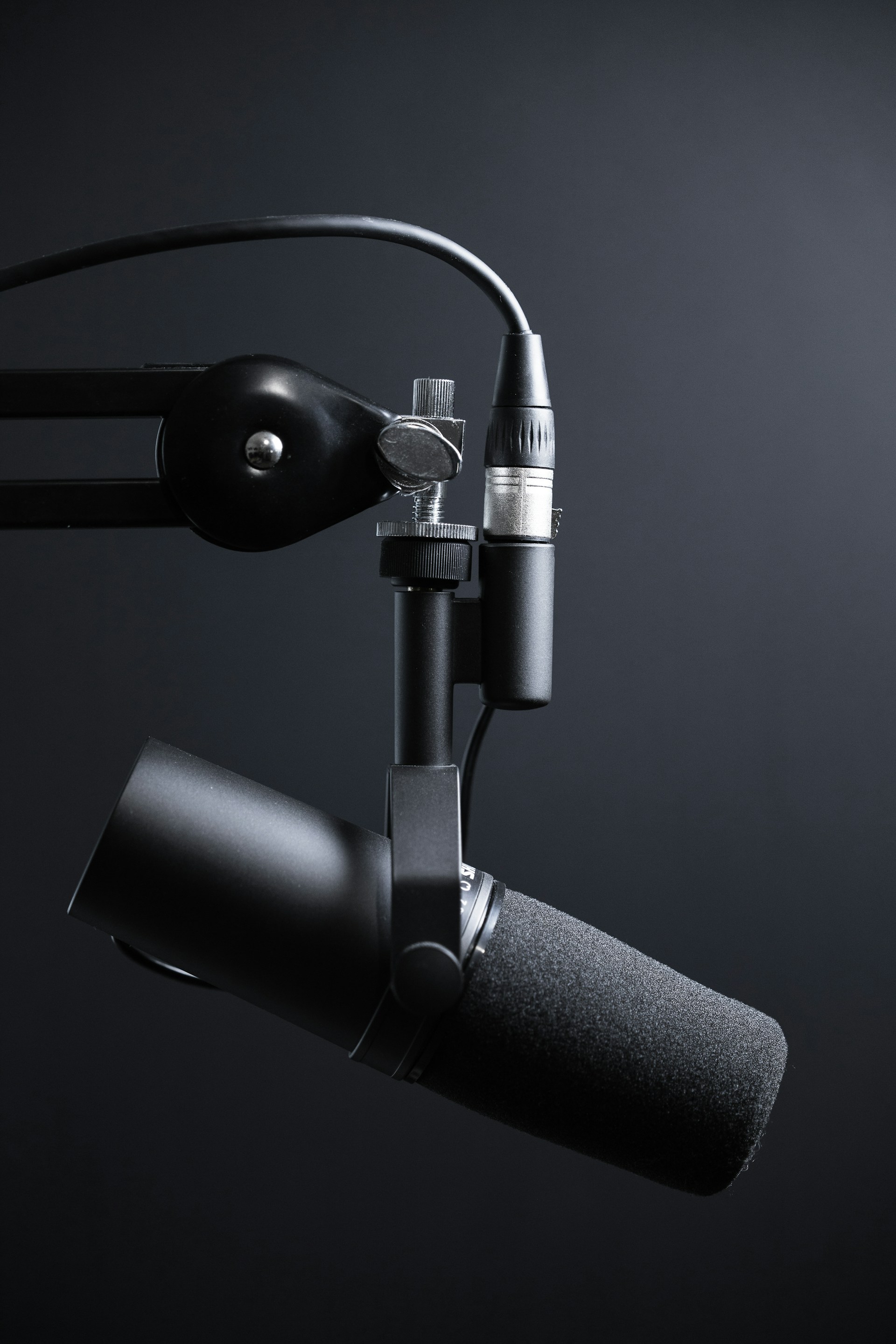 Photo by Dmitry Demidov on Unsplash
Augie AI voice cloning platform analysis
Augie positions itself in the enterprise segment of voice AI technology. The platform focuses on business communications, training videos, and corporate content creation rather than entertainment or social media applications.
Platform architecture and capabilities: Augie integrates voice generation with video editing tools, creating a unified environment for multimedia content production. Users can generate voiceovers directly within the editing workflow, reducing the tool-switching friction common in content creation pipelines.
The voice library emphasizes professional narration styles over character voices or celebrity impersonations. You'll find voices suited for corporate presentations, educational content, and business communications. This focus differentiates Augie from consumer-focused platforms that prioritize entertainment and social media voices.
Enterprise features include team collaboration, project management, and brand consistency tools. Companies can create custom voice profiles that maintain consistent audio identity across marketing materials, training programs, and customer communications. Multi-user access lets teams coordinate on projects while maintaining version control and approval workflows.
Voice quality assessment: Augie produces clear, professional narration that works well for business contexts. The voices sound polished and articulate, suitable for presentations and training materials. However, they lack the emotional range and personality characteristics that make character voices compelling for entertainment content.
Pronunciation accuracy stands out as a strength. The platform handles technical terminology, acronyms, and industry-specific language better than many consumer tools. This capability matters for corporate training and technical documentation where precise pronunciation builds credibility.
Pricing structure and accessibility: Augie follows an enterprise pricing model rather than consumer subscription tiers. Pricing information isn't publicly listed on their website. Potential customers need to contact sales teams for quotes, suggesting higher price points than consumer platforms.
This pricing approach targets businesses with content production budgets rather than individual creators or small production teams. The cost structure reflects the platform's focus on enterprise features like team collaboration, brand management, and integration capabilities.
Integration ecosystem: Augie connects with video editing platforms and content management systems popular in corporate environments. These integrations streamline workflows for companies producing regular training materials, marketing videos, and internal communications.
However, the platform shows limitations for creators needing diverse character voices or celebrity sound-alikes. Entertainment content creators, gaming projects, and social media producers require broader voice libraries with more personality variety than Augie's business-focused catalog provides.
Comparison with consumer alternatives: Platforms like TryAIVoices offer different value propositions. Where Augie emphasizes enterprise workflows and business voices, consumer platforms provide extensive character voice libraries. TryAIVoices' library includes politicians like Trump and Obama, cartoon characters like Spongebob and Peter Griffin, plus celebrities and gaming characters suited for entertainment content.
The choice between platforms depends on project requirements. Corporate training videos benefit from Augie's professional narration and workflow integration. YouTube content, TikTok videos, and gaming projects need the diverse character voices that consumer platforms specialize in providing.
Technical limitations to consider: Voice cloning quality depends heavily on input sample quality for any platform. Augie performs well with clean studio recordings but struggles with poor audio samples like many voice AI systems. Background noise, microphone quality issues, and recording environment factors affect output authenticity.
The platform's business focus means limited options for emotional expression control. Corporate narration requires professional tone consistency, but entertainment content often needs dynamic emotional range. Character voices demand happiness, anger, excitement, and sadness variation that business-focused platforms don't prioritize.
Augie serves specific needs in the voice AI landscape. Businesses producing regular corporate content benefit from its workflow integration and professional voice quality. However, creators needing character voices, celebrity impersonations, or entertainment-focused audio should explore platforms specifically designed for those applications.
Understanding your content goals clarifies which platform architecture serves you best. Enterprise teams coordinating on business communications find value in Augie's collaborative features. Solo creators and entertainment producers get better results from platforms offering diverse voice libraries and character-focused generation capabilities.
 Photo by Will Francis on Unsplash
Professional voice generation alternatives
The voice AI market offers multiple platforms with different strengths. Choosing the right tool depends on your content type, budget constraints, and quality requirements.
TryAIVoices for character and celebrity voices: TryAIVoices specializes in entertainment content with a library exceeding 500 character and celebrity voices. The platform generates instant voiceovers without requiring voice training or sample uploads.
The voice catalog includes politicians like Trump and Biden, cartoon characters like Spongebob and Homer Simpson, anime characters, movie characters including Darth Vader and Gollum, plus musicians and gaming characters. This diversity suits content creators producing varied entertainment material.
Voice quality captures distinctive characteristics that make these personalities recognizable. The Trump voice replicates his speaking cadence and emphasis patterns. Spongebob maintains the character's enthusiastic tone and distinctive inflection. Character accuracy matters for comedy content, parody videos, and fan projects where authenticity drives engagement.
Generation speed stands out as a key advantage. Unlike voice cloning platforms requiring sample uploads and training time, TryAIVoices produces audio instantly. Type your script, select a voice, and download your voiceover within seconds. This workflow suits content creators working under time constraints or producing high-volume content.
ElevenLabs for custom voice cloning: ElevenLabs excels at creating custom cloned voices from user-provided samples. The platform needs just a few minutes of clear audio to clone most voices accurately. Professional creators use ElevenLabs to preserve their own voices for consistent content production.
Voice quality impresses with natural prosody and emotional range. The technology handles conversational speech patterns better than many competitors. However, the service requires subscription fees starting around $5 monthly for basic plans, scaling up for higher usage limits and additional features.
Custom voice cloning takes time. You record samples, upload them, wait for processing, then test results. This workflow adds friction compared to instant generation platforms. It makes sense when you need a specific custom voice but creates bottlenecks for projects requiring diverse character voices.
Murf AI for professional narration: Murf focuses on business and educational content with polished narration voices. The platform offers pronunciation control, pace adjustment, and emotion settings that help fine-tune output for specific contexts.
Voice selection emphasizes professional narrators over character voices. You'll find excellent options for documentaries, audiobooks, presentations, and training materials. The voices lack the personality extremes needed for character work but excel at clear, articulate narration.
Pricing falls in the mid-range with monthly subscriptions starting around $19. Higher tiers unlock additional voices, longer generation limits, and commercial licensing. The cost structure suits professional producers with regular narration needs but may exceed budgets for casual creators.
Descript for video editing integration: Descript combines voice generation with video editing, transcription, and podcast production tools. This integration creates efficient workflows for multimedia projects. Generate voiceovers, edit video timelines, and refine transcripts in one environment.
Voice quality focuses on natural conversation rather than character impersonation. Overdub, Descript's voice feature, works well for fixing audio mistakes in existing recordings or creating narration tracks that match your own voice. The platform shines for podcast editing and video content requiring voiceover consistency.
The all-in-one approach comes with complexity. New users face learning curves navigating the combined toolset. Pricing starts at $12 monthly for basic plans, scaling up for professional features. Budget-conscious creators might find better value in specialized voice generation tools paired with free video editing software.
Play.ht for API integration: Play.ht provides voice generation through both web interface and API access. Developers integrate AI voices into applications, websites, and automated workflows. The platform offers extensive language support and numerous voice options across different styles.
Voice quality varies by model selection. Ultra-realistic voices sound remarkably natural but cost more per generation. Standard voices work for basic applications but show more obvious AI characteristics. The tiered quality approach lets users balance cost against authenticity requirements.
API access enables automation that manual platforms can't match. Generate hundreds of voiceovers programmatically, create dynamic audio content, or build voice-enabled applications. This capability matters for technical projects but adds complexity beyond simple content creation needs.
Resemble AI for voice cloning and synthesis: Resemble offers both pre-made voices and custom cloning capabilities. The platform emphasizes real-time voice generation and emotion control, making it suitable for interactive applications and gaming projects.
Emotion control deserves specific mention. Adjust happiness, sadness, anger, and other emotional qualities to match script context. This control produces more authentic dialogue for storytelling projects where emotional range drives engagement. Most basic TTS platforms lack comparable emotion adjustment capabilities.
Pricing targets professional developers and studios rather than individual creators. Enterprise features like dedicated support, custom voice development, and API rate limits reflect this positioning. Hobbyists and small creators often find better value in consumer-focused alternatives.
Selection criteria for your projects: Choose voice platforms based on specific project requirements. Entertainment content benefits from character-focused platforms like TryAIVoices. Corporate training needs professional narration from tools like Murf or Augie. Custom voice preservation suits ElevenLabs or Resemble. Technical integration projects require API access from Play.ht or Resemble.
Budget constraints influence platform selection significantly. Subscription costs, usage limits, and per-generation pricing vary widely. Calculate monthly audio needs before committing to paid plans. Some projects justify premium tools while others work fine with affordable alternatives.
Quality expectations matter too. Audience tolerance for AI voices varies by context. Comedy content and parody videos forgive minor imperfections when personality shines through. Professional business presentations demand polished narration without artifacts. Match platform quality capabilities to audience expectations for your specific content type.
 Photo by Marvin Meyer on Unsplash
Script writing for authentic AI voice output
Writing for AI voices differs from writing for human narrators. Strategic script construction dramatically improves output quality and authenticity.
Sentence structure impacts AI voice quality. Short sentences with clear subject-verb-object construction produce more natural results than complex run-on sentences with multiple clauses. AI systems handle straightforward grammar better than convoluted phrasing.
Optimal sentence length for AI generation: Target 15-20 words per sentence for best results. Longer sentences increase the chance of awkward pausing or unnatural inflection. Break complex ideas into multiple sentences rather than connecting them with semicolons or conjunctions.
Consider this poorly structured example: "When you're creating content with AI voices and you want it to sound natural, which is something that matters a lot for audience engagement, you should focus on writing shorter sentences that are easier for the AI to process correctly and deliver with appropriate timing and inflection."
That same idea restructured for AI voices: "Creating content with AI voices requires strategic writing. Natural delivery matters for audience engagement. Focus on shorter sentences. They're easier for AI to process. The result is better timing and inflection."
Punctuation guides AI delivery: Commas indicate brief pauses. Periods signal sentence completion with falling intonation. Question marks trigger rising intonation at sentence end. Exclamation points add emphasis but overusing them produces artificial excitement.
Ellipses create longer pauses for dramatic effect. Use them sparingly when you want contemplative pauses or trailing thoughts. Too many ellipses make speech feel fragmented and uncertain.
Avoid semicolons in AI voice scripts. Humans understand semicolons as longer pauses than commas but shorter than periods. AI systems often treat semicolons inconsistently, sometimes ignoring them completely or pausing awkwardly. Replace semicolons with periods or commas depending on desired pause length.
Number and symbol handling: Spell out numbers when possible. Write "twenty-three" instead of "23" to ensure correct pronunciation. Ordinals like "first," "second," and "third" work better than "1st," "2nd," "3rd" which AI might mispronounce.
Avoid using "&" symbol. Write "and" fully. Most AI voices convert "&" to "and" correctly, but some platforms read it as "ampersand" or skip it entirely. Eliminate ambiguity by spelling out words.
Currency amounts need careful formatting. "$50" might get pronounced "dollars fifty" instead of "fifty dollars." Write it as "50 dollars" or "fifty dollars" depending on whether you want numeric or word pronunciation.
Contractions enhance natural flow: Use contractions like "don't," "can't," "won't," and "it's" to create conversational tone. AI voices handle common contractions well, producing speech that sounds casual rather than formal.
Formal writing often avoids contractions, but AI voice content sounds robotic without them. Compare "I do not think that is correct" with "I don't think that's correct." The contracted version sounds like natural speech while the expanded version sounds stiff.
Pronunciation challenges and solutions: AI voices struggle with uncommon names, technical terms, and invented words. Research how platforms handle difficult pronunciations before committing to scripts using specialized vocabulary.
Some platforms offer pronunciation guides or phonetic spelling features. ElevenLabs and TryAIVoices handle complex names better than basic TTS systems. Test tricky words before recording entire scripts to catch pronunciation errors early.
Emotional context through word choice: AI voices can't read your mind about intended emotion. Signal emotional context through word selection and sentence structure. Excited content uses energetic vocabulary and shorter sentences. Somber content employs measured pacing with longer, more reflective sentences.
The Trump voice on TryAIVoices works best with scripts mimicking his speaking style. Use short declarative statements. Add emphasis words like "tremendous," "disaster," and "believe me." Include rhetorical questions. This approach leverages the voice's trained characteristics for maximum authenticity.
Character voices demand style-appropriate writing. Spongebob scripts need enthusiastic exclamations and optimistic phrasing. Morgan Freeman scripts call for measured wisdom and reflective tone. Darth Vader requires authoritative declarative statements with dramatic pauses.
Dialogue attribution in scripts: When creating dialogue between multiple characters, separate speakers clearly. Label each line with the character name. This organization prevents confusion and ensures you generate each line with the appropriate voice.
Format example:
Spongebob: "I'm ready! I'm ready! I'm ready!"
Squidward: "Please stop saying that."
Spongebob: "I can't help it, I'm just so excited!"
Generate each character's lines separately with their respective voices. Edit them together in audio software for complete dialogue scenes.
Testing and iteration improve results: Generate short test samples before producing long-form content. Listen critically for pronunciation errors, pacing issues, or unnatural inflection. Adjust scripts based on these tests. What looks good written doesn't always sound good spoken.
Read scripts aloud yourself before generating AI versions. If you stumble over phrasing or find sentences awkward to speak, the AI probably will too. Rewrite until the script flows naturally when you read it.
Script templates for common content types: Different content formats benefit from specific structural approaches. YouTube video introductions need energy and immediate hooks. Podcast segments require conversational flow. Educational content demands clear explanations with logical progression.
YouTube intro template:
Hook them immediately. What problem are we solving today? Here's exactly what you'll learn. Let's jump right in.
Podcast segment template:
So here's something interesting. [Topic introduction] This matters because [relevance]. Let me explain how it works. [Explanation in conversational tone]
Educational content template:
Today we're covering [topic]. First, let's understand the basics. [Foundation] Next, we'll explore [deeper concept]. [Details] Finally, you'll learn [practical application]. [Real-world usage]
Voice AI technology continues improving, but strategic script writing remains crucial. Well-structured scripts produce dramatically better results than poorly written ones, regardless of platform quality. Invest time in script optimization to maximize the value of AI voice generation tools.
 Photo by Caught In Joy on Unsplash
Voice quality optimization techniques
Raw AI-generated voices often need refinement before they're production-ready. Strategic audio editing elevates voice quality from acceptable to professional.
Post-generation audio editing: Most AI voices benefit from basic audio processing. Normalize volume levels to ensure consistent loudness throughout the recording. Uneven volume sounds amateur and distracts listeners from content.
Apply gentle compression to smooth dynamic range. Compression reduces the difference between quiet and loud parts of speech. Set compression ratio around 3:1 with medium attack and release times. This maintains natural dynamics while preventing volume spikes that jump out at listeners.
EQ adjustments can warm up or clarify AI voices. Boost frequencies between 100-200 Hz slightly to add warmth and body. Cut muddy frequencies around 300-500 Hz if the voice sounds boxy. Add presence by boosting 2-5 kHz range for clearer consonants and improved intelligibility.
Removing AI artifacts and glitches: AI voices occasionally produce clicks, pops, or digital artifacts. These flaws break immersion and signal artificial generation. Use noise reduction tools carefully. Aggressive noise reduction creates underwater effects worse than the artifacts you're removing.
Audacity offers free spectral editing that lets you visually identify and remove specific artifacts. Zoom into the waveform, find the glitch, select that audio region, and reduce or eliminate just that problem frequency. This surgical approach prevents degrading overall audio quality.
Some platforms produce breath sounds that seem robotic or unnaturally regular. Remove or replace obviously artificial breath sounds with recorded human breaths or adjust their volume to make them less prominent. Natural breathing patterns add authenticity to speech.
Adding background music and sound effects: Background music masks minor AI voice imperfections while enhancing production value. Choose music that complements content tone without competing for attention. Keep music volume 15-20 dB lower than voice to maintain intelligibility.
Sound effects add dimension to content. Whoosh sounds for transitions, subtle ambiance for scene setting, and emphasis effects for key points make content feel polished. Don't overdo effects. Too many sounds create chaos rather than enhancement.
EQ your background music to leave sonic space for vocals. Roll off frequencies below 100 Hz and reduce presence in the 2-5 kHz range where voice clarity lives. This separation prevents music from masking speech frequencies.
Room tone and ambiance: AI voices often sound artificially clean without subtle room tone. Real recordings capture minimal background presence that makes speech feel natural and grounded in physical space.
Add subtle room tone or ambient noise matching your content context. Recording in a quiet room still captures air movement and distant environmental sounds. Layer this gently under AI voices at very low volume. The effect is subconscious but effective.
Match ambiance to content setting. Indoor scenes might have subtle room tone with distant HVAC sounds. Outdoor scenes could include gentle wind or distant traffic. These environmental layers make synthetic voices feel less isolated and artificial.
Handling difficult pronunciations: When AI voices mispronounce words, you have several solutions. Try alternate spellings that phonetically match desired pronunciation. "New York" might get pronounced better as "Noo Yawk" if you want the accent emphasized.
Some platforms offer pronunciation guides or phonetic input. ElevenLabs includes pronunciation controls. TryAIVoices handles common celebrity and character names better than generic systems because voice models trained on that person's speech include their typical pronunciation patterns.
For persistent pronunciation problems, generate the problematic word separately using different text formulations until you get correct pronunciation. Edit that correctly pronounced segment into your main audio. This surgical approach fixes specific issues without regenerating entire scripts.
Matching voice to background audio: When integrating AI voices with video footage, match the voice characteristics to the video's apparent acoustic environment. Indoor scenes need less reverb than outdoor scenes. Close-up shots suggest intimate voice proximity while wide shots call for more distant voice characteristics.
Apply appropriate reverb to match scene acoustics. Small room reverb for indoor scenes. Plate reverb for professional studio sound. Hall reverb for large spaces. Adjust reverb decay time and wet/dry mix to match visual cues.
High-pass filter voices slightly when they'll play through small device speakers. Roll off frequencies below 80-100 Hz that smartphone and laptop speakers can't reproduce anyway. This prevents muddy bass buildup and improves clarity on common playback systems.
Export settings for different platforms: YouTube compression handles audio differently than Instagram or TikTok. Export settings affect perceived quality on each platform.
For YouTube, export at 320 kbps MP3 or 256 kbps AAC. Higher bitrates don't improve perceived quality after YouTube's processing. Use 44.1 kHz or 48 kHz sample rate.
TikTok and Instagram heavily compress audio. Export at 128-192 kbps AAC. Over-compressing at export stage paradoxically produces better results after platform compression. Boost high frequencies slightly (+1-2 dB around 8-10 kHz) because platform processing dulls them.
Podcast platforms accept higher quality files. Export lossless or at 256 kbps AAC minimum. Podcast listeners often use quality headphones where compression artifacts become more audible.
A/B testing optimizations: Generate the same script with different voices or settings. Compare results to identify which version sounds most authentic for your project. What sounds good in isolation might not work in your specific content context.
Test audio on multiple playback systems. Listen through phone speakers, laptop speakers, headphones, and car audio systems. AI voice weaknesses often become more apparent on low-quality playback systems your audience actually uses.
Get feedback from your audience. Ask directly whether voice quality meets expectations. Negative feedback identifies specific issues to address. Silent acceptance usually means adequate quality, but explicit positive feedback confirms you've achieved authentic results.
Professional voice quality distinguishes successful content from amateur efforts. The gap between raw AI output and polished production-ready audio isn't huge, but crossing that gap requires deliberate effort and strategic processing. Master these techniques to ensure your AI-generated voices compete with human narration for audience attention and engagement.
 Photo by Wes Hicks on Unsplash
Legal considerations for voice cloning
Voice cloning raises legal questions that creators must address before commercial use. Understanding rights, permissions, and regulations protects you from liability.
Personality rights and voice ownership: Most jurisdictions recognize personality rights that control commercial use of someone's identifying characteristics. Voice falls under these protections alongside name, image, and likeness. Using someone's voice commercially without permission typically violates their rights.
Individual states handle personality rights differently. California's robust personality rights laws extend beyond death, allowing estates to control commercial use of deceased celebrities' voices. New York requires clear consent for commercial voice use. Some states offer minimal personality protections, creating confusing legal landscapes.
The legal test often asks whether a reasonable person would recognize the voice as belonging to the protected individual. If your AI-generated voice clearly mimics a specific celebrity, you're likely infringing their rights regardless of technical generation method.
Fair use and parody protections: Fair use provides limited protection for commentary, criticism, education, and parody. Parody specifically protects satirical content that comments on or critiques the person being parodied.
However, fair use isn't unlimited permission. The use must actually constitute parody rather than simply borrowing someone's voice for unrelated content. Creating a Trump voice discussing politics might qualify as parody or commentary. Using Trump's voice to advertise your car dealership likely doesn't qualify.
Commercial use weakens fair use defenses. Courts view commercial applications less favorably than educational or commentary uses. If you're making money directly from voice-cloned content, expect stricter scrutiny of your fair use claims.
Platform terms of service: Voice AI platforms include terms of service restricting certain uses. TryAIVoices and similar platforms typically prohibit using celebrity voices for advertising, political endorsements, or misleading content that implies the celebrity's actual involvement or endorsement.
Read terms of service carefully before creating content. Platform terms often prohibit content that violates laws, infringes rights, or creates liability. Violating terms doesn't just create legal risk - it can result in account termination and loss of access to the platform.
Some platforms explicitly allow certain uses while prohibiting others. Entertainment content often receives broader permission than commercial advertising. Educational use typically gets more latitude than promotional content. Understand these distinctions before investing time in projects that violate platform policies.
Required disclosures and transparency: Many jurisdictions increasingly require disclosure when synthetic voices appear in content. California's AB 730 and similar legislation mandate clear labeling of AI-generated content in certain contexts, particularly political advertising.
Ethical practice suggests disclosing AI voice use even when not legally required. Audiences respond negatively when they discover undisclosed synthetic voices, damaging creator credibility. Simple disclosure like "created with AI voices" or "voice parody" maintains transparency without diminishing content value.
The Federal Trade Commission monitors deceptive advertising practices. Using celebrity voices in ways that imply endorsement or affiliation without permission could trigger FTC action for deceptive marketing. This applies regardless of whether you used AI generation or voice impersonators.
Copyright in generated content: Who owns copyright in AI-generated voiceovers remains legally unclear. Current U.S. Copyright Office guidance suggests AI-generated content lacks human authorship required for copyright protection. However, substantial human creative input in scripting, editing, and production might establish copyright in the complete work.
Platforms may claim rights in voices and generations. Review licensing terms to understand what rights you receive in generated audio. Most platforms grant usage licenses rather than transferring copyright ownership. This distinction matters for large commercial projects or content sales.
International considerations: Voice rights and AI regulations vary internationally. European Union personality rights and data protection laws create different compliance requirements than U.S. laws. Content distributed internationally must navigate multiple legal frameworks.
GDPR influences AI voice generation when training data includes EU citizens' voices. Platforms must obtain proper consent for voice data use. Creators using these platforms inherit compliance responsibilities when using European-facing content.
Practical risk management strategies: Limit commercial uses of recognizable voices to clearly protected categories like parody and commentary. Document your creative process showing substantial human input in scripting, editing, and production. This documentation supports copyright claims and demonstrates good-faith creative effort rather than simple voice appropriation.
Obtain explicit permission when possible. Some celebrities license their voices for AI generation, providing clear authorization. Working with officially licensed voices eliminates ambiguity and legal risk.
Consider insurance for content businesses. Media liability insurance covers claims arising from personality rights violations, though policies increasingly exclude or limit coverage for AI-generated content. Review coverage details with insurance professionals before assuming protection.
Alternative approaches that reduce risk: Create content with voices that don't impersonate specific individuals. TryAIVoices offers cartoon character and gaming character voices whose rights holders may have different enforcement practices than individual celebrities. Some voices live in public domain or are used with license agreements.
Generate original voices through custom voice cloning using your own voice or voices of consenting collaborators. This approach eliminates personality rights concerns entirely. You own your voice rights and can authorize your own AI cloning for commercial projects.
Fictional character voices exist in grey areas. Using the Darth Vader voice involves trademark and copyright considerations beyond personality rights. These intellectual property issues add complexity but operate under clearer legal frameworks with established case law.
Legal landscapes continue evolving as AI technology advances. Proposed legislation at state and federal levels aims to clarify rights and establish rules for AI-generated content. Stay informed about regulatory developments affecting voice AI in your jurisdiction.
Risk tolerance varies by project type and scale. Hobby projects face different scrutiny than commercial enterprises. Small-audience content attracts less attention than viral hits. However, legal risk exists regardless of scale. Understand the legal framework before creating potentially infringing content.
The safest approach combines multiple strategies. Use platforms with clear licensing terms. Disclose AI generation transparently. Limit commercial uses to protected categories. Document creative processes. Consult legal counsel for high-stakes commercial projects. These practices don't eliminate risk entirely but substantially reduce exposure to legal action.
Platform comparison for specific use cases
Different voice AI platforms excel at specific applications. Matching platform strengths to project requirements produces better results than using one-size-fits-all solutions.
YouTube content creation: YouTube creators need diverse character voices, quick generation speed, and cost-effective pricing for regular content production. TryAIVoices matches these requirements with instant generation, extensive character libraries, and subscription plans designed for content creators.
The platform's celebrity voices and character voices suit comedy content, commentary videos, and entertainment channels. Generate multiple character voices for dialogue without complex editing or voice actor coordination. Trump, Obama, Spongebob, and Peter Griffin appear frequently in successful YouTube content.
Voice variety matters for YouTube success. Audiences appreciate diverse characters and fresh content. A library exceeding 500 voices provides endless combination possibilities without repetitive audio that signals AI generation to sophisticated viewers.
Podcast production: Podcast creators often need consistent narration voices for intro/outro segments, ad reads, or episode recaps. Custom voice cloning through ElevenLabs works well here. Clone your own voice once, then generate consistent narration without recording sessions for every episode.
Consistency matters tremendously in podcast audio. Audiences notice when intro music uses different narration voices across episodes. Custom cloning eliminates this variation problem while letting you produce content even when you're traveling or unable to record.
Background noise in home recording environments often degrades podcast quality. AI-generated narration provides perfectly clean audio every time. This advantage particularly helps creators without dedicated recording spaces or professional microphones.
TikTok and Instagram short-form content: Social media demands speed above all else. Generate voiceovers in seconds, not hours. TryAIVoices provides instant generation that matches social media's fast-paced content requirements.
Viral TikTok content often uses recognizable voices for comedy effect. The Trump voice remains popular for political commentary. Spongebob appears in countless meme videos. Character recognition drives engagement, making pre-trained celebrity voices more valuable than custom clones for social media contexts.
Platform algorithms favor posting frequency. Creating multiple videos daily requires fast production workflows. Instant voice generation removes the recording bottleneck that limits content volume. Generate five different voiceovers in the time one recording session would take.
Corporate training and e-learning: Business applications need professional narration without personality extremes. Murf AI or Augie serve these requirements better than character-focused platforms. Neutral, clear voices help learners focus on information rather than voice characteristics.
Consistency across training modules builds professional credibility. Generate all module voiceovers with the same voice to create cohesive learning experiences. Switching narrators between lessons distracts learners and seems unprofessional.
Pronunciation accuracy matters for technical training. Business-focused platforms prioritize clear articulation and technical term handling over emotional range or character accuracy. This trade-off makes sense when teaching software procedures or compliance training.
Audiobook narration: Audiobook production needs high-quality narration with emotional range for fiction or clear articulation for non-fiction. ElevenLabs and Murf both handle audiobook narration well, though approaches differ.
Fiction audiobooks benefit from emotion control that brings characters to life. Platforms offering emotional adjustment produce more engaging narration than flat TTS voices. Murf's emotion settings help convey story mood and character feelings.
Non-fiction audiobooks prioritize clarity over emotion. Professional narrator voices that articulate clearly work better than character voices. Listeners need to absorb information, not be entertained by personality quirks.
Length creates special challenges. Audiobooks require hours of narration. Check platform pricing models carefully. Per-character or per-minute pricing can make audiobook generation surprisingly expensive compared to flat monthly subscriptions.
Gaming and streaming: Gaming content uses character voices for comedy, commentary, and entertainment. Gaming character voices from TryAIVoices suit this context perfectly. Generate Sonic, Goku, or other gaming personalities for streaming overlays, highlight reels, and YouTube compilations.
Streamers create enormous amounts of content. Multi-hour streams produce countless clip opportunities. Generate voiceovers for clip compilations without recording sessions. This workflow efficiency lets streamers focus on gameplay rather than audio production.
Meme and comedy content: Memes thrive on recognizable voices saying unexpected things. TryAIVoices' politician voices, celebrity voices, and character voices provide meme creators with instantly recognizable audio that drives engagement.
Comedy timing depends partly on voice delivery. Test multiple generations with slightly different scripts until timing feels right. The gap between adequate comedy and perfect timing often comes down to subtle pacing differences AI generation lets you iterate quickly.
Educational content and tutorials: Educational videos need clear narration that doesn't distract from instructional content. Professional narrator voices work better than distinctive character voices for most educational contexts. However, educational content targeting children might benefit from friendly character voices that maintain attention.
Screen recording tutorials particularly suit AI narration. Record your screen demonstration first, then generate synchronized narration after. This approach prevents the verbal stumbles that occur during simultaneous explanation and demonstration.
Documentary and news content: Documentary narration demands authority and gravitas. Deep professional voices convey credibility that higher-pitched or character voices lack. Morgan Freeman's voice epitomizes this quality, though rights considerations limit commercial documentary use without permission.
News content requires neutral delivery without emotional coloring. Avoid platforms that add excessive emotion or personality. Straightforward narration lets facts speak for themselves without narrator bias influencing viewer perception.
Advertisement and marketing: Commercial advertising faces the strictest legal scrutiny for voice usage. Celebrity voices in ads typically require explicit permission regardless of generation method. Use custom cloned voices of consenting speakers or generic professional narrator voices rather than celebrity impersonations.
Brand voice consistency matters in marketing. Custom voice cloning lets companies maintain the same voice across all marketing materials. This consistency builds brand recognition better than switching narrators between campaigns.
Matching platform to budget: Budget constraints influence platform selection as much as feature requirements. TryAIVoices offers subscription plans starting at affordable monthly rates for regular content creators. Enterprise platforms like Augie require contacting sales teams, suggesting higher price points suitable for corporate budgets rather than individual creators.
Calculate cost per generation across platforms. Some charge by character count, others by minute of audio, others by monthly subscription. Your usage volume determines which pricing model offers best value. High-volume creators often benefit from unlimited monthly subscriptions rather than per-generation pricing.
Platform selection isn't permanent. Many creators use multiple platforms for different projects. TryAIVoices for character voices and meme content, ElevenLabs for custom voice cloning, Murf for professional narration. This multi-platform approach optimizes tool selection for specific content requirements rather than forcing one platform to serve all needs.
Advanced voice generation workflows
Sophisticated creators combine multiple tools and techniques to produce professional audio content. Strategic workflow design amplifies individual platform strengths while compensating for weaknesses.
Multi-voice dialogue production: Creating conversations between multiple characters requires generating each voice separately then editing them together. Write scripts with clear character attribution. Generate each character's lines using their respective voices.
Import generated audio into editing software. Audacity offers free multi-track editing suitable for dialogue assembly. Arrange voice clips on separate tracks. Adjust timing between exchanges to create natural conversation flow. Real conversations include brief pauses, interruptions, and overlapping speech.
Add slight variations in volume between characters to simulate distance differences. Place one character 5-10% louder to suggest they're closer to the listener. Pan characters slightly left or right in the stereo field to create spatial separation. These subtle touches make dialogue feel three-dimensional rather than flat.
Batch generation for efficiency: Producing multiple voiceovers for a video series benefits from batch processing. Write all scripts at once. Generate all voiceovers in one session. This approach maintains consistency across episodes and eliminates the friction of repeated tool logins.
Organize generated files systematically. Name files with clear episode numbers or section labels. Create folder structures that mirror your project organization. Spending five minutes on file organization saves hours hunting for specific voiceovers during editing.
Some platforms offer API access enabling programmatic generation. Developers can automate voiceover generation for content requiring hundreds of audio files. This automation makes sense for apps, games, or interactive content where manual generation becomes impractical.
Combining AI voices with human narration: Hybrid approaches use AI voices for specific elements while human narration handles primary content. Generate character dialogue with AI while you narrate introduction and explanations. This combination provides character variety without making entire videos sound synthetic.
AI voices work well for quotes and citations. When referencing someone's words, generate those quotes in the relevant voice rather than reading them yourself. The Obama voice makes Obama quotes more impactful than narrator-read versions. The Trump voice adds authenticity to Trump statement quotations.
Use AI narration for repetitive elements. Generate consistent intro/outro segments once rather than recording them for every video. This approach maintains human authenticity for unique content while leveraging AI efficiency for recurring elements.
Voice layering and processing: Advanced audio production techniques enhance AI voices beyond basic generation. Layer slight room tone under perfectly clean AI voices to ground them in acoustic reality. Add subtle reverb matching your video's visual environment.
Parallel compression thickens thin-sounding AI voices. Duplicate the voice track. Apply heavy compression to the copy. Blend this compressed duplicate with the original at low volume. This technique adds body and presence without the obvious squashing that heavy direct compression creates.
Harmonic exciters add warmth and presence. These plugins generate subtle harmonics that enrich AI voices without obvious processing. Use them carefully. Excessive harmonic generation creates distortion rather than enhancement.
Emotion and delivery control: Platforms with emotion settings let you adjust delivery mood. Match emotional settings to script context. Excited content uses happy or energetic settings. Serious topics call for neutral or somber delivery.
Test different emotional settings with the same script. Sometimes counterintuitive emotion selections produce better results. Slightly sad delivery can add gravitas to serious topics. Calm settings often sound more natural than neutral for explanatory content.
Emotional consistency matters within sections but can vary across content. Video introductions might use energetic delivery while explanations use calm narration. Match emotion to content function rather than maintaining uniform delivery throughout.
Integrating generated voices with video: Synchronizing voiceover with video requires strategic timing. Generate voiceover first when possible. Edit video to match voice timing rather than vice versa. This approach ensures natural speech rhythm instead of forcing voice to match awkward video cuts.
When video timing is fixed, adjust scripts to match available duration. Count words and estimate speech duration before generation. Most narration runs 150-160 words per minute. Calculate maximum word count for available time slots.
Add pauses in scripts to extend shorter narration. Strategic silence provides breathing room and emphasis. Place periods or ellipses where you want pauses. Generate longer narration than needed, then trim silence to perfect timing during video editing.
Quality control workflows: Establish systematic quality checks before publishing content. Listen to generated audio on multiple playback systems. Check for pronunciation errors, unnatural pausing, or artifacts. Review audio waveforms visually for unexpected glitches.
Create quality checklists for your specific content type. Consistent evaluation criteria help maintain quality across multiple projects. Document common issues and solutions for your frequently used voices or platforms.
Get second opinions before publishing important content. Creators develop blind spots for their own work. Fresh ears catch issues you've stopped noticing through repeated listening.
Backup and version control: Save multiple generations of important voiceovers. AI platforms sometimes produce varying quality across generations of identical scripts. Having backup versions provides alternatives if your first choice develops problems during editing.
Maintain script versions alongside audio files. When regeneration becomes necessary, having original scripts saves time recreating content. Document which script version matches which audio file to prevent confusion.
Export projects at multiple stages. Save separate copies before major changes. This practice lets you roll back to earlier versions if experimental edits degrade quality or create new problems.
Platform-specific optimizations: Learn quirks of your primary platforms. TryAIVoices handles certain phrasing patterns better than others. Test variations when results seem unnatural. Sometimes rephrasing sentences produces dramatically better output without changing meaning.
Study platform documentation for hidden features. Many platforms offer controls that aren't prominently displayed. Speed adjustments, pitch controls, and pronunciation guides often hide in advanced settings. Discover these tools to expand your creative options.
Join platform communities where users share techniques and discoveries. Reddit communities, Discord servers, and Facebook groups dedicated to AI voice generation provide crowdsourced knowledge beyond official documentation.
Cost optimization strategies: Reduce generation costs through strategic planning. Write scripts carefully to minimize regeneration needs. Test problematic sections as short samples before generating complete long-form content.
Use free tier limitations strategically when platforms offer them. Generate with free tools when quality requirements are lower. Reserve paid platform usage for important content where quality justifies cost.
Compare costs across platforms for your specific usage patterns. Sometimes platforms that seem expensive per generation actually cost less for your production volume. Calculate total monthly costs based on realistic usage rather than comparing listed prices.
Workflow optimization separates professional creators from amateurs. Strategic approaches produce better content more efficiently while reducing costs. Invest time developing workflows tailored to your specific content requirements and production constraints. The upfront effort pays dividends across every project you create.
Frequently asked questions
What makes voice cloning different from regular text-to-speech?
Voice cloning creates synthetic versions of specific people's voices by analyzing their speech patterns, tone, and vocal characteristics. Regular TTS uses generic voices that sound robotic and lack personality. Cloned voices capture individual speaking styles and sound remarkably like the source person when technology and samples are high quality.
Can I legally use celebrity voices for YouTube videos?
Depends on usage type. Parody and commentary generally receive fair use protection. Commercial uses like product endorsements typically require permission from the celebrity. Always disclose AI generation and avoid creating content that implies the celebrity's actual involvement or endorsement. Check TryAIVoices' terms and relevant legal guidance before publishing content using celebrity voices.
How much audio sample do I need to clone a voice?
Professional voice cloning platforms typically need 10-30 minutes of clear audio samples. Some systems like ElevenLabs clone voices from just 1-3 minutes of audio, though longer samples usually produce better quality. Sample quality matters as much as quantity. Clean recordings without background noise train better voice models than longer samples with poor audio quality.
Which platform works best for gaming content?
TryAIVoices offers extensive gaming character voices perfect for streaming highlights and YouTube content. The platform's instant generation suits gaming creators producing high-volume content. Characters like Sonic and Goku appear frequently in gaming content. Quick generation speed matters more than custom cloning for most gaming applications.
Do AI voices sound realistic enough for professional projects?
Modern AI voices from quality platforms sound remarkably natural for most applications. Professional narration platforms produce voices indistinguishable from humans in many contexts. Character voices prioritize personality accuracy over perfect realism. Success depends on matching platform quality to project requirements and applying proper audio processing techniques.
How do I fix mispronunciations in AI-generated voices?
Try alternate spellings that match desired pronunciation phonetically. Use pronunciation guides if your platform offers them. Generate problematic words separately with different text formulations until pronunciation is correct, then edit that segment into your main audio. TryAIVoices handles common celebrity and character names better than generic systems because voice training includes their typical speech patterns.
What audio editing software do I need for AI voices?
Audacity provides free editing suitable for basic voiceover work. Adobe Audition offers professional features for advanced processing. GarageBand works well for Mac users. Many creators successfully publish content edited entirely in free software. Choose based on your specific workflow needs rather than chasing expensive tools that provide minimal practical advantages.
Can I monetize content created with AI voices?
Platform terms of service govern monetization permissions. Most platforms allow content monetization through ad revenue, sponsorships, and subscriptions. Commercial advertising and product endorsements face stricter restrictions, particularly when using celebrity voices. Review platform terms carefully and disclose AI generation to maintain audience trust and comply with platform policies.
Related voices to try
Related guides
- Best AI Voice Generators for Characters and Celebrities
- Disney AI Voices: Complete Character Voice Guide
Voice cloning technology has transformed content creation by making professional audio accessible to creators without recording equipment or voice actor budgets. Success requires understanding platform strengths, writing scripts optimized for AI delivery, applying strategic audio processing, and navigating legal considerations responsibly.
Start creating professional voiceovers with TryAIVoices today. Generate authentic celebrity and character voices instantly with our library of 500+ voices designed for content creators.