AI Baby Voice Generator: Create Infant Voices for Content
Creating baby voices for content used to mean hunting for child voice actors or manipulating audio with pitch shifters. Neither option delivered what creators needed. Voice actors charge hundreds per session. Pitch shifting sounds artificial and destroys natural speech patterns.
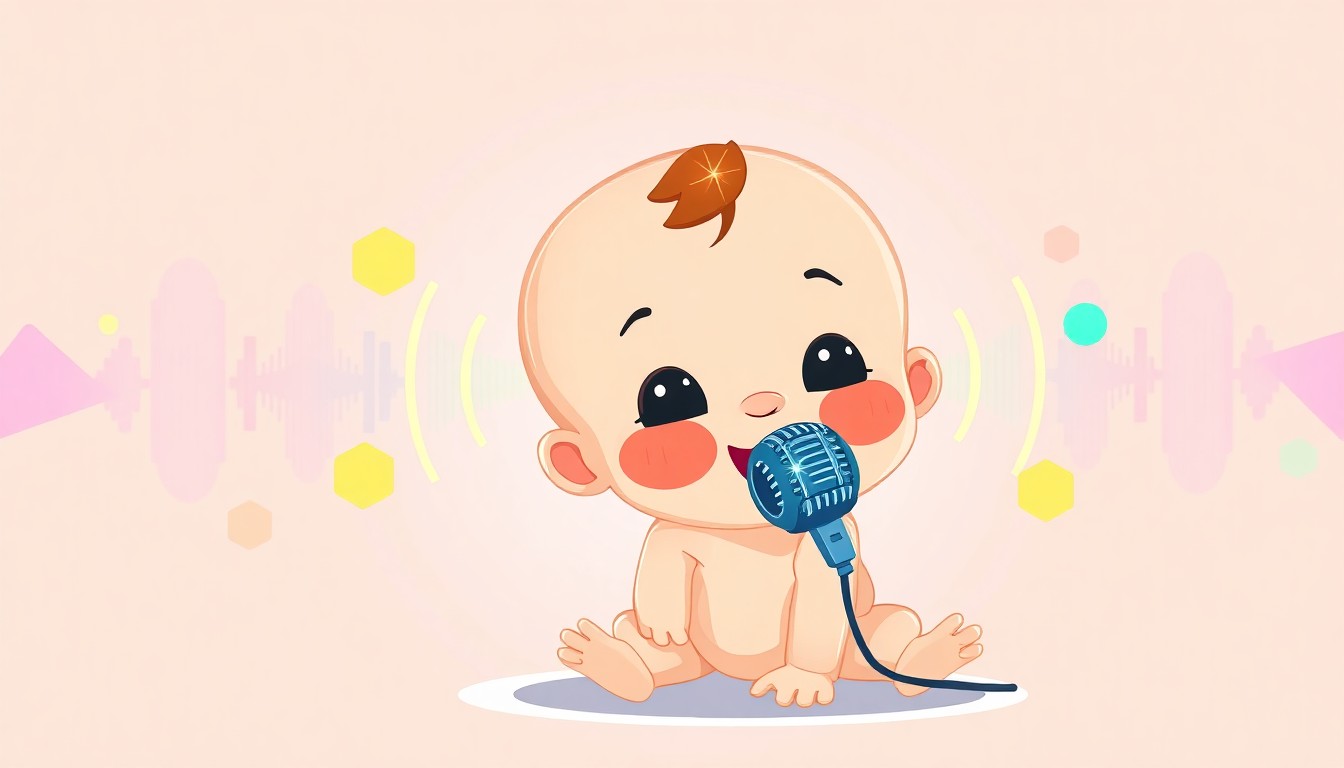
AI baby voice generators solve this by synthesizing infant voices directly from text. The technology replicates the pitch, tone, resonance, and speech characteristics unique to babies. This matters for animation studios, game developers, educational content creators, and anyone building family entertainment.
The challenge lies in finding generators that capture baby voice nuances without sounding robotic. Baby voices aren't just adult voices pitched higher. They have distinct vocal tract shapes, breathing patterns, articulation styles, and emotional expressions. Poor AI generators miss these details entirely.
This guide covers how AI baby voice generation works, which platforms deliver authentic infant voices, best practices for creating believable baby dialogue, and specific use cases from children's apps to animated films.
TryAIVoices provides child and infant voice options designed for professional content creation, with emotional control and natural delivery that captures the authentic sound of baby speech.
How AI baby voice generation works
AI voice synthesis uses neural networks trained on speech data to generate human-like voices. Baby voice generation requires specialized training on infant and toddler speech patterns. The technology breaks down into several components that work together to create convincing results.
Neural network training on infant speech
Training data forms the foundation of AI baby voices. Developers collect recordings of babies and young toddlers producing various sounds, from babbling to early words. The neural network analyzes these recordings to identify patterns in pitch variation, resonance, rhythm, and articulation.
Baby voices sit in a higher frequency range than adult voices, typically between 300-500 Hz for fundamental frequency. But frequency alone doesn't create authentic baby speech. The AI must learn formant patterns (resonances in the vocal tract), which differ significantly in babies due to smaller vocal anatomy.
Training includes speech at different developmental stages. A six-month-old produces different sounds than a two-year-old. Quality generators allow you to select age ranges or developmental stages for more accurate voice matching.
The challenge comes from limited training data. Babies don't read scripts or perform vocal exercises. Most baby speech data comes from natural interactions, crying, laughing, and early language attempts. This makes building comprehensive datasets difficult compared to adult voice synthesis.
TryAIVoices' voice library includes child voice models trained on age-appropriate speech patterns for natural-sounding dialogue in animations and games.
Text-to-speech conversion process
Converting text to baby voice involves multiple processing stages. First, the system analyzes your input text for linguistic structure. It identifies phonemes (individual sound units), stress patterns, and prosody (rhythm and intonation).
Next, the neural network generates acoustic features matching baby voice characteristics. This includes pitch contours, energy levels, and timing. The system adjusts these features to reflect baby speech patterns like simpler syllable structures and exaggerated prosody.
 Photo by Unsplash on Unsplash
The vocoder stage converts acoustic features into actual audio waveforms. This produces the sound you hear. Modern vocoders use neural networks (neural vocoders) for more natural results than older signal processing approaches.
Post-processing adds final touches. This might include breath sounds, subtle noise typical of baby vocalizations, or emotional coloring. These details separate robotic-sounding output from convincing baby voices.
Processing happens in seconds with cloud-based generators. You type text, hit generate, and receive audio almost immediately. Some platforms offer additional controls for pitch adjustment, speech rate, and emotional tone.
Voice characteristic modeling
Baby voices have specific acoustic characteristics that AI systems must model accurately. Understanding these helps you choose better generators and write more effective prompts.
Pitch and frequency: Babies speak in a higher pitch range with wider pitch variation than adults. Their voices naturally rise and fall more dramatically within single utterances. This exaggerated intonation makes baby speech distinctive and emotionally expressive.
Resonance patterns: The baby vocal tract is much smaller than an adult's, creating different resonance characteristics. Formant frequencies (the resonances that define vowel sounds) sit higher in the spectrum. This gives baby voices their characteristic timbre that pitch shifting alone can't replicate.
Articulation precision: Babies learning speech don't articulate clearly. They simplify consonant clusters, substitute easier sounds for difficult ones, and produce imprecise vowels. Quality AI baby voices incorporate these articulation patterns rather than generating perfectly clear speech.
Breath and noise: Baby vocalizations include more breathy quality, occasional crying inflections, and background vocalizations like giggles or gurgles. These elements add authenticity when integrated naturally.
Emotional expression differs in baby voices too. Crying, laughing, cooing, and frustrated sounds all have specific acoustic signatures. Better generators let you control emotional delivery or choose appropriate emotional presets for your content.
Generate child and baby voices with platforms that model authentic infant speech characteristics for professional animation and game audio.
Best AI baby voice generators for content creators
Several platforms offer baby and child voice generation capabilities. Quality varies significantly. Some deliver professional-grade results suitable for commercial content. Others produce obviously artificial voices that break immersion.
TryAIVoices for infant character voices
TryAIVoices specializes in character and celebrity voices including child and baby voice options. The platform focuses on entertainment content creation with voices designed for animation, gaming, and social media.
The child voice collection includes young character voices suitable for toddler and infant roles. These voices capture age-appropriate speech patterns with natural delivery. You can adjust emotional tone to match scene requirements, from happy babbling to frustrated crying.
Generation happens instantly from text input. Type your dialogue, select the voice and emotion, and generate audio in seconds. The platform handles pronunciation of baby speech patterns automatically, including simplified words and repetitive syllables common in infant speech.
Browse child character voices in the voice library to find options matching your project's age range and personality requirements.
The interface makes iteration easy. Generate multiple takes with different emotional deliveries or phrasing. Download MP3 files ready for editing in your production workflow. This speed matters when you need quick turnarounds or want to test dialogue before finalizing scripts.
ElevenLabs voice cloning for custom baby voices
ElevenLabs offers voice cloning technology that can create custom baby voice models from audio samples. This works well if you have recordings of a specific baby voice you want to replicate. Maybe you're working with a character from existing content or want consistency across a franchise.
 Photo by Alvin Mahmudov on Unsplash
Voice cloning requires clean audio samples of the target voice. For baby voices, this means recordings of baby speech with minimal background noise. You'll need several minutes of varied speech covering different sounds and emotional tones.
The platform uses these samples to train a custom voice model matching the acoustic characteristics of your source audio. Once trained, you can generate unlimited new speech in that voice from any text input.
Quality depends heavily on your source recordings. Clean, varied samples produce better results. Poor recordings with noise or limited phonetic coverage create inconsistent output.
TryAIVoices provides ready-to-use child voices without requiring voice cloning setup, making it faster for creators who need infant voices immediately without source audio.
Murf AI age-range voice selection
Murf AI offers voices across age ranges including younger-sounding options. The platform organizes voices by characteristics including age, letting you filter for child and young teen voices.
While not specifically designed for infant voices, Murf's younger voice options work for toddler and young child characters. You can adjust pitch and speed to push voices toward younger age presentations.
The platform includes pronunciation controls and emphasis tools. This helps when creating baby speech patterns where you need specific syllable emphasis or simplified pronunciation. You can phonetically spell words to achieve baby-talk articulation.
Murf focuses on professional voice applications like e-learning, presentations, and marketing. The voices lean toward clear articulation rather than the imprecise speech typical of very young children. This works better for toddler characters who speak clearly than infants with limited vocabulary.
Google Cloud text-to-speech child voices
Google Cloud Text-to-Speech API includes several child voice options in its WaveNet and Neural2 voice collections. These voices target school-age children rather than infants but can work for projects needing younger-sounding voices.
The API requires technical implementation. You'll need to write code or use integration tools to access the voices. This makes it less accessible for creators without programming experience compared to web-based platforms.
Google's child voices emphasize clarity and intelligibility. They sound like children reading scripts clearly rather than natural child speech with imperfect articulation. This works well for educational content or children's audiobooks where clarity matters more than authentic age presentation.
Pricing follows a pay-per-character model. You pay for the text you generate rather than a monthly subscription. This can be cost-effective for projects with limited voice needs or prohibitively expensive for content requiring hours of generated audio.
TryAIVoices' subscription plans include unlimited generation within your tier, making it more predictable for creators producing regular content with baby or child voices.
PlayHT emotional baby voice synthesis
PlayHT offers voice generation with emotion controls that help create more expressive baby voices. While the platform doesn't specifically advertise baby voices, its younger voice options combined with emotional synthesis can produce infant-like results.
Emotion controls let you add happiness, sadness, excitement, or fear to generated voices. This matters for baby content where emotional expression drives much of the communication. Babies convey meaning through tone and emotion more than precise words.
The platform supports SSML (Speech Synthesis Markup Language) for advanced control over pronunciation, pauses, emphasis, and prosody. This gives you fine-grained control when creating baby speech with specific timing or intonation patterns.
Generation speed varies based on voice quality and length. Higher-quality voices take longer to generate but produce more natural results. The platform offers preview generation at lower quality for testing before committing to final high-quality output.
Creating authentic baby dialogue with AI voices
Generating convincing baby voices requires more than choosing the right platform. How you write dialogue, structure sentences, and apply voice characteristics determines whether output sounds believable or obviously artificial.
Writing age-appropriate dialogue
Baby dialogue should reflect developmental stage. A six-month-old produces different vocalizations than an 18-month-old. Matching speech complexity to age creates authenticity.
Early infant stage (0-6 months): Babies this young don't produce recognizable words. Dialogue consists of cries, coos, gurgles, and vowel sounds. For content featuring very young babies, focus on emotional vocalizations rather than speech.
"Waaah! Waaah!"
"Ooh... ahh... mmm"
"Goo goo ga ga"
Babbling stage (6-12 months): Babies begin consonant-vowel combinations in repetitive patterns. They experiment with sounds that resemble syllables but lack meaning. Dialogue uses repetitive syllables with varied intonation.
"Babababa... dadadada"
"Mamama! Mamama!"
"Ba ba ba... ga ga"
Create baby character voices with platforms that support various developmental stages from cooing to early words.
First words stage (12-18 months): Babies speak recognizable words but with limited vocabulary and pronunciation. Dialogue includes simple words with baby-talk pronunciation. They also continue using nonsense syllables mixed with real words.
"Mama! Dada!"
"Ba-ba" (bottle)
"Mo" (more)
"Up! Up!"
Early language (18-24 months): Toddlers this age combine two words into simple phrases. Pronunciation remains imperfect. Dialogue uses two-word combinations with simplified grammar and sounds.
"More milk!"
"Doggy big!"
"Daddy go"
"Mine! Mine!"
Match your dialogue to character age for believable results. Mixing stages breaks immersion. A character established as six months old shouldn't suddenly speak in two-word phrases.
Pronunciation and articulation techniques
Baby speech includes imperfect articulation that AI voice generators need to handle correctly. Most text-to-speech systems default to clear, precise pronunciation. You need to guide the AI toward baby-appropriate articulation.
Simplify consonant clusters: Babies and toddlers simplify difficult consonant combinations. "Truck" becomes "tuck," "stop" becomes "top," "train" becomes "tain." Write dialogue using these simplified forms.
Instead of: "Look at the truck!" Write: "Look at the tuck!"
Substitute easier consonants: Young children replace difficult sounds with easier alternatives. R becomes W ("wabbit" for "rabbit"), L becomes W ("wove" for "love"), TH becomes F or D ("fumb" for "thumb," "dat" for "that").
Instead of: "I love the little rabbit" Write: "I wove the widdle wabbit"
 Photo by Unsplash on Unsplash
Reduce final consonants: Babies often drop final consonants, especially in multi-syllable words. "Bottle" becomes "bah-buh," "cookie" becomes "coo-kee" or "coo."
Instead of: "Want cookie and milk" Write: "Wan coo-kee an mi"
Add repetition: Babies repeat syllables and words for emphasis and as a natural speech pattern. Use repetition in dialogue to sound more baby-like.
"No no no no no!"
"Mama mama mama"
"More more! More please!"
Some platforms support phonetic spelling or pronunciation guides. Use these tools to force specific articulations when automatic processing doesn't achieve the baby speech pattern you need.
TryAIVoices handles baby speech patterns naturally when you write dialogue using simplified spelling that reflects how babies pronounce words.
Emotional tone and delivery
Baby communication relies heavily on emotional expression. Tone conveys meaning as much as words. Controlling emotional delivery makes generated baby voices more believable and engaging.
Happy and excited: Baby happiness comes through in rising pitch, faster speech rate, and energetic delivery. Use exclamation points and write dialogue that reflects excitement through word choice and rhythm.
"Yay! Yay! Cookie!"
"Mama! Mama!"
"Wanna play! Play play play!"
Frustrated and angry: Frustrated babies raise volume, use sharper articulation, and drop pitch toward the end of utterances. Include pauses and repetition to show mounting frustration.
"Mine! MINE! ... MINE!"
"No! No wanna!"
"Give... GIVE! Gimmie!"
Sad and crying: Sadness introduces rising intonation, slower pace, and breaks in speech. Crying overlaps with words. Use ellipses to indicate wavering speech.
"Waaah... mama... waaah"
"Noooo... no no... *sob*"
"Want... want mama... waaah"
Curious and questioning: Curiosity raises pitch at the end of phrases and slows pace slightly. Babies use questioning intonation even when not asking grammatical questions.
"Wha dat?"
"Doggy?"
"Go... outside?"
Platforms with emotion controls let you adjust delivery without rewriting dialogue. Experiment with emotional settings to match scene requirements. The same dialogue sounds completely different when delivered with happy excitement versus frustrated anger.
Sound effects and background vocalization
Pure speech rarely captures complete baby communication. Babies make various sounds beyond words including crying, laughing, coughing, babbling, and physical sounds like breathing or sucking.
Integrate these elements into your audio production for complete baby character presentation. You have several options depending on your workflow and tool capabilities.
Layer additional sounds: Generate speech separately from emotional sounds. Record or source crying, laughing, and babbling sounds to layer with generated dialogue. Mix these elements in your audio editor to create complete baby character audio.
Use vocal inflections in text: Some platforms process non-lexical sounds included in text. Try including sounds written phonetically to see if the generator produces them naturally.
"*giggle* Funny!"
"Mama... *cough* mama"
"Ba ba *babble babble* ga ga"
Prompt emotional delivery: Guide the AI toward emotional vocalizations by describing what the baby is doing in action text or through emotional controls if available.
[crying] "Noooo! No wanna!"
[laughing] "Again! Again!"
[whining] "Mama... mama... want milk"
Browse cartoon and character voices to find baby and child character options that handle emotional delivery and non-speech vocalizations effectively.
Background environmental sounds also matter. Babies aren't usually silent between speech. They make small noises, move around, interact with objects. Adding these environmental layers creates more immersive baby character audio.
Use cases for AI baby voices in media and content
AI baby voice generation serves specific content needs across entertainment, education, technology, and marketing. Understanding these applications helps you implement the technology effectively for your projects.
Animation and cartoon character voicing
Animated content featuring baby characters benefits enormously from AI voice generation. Traditional animation voice work requires booking child voice actors, working within limited recording session times, and hoping performances match your vision.
Baby characters appear frequently in family entertainment. From main characters to supporting roles, animations need authentic baby voices that convey emotion and personality. AI generation lets you create these voices on demand without scheduling voice actors.
Generate cartoon character voices including baby and toddler options for animation projects requiring authentic infant voices.
The iterative nature of animation makes AI voices especially valuable. Animators refine scenes multiple times, adjusting timing and dialogue. Re-recording voice actors for each revision becomes expensive and time-consuming. AI voices let you generate new takes instantly as animation evolves.
You can also generate placeholder audio (scratch track) during production. Animate scenes with AI baby voices to establish timing and pacing. Then decide whether to keep the AI voice or record with human actors for final production. This workflow prevents animation teams from waiting on voice actor availability.
Character consistency matters in serialized content. An AI voice model maintains consistent characteristics across episodes and seasons. Human child actors age and their voices change, creating continuity problems. AI models don't age or have voice breaks.
Some animation studios use AI voices for background baby characters while reserving human actors for principal roles. This hybrid approach balances authentic human performance where it matters most with efficient AI generation for supporting roles.
Video game infant character dialogue
Game development faces unique voice challenges. Games need hours of dialogue, multiple character states, and content that responds dynamically to player actions. AI baby voices solve several game-specific problems.
Volume of content: Modern games include massive amounts of voiced dialogue. Creating baby character audio for all dialogue states using human actors becomes prohibitively expensive. AI generation lets you produce necessary volume at predictable cost.
Dynamic dialogue systems: Games often assemble dialogue dynamically from component pieces. Players make choices that branch conversations in different directions. AI generation can create dialogue variations on demand or pre-generate all possible dialogue combinations efficiently.
Character customization: Some games let players customize character appearance including age. If players create baby or toddler characters, the game needs age-appropriate voices. AI generation can adjust voice age to match character appearance.
Localization: Games ship in multiple languages. Recording baby dialogue with human actors in ten languages multiplies costs significantly. AI voice generation in multiple languages makes localization more economically viable.
TryAIVoices provides character voices suitable for game dialogue with emotional range and consistent quality for long-form interactive content.
Implementation requires generating dialogue audio and integrating it into your game engine. Most engines support audio playback from files. Generate your baby dialogue as audio files, import them into your project, and trigger playback at appropriate dialogue moments.
Consider giving players audio options. Some prefer human voices exclusively. Others don't mind AI voices for supporting characters. Adding a setting for voice preference respects different player preferences while keeping AI voices as an option.
Educational content for early childhood
Educational content for babies and toddlers often includes character voices that guide learning. Songs, stories, vocabulary building, and interactive learning all use engaging voices to hold young attention.
 Photo by Kevin Keith on Unsplash
Baby-appropriate content sometimes uses peer voices rather than adult narrators. Young children engage more with content when voices match their age. AI baby voices let educational creators produce peer-voice content without recording actual babies (who can't follow scripts).
Learning apps: Mobile learning apps for toddlers need character voices for feedback, encouragement, and instruction. AI voices provide consistent, always-available voice feedback as children interact with educational content.
Animated lessons: Educational videos featuring baby or toddler characters teaching concepts like colors, numbers, and shapes need authentic voices. AI generation produces these voices without casting challenges.
Audiobooks for toddlers: Board books and simple stories for very young children sometimes feature baby characters. Creating audio versions with baby voices makes content more engaging for the target age group.
Parent resources: Parenting videos and courses sometimes include example baby speech to demonstrate developmental stages. AI baby voices can produce these examples showing different age-appropriate speech patterns.
Create educational character voices with AI platforms that offer child and baby voice options designed for learning content.
The educational context requires careful voice selection. Baby voices should sound friendly, warm, and encouraging. Avoid voices that sound too artificial or have emotional tones that might upset young listeners. Test voices with your target age group when possible to ensure positive reception.
Mobile apps and children's entertainment apps
Children's mobile apps often feature interactive characters that talk to kids. From virtual pets to storytelling companions to learning games, these apps need reliable, consistent character voices.
Building voice functionality into apps traditionally required either pre-recorded audio libraries or real-time synthesis from device-based text-to-speech. Pre-recorded audio creates large app sizes. Device-based synthesis produces robotic voices that break immersion.
Cloud-based AI voice generation offers a middle path. Apps can generate natural voices on demand from text without storing massive audio files. This works well for dynamic content that responds to user interaction.
Virtual companions: Apps featuring baby or toddler virtual characters need voices matching character age. AI generation provides these voices without requiring voice actor recordings for every possible dialogue response.
Interactive stories: Storytelling apps that let children make choices or customize stories need dialogue that adapts to choices. AI generation creates story variations with consistent character voices across different narrative paths.
Character communication: Apps where children care for baby characters (virtual pets, caretaking games) need baby crying, laughing, and speech. AI voices provide these sounds responding to how children interact with characters.
Language learning: Apps teaching languages to young children sometimes use peer voices (other children speaking) rather than adult instructors. AI baby and child voices create peer-voice learning content across languages.
TryAIVoices' API access lets developers integrate AI voice generation into mobile apps for dynamic character dialogue and interactive storytelling.
Technical implementation requires either generating audio files in advance or making API calls to generate audio on demand. Pre-generation works for limited dialogue. Real-time generation handles unlimited variations but requires internet connectivity and adds latency.
Consider user data costs. Mobile data usage matters for parents managing children's app access. Minimize audio quality if possible while maintaining acceptable voice quality. Shorter dialogue segments reduce data transfer compared to long monologues.
Advertising and marketing for baby products
Marketing content for baby products, parenting resources, and family services sometimes benefits from baby voice inclusion. This creates authentic representation and emotional connection with parent audiences.
Product demonstrations: Videos showing how baby products work can include baby reactions voiced with AI. This helps parents visualize actual use without filming babies (which involves significant legal and logistical challenges).
Social media content: Short-form content for platforms like TikTok and Instagram sometimes features humorous baby voice-overs. These voiceovers imagine what babies are thinking during funny moments. AI baby voices create these voiceovers without finding child voice talent.
Explainer videos: Content explaining baby development stages or parenting techniques can include example baby speech showing different age presentations. AI voices demonstrate these examples clearly.
Podcast content: Parenting podcasts occasionally need baby voice representations for stories, examples, or humorous segments. AI generation provides these voices without bringing babies into recording studios.
TryAIVoices generates character voices including baby options for content creators producing family-focused marketing and entertainment content.
Marketing use requires careful consideration of authenticity. Audiences increasingly recognize AI-generated content. Being transparent about AI voice use maintains trust while still benefiting from the technology's convenience.
Some brands position AI voices as a feature rather than hiding them. "Imagining what babies think" content explicitly doesn't claim to be real baby speech. This framing lets you use AI voices while maintaining audience trust.
YouTube and social media baby content
YouTube channels and social media accounts creating baby-related content use AI voices for various purposes from entertainment to education to parody.
Baby reaction voiceovers: Popular content format involves adding humorous voiceovers to baby footage imagining what babies are thinking. AI baby voices create these voiceovers faster than finding voice actors for each video.
Educational parenting content: YouTube channels teaching parenting skills sometimes demonstrate baby communication patterns. AI baby voices provide examples of age-appropriate speech without recording actual babies.
Animation channels: Family-friendly animation channels on YouTube often feature baby characters. AI voices provide consistent, on-demand voicing for regular content production schedules.
Baby product reviews: Product review channels sometimes create narratives from the baby's perspective. AI baby voices deliver these narratives, making reviews more engaging than standard review formats.
Generate voices for YouTube content with platforms designed for content creators producing regular videos requiring character voices.
Content velocity matters for YouTube success. Channels need consistent upload schedules. AI voices let you produce voiced content faster than booking and recording voice actors. This maintains publishing consistency while controlling costs.
Monetization considerations apply. YouTube's policies on synthetic media require disclosure of AI-generated content in some cases. Review current policies to ensure compliance. Most baby voice applications don't trigger disclosure requirements but verify before publishing.
Audience reception varies. Some viewers embrace AI voices for creative content. Others prefer human voices exclusively. Monitor comments and engagement to gauge how your audience responds to AI baby voices. Adjust usage based on feedback.
Technical considerations for baby voice generation
Implementing AI baby voices effectively requires understanding technical aspects from audio quality to integration workflows to processing requirements.
Audio quality and format specifications
Generated audio quality impacts how realistic and usable your baby voices sound. Several technical factors affect quality beyond the underlying AI model.
Sample rate: Higher sample rates capture more frequency information. Baby voices sit in higher frequency ranges than adult voices. Use at least 44.1kHz sample rate for baby voice generation. Higher rates like 48kHz provide better high-frequency representation matching broadcast standards.
Lower sample rates like 22.05kHz or 16kHz lose high-frequency information critical for authentic baby voice reproduction. These lower rates work for telephone quality but not for media production.
Bit depth: 16-bit audio provides adequate dynamic range for most applications. 24-bit offers more headroom for post-processing but creates larger files. Stick with 16-bit unless you need extensive processing or mixing with other audio elements.
File formats: MP3 works well for most web applications balancing quality and file size. Use 192kbps or higher bitrate for good quality. WAV provides uncompressed audio for professional applications where file size matters less than audio fidelity.
Some platforms generate specific formats only. Verify your target platform supports the format you receive. Converting between formats generally works but may introduce quality loss depending on conversion settings.
TryAIVoices generates high-quality audio files suitable for professional video production, game development, and broadcast applications.
Mono vs. stereo: Most text-to-speech generation produces mono audio (single channel). This works perfectly for dialogue. Stereo doesn't add meaningful value for single-voice synthesis. Convert to stereo only if your editing workflow requires stereo files.
Noise and artifacts: Quality AI voices minimize synthesis artifacts like crackling, popping, or unnatural transitions between sounds. Listen carefully to generated audio for these problems. They break immersion more noticeably in baby voices than adult voices because audiences listen more critically to how babies sound.
Processing and post-production techniques
Generated baby voices often benefit from post-processing to enhance realism and integrate with other content elements.
EQ adjustment: Baby voices naturally emphasize higher frequencies. Boost frequencies around 2-5kHz to enhance clarity and presence. Reduce low frequencies below 100Hz where baby voices carry little energy anyway. This cleaning reduces muddiness.
Compression: Light compression evens out dynamic range making dialogue more consistent in volume. This helps in mixed content where baby voices compete with music or sound effects. Use gentle ratios (2:1 or 3:1) to avoid squashing natural dynamics.
Reverb and room tone: Raw synthesis often sounds too clean or isolated. Add subtle room reverb matching your scene environment. A baby in a bedroom needs different reverb than a baby in a large hall. Match reverb to visual setting.
Breath and noise addition: Completely clean audio sounds unnatural. Very subtle background noise or breath sounds add organic quality. Use noise at -40dB or lower, barely perceptible but adding texture.
Volume automation: Babies don't speak at constant volume. Automate volume to reflect emotional state and emphasis. Words might start loud and trail off or build from quiet to loud with excitement.
Pacing and timing: Generated audio sometimes needs timing adjustment. Cut pauses longer or shorter to match animation or video pacing. Add small gaps between repeated syllables. Adjust speech rate if generation came out too fast or slow.
Create and process baby voices with generation platforms that provide clean audio ready for post-production integration into professional content.
Avoid over-processing. Baby voices should retain their natural character. Heavy effects destroy the authentic quality you're trying to achieve. Use processing subtly to enhance rather than transform.
Integration with video and animation workflows
Using AI baby voices in production requires efficient integration with your creative workflow. Different production types need different integration approaches.
Video editing integration: Generate audio files and import them into your video editor's timeline. Most editors support MP3 and WAV import. Sync audio with video footage manually using visual cues or markers. Replace scratch audio with generated baby voices.
Editors like Premiere Pro, Final Cut, and DaVinci Resolve all handle external audio import easily. Generate your dialogue, download files, import to your project, and place audio clips on timeline tracks synchronized with your video.
Animation production: Animation workflows often separate audio recording from animation production. Create voice tracks first, then animate to match audio timing. Generate all baby dialogue before starting animation. Import audio into your animation software.
Tools like After Effects, Toon Boom, and Blender support audio import for animation sync. Establish character mouth movements (lip sync) based on generated audio waveforms. The visual representation helps time mouth shapes to speech.
Game engine implementation: Game development requires integrating audio files into your game engine. Generate dialogue as individual audio files for each line or dialogue node. Import files into Unity, Unreal, or other engines as audio assets.
Trigger audio playback based on game events. When dialogue should play, the game engine loads and plays the appropriate audio file. Organize files with clear naming conventions so programmers easily identify which audio plays when.
Interactive media: Apps and interactive content need audio files accessible at runtime. Generate audio, include files in your app bundle or load from cloud storage. Play files when users interact with features that trigger baby character dialogue.
TryAIVoices' generation workflow produces download-ready audio files that integrate directly into video, animation, game, and app production pipelines.
Maintain organized file structure. Name audio files clearly indicating character, emotion, line number, or scene. This organization prevents confusion when you have dozens or hundreds of dialogue files.
Platform API access and automation
Some projects benefit from automated voice generation through API access rather than manual generation through web interfaces. This matters for high-volume content or dynamic applications.
API-based generation: Platforms offering API access let you generate audio programmatically. Your application or script sends text to the API and receives generated audio. This enables automated workflows and real-time generation.
Benefits include batch processing hundreds of dialogue lines automatically, dynamic generation responding to user input in real-time, and integration with content management systems that automatically voice written content.
API considerations: Using APIs requires programming knowledge or working with developers. You'll write code that authenticates with the platform, sends generation requests with your text and voice parameters, and handles received audio.
Most APIs use REST architecture with JSON for requests and responses. Audio returns as binary data or file URLs. Documentation explains specific endpoints, parameters, and authentication methods.
Cost structure: API access usually involves different pricing than web interface subscriptions. You might pay per character generated or per request. High-volume usage can become expensive compared to unlimited generation subscriptions.
Calculate expected usage before committing to API approaches. If you're generating limited content, web interface generation remains more cost-effective. APIs make sense for high-volume or automated applications.
Rate limiting: APIs typically limit how many requests you can make per minute or hour. This prevents abuse but can slow large batch jobs. Implement proper request pacing in your code to avoid hitting rate limits.
TryAIVoices' subscription tiers include generation suitable for content creators with regular voice needs across video, animation, and content production.
Error handling: Automated generation requires robust error handling. Network problems, API downtime, or invalid parameters cause generation failures. Your code should detect failures and retry or alert you to problems rather than silently failing.
Legal and ethical considerations for baby AI voices
Using AI-generated baby voices involves legal and ethical questions beyond technical implementation. Understanding these helps you use the technology responsibly and legally.
Copyright and usage rights
AI-generated audio creates different copyright considerations than recorded human performances. Understanding ownership and usage rights prevents legal problems.
Platform terms of service: Each AI voice platform defines usage rights in their terms. Most grant you license to use generated audio in your content. Some restrict commercial use without upgraded subscriptions. Others allow commercial use freely.
Read terms carefully before publishing content with AI baby voices. Verify your subscription tier includes commercial rights if you're creating content for sale or monetization. Violating terms can result in account termination and potential legal issues.
Content ownership: You generally own the specific audio files generated from your text input. The AI platform owns the underlying voice model. This parallels software tools where you own your creative output but not the tool itself.
Generated audio typically doesn't include embedded metadata claiming platform ownership. You can use the files without attribution requirements in most cases. Some platforms request attribution though it's optional.
Derivative work considerations: If you heavily process generated audio or combine it with other elements, you create derivative works. Your ownership of the derivative work remains clear while the underlying generated audio follows platform terms.
TryAIVoices' licensing permits commercial use of generated audio in content creation including videos, games, apps, and entertainment productions.
Third-party rights: Ensure your text doesn't violate others' copyrights. Using copyrighted scripts or dialogue without permission creates liability even if voice generation itself is legal. Write original dialogue or obtain appropriate licenses for existing scripts.
Disclosure requirements for synthetic voices
Transparency about AI-generated content varies by platform, jurisdiction, and context. Some situations require disclosure while others don't.
Platform-specific policies: YouTube, TikTok, and other platforms implement policies about synthetic media. Requirements change over time as platforms update policies. Check current disclosure requirements before publishing.
YouTube's synthetic media policy requires disclosure when content could mislead viewers about real events or people. Baby character voices in obvious fiction don't typically trigger requirements. Content presenting AI baby voices as real babies might require disclosure.
FTC guidelines: Federal Trade Commission guidelines in the United States address deceptive practices in advertising. Using AI voices becomes problematic if it deceives consumers about product endorsements or testimonials.
Advertising baby products with AI baby voices should make clear these aren't real baby reactions. Fictional baby characters in ads generally don't require disclosure because audiences understand advertising uses actors and representations.
Accessibility considerations: Some deaf and hard-of-hearing audiences find value in knowing audio is AI-generated versus recorded human speech. Including this information in content descriptions improves accessibility without requiring prominent disclosures.
Best practices: When in doubt, disclose AI voice use. A simple note in video descriptions, about sections, or credits maintains transparency without disrupting content flow. This builds trust and protects against future policy changes requiring disclosure.
Create content with AI voices following platform policies and disclosure requirements for synthetic media in entertainment and educational applications.
Journalist and documentary exceptions: News and documentary content using AI voices requires clear, prominent disclosure. These contexts demand higher transparency standards than entertainment or advertising.
Ethical use in child-related content
Using baby voices specifically raises ethical considerations beyond general AI voice use. Babies and children deserve special protection.
Authentic representation: Content featuring baby voices should avoid dehumanizing or mocking babies. Humorous content remains fine but avoid mean-spirited mockery that disrespects babies and young children.
Baby voices in entertainment should represent babies as full people with thoughts and feelings even if simplified for comedy or story purposes. Avoid reducing babies to joke devices without personality or dignity.
Educational accuracy: Educational content must represent baby development accurately. AI baby voices demonstrating developmental stages should match actual child development research. Inaccurate representations misinform parents and educators.
Consult child development experts when creating educational content about babies and toddlers. Ensure voice characteristics match the ages and stages you're representing.
Exploitation concerns: Creating content that appears to show real babies in compromising, dangerous, or inappropriate situations crosses ethical lines even with AI voices. Don't use AI baby voices to create content that would be unethical with real babies.
Parental perspectives: Consider how parents of babies and young children receive content using baby voices. Content that troubles parents even if technically harmless might not be worth creating.
Test content with parent focus groups when possible. Their reactions help identify potentially problematic uses you might not recognize without that perspective.
Generate character voices responsibly for entertainment and educational content that respects babies and children as full people worthy of dignity.
Commercial exploitation: Using baby characters purely for commercial gain without any entertainment, educational, or artistic value raises questions about exploitation. Balance commercial needs with providing genuine value.
Privacy and data protection
Baby voice generation intersects with privacy particularly when creating custom voice models or using the technology in apps collecting user data.
Training data concerns: AI models train on speech recordings. When models include baby speech data, questions arise about consent and privacy for babies whose voices contributed to training.
Reputable platforms source training data ethically from consenting families or public datasets. Avoid platforms with unclear data sourcing that might use improperly collected child voice data.
Voice cloning ethics: Creating voice clones of specific babies raises significant concerns. Parents might want custom voices of their own babies for personal projects. This falls into ethically acceptable use.
Cloning voices of other people's babies without permission violates privacy and potentially laws about unauthorized voice replication. Only clone voices you have clear permission to replicate.
Data collection in apps: Apps using AI baby voices might collect user data. Children's privacy laws like COPPA in the United States restrict data collection from children under 13. Apps targeting babies and toddlers definitely fall under these restrictions.
Ensure any app using baby voices complies fully with children's privacy regulations. Don't collect unnecessary data. Obtain verifiable parental consent before collecting any information from or about children.
TryAIVoices' privacy policy explains data handling practices for users generating character voices for content creation applications.
Audio content storage: Generated audio files containing baby voices don't typically create privacy issues. These are synthetic voices not connected to real babies. Store and use generated files following normal content security practices.
Advanced techniques for realistic baby voice content
Basic baby voice generation gets you started. Advanced techniques enhance realism and create more engaging character performances.
Multilingual baby speech synthesis
Babies learning different languages show language-specific vocal patterns. Creating authentic multilingual baby voices requires understanding these differences.
Languages have different phonetic inventories and prosody patterns. Babies learning these languages acquire language-specific speech characteristics early. A baby learning Mandarin produces different intonation patterns than a baby learning English.
Selecting appropriate language models: Use AI voice platforms with native language support rather than translating English baby speech. Native language models incorporate correct phonetic and prosodic patterns for that language.
Generate baby speech using the target language's voice models. Input text in the target language. The system generates baby-appropriate speech with correct language characteristics.
Developmental patterns across languages: Some speech sounds appear earlier in certain languages than others. Research typical acquisition patterns for your target language. Match baby character dialogue to age-appropriate sounds in that specific language.
For example, English-learning babies often substitute W for R sounds ("wabbit"). This substitution pattern doesn't occur in languages without R sounds or where R develops earlier.
Cultural considerations: Baby speech in different cultures sometimes emphasizes different emotional expressions or communication styles. Research cultural norms around baby communication in contexts you're representing.
Some cultures encourage babies to be quiet and calm. Others celebrate loud, expressive babies. These cultural differences should inform how you write and deliver baby dialogue.
Generate multilingual character voices with platforms supporting voice generation across languages for international content development.
Code-switching babies: In bilingual families, babies might use words from multiple languages in single utterances. Represent this realistically by mixing languages in dialogue if you're portraying bilingual baby characters.
"Mama! Quiero milk!"
"Papà, où baba?" (daddy, where bottle?)
Mixing AI voices with sound design
Baby voices combined with sound design create richer audio experiences than voice alone. Strategic sound layering enhances realism and emotional impact.
Ambient baby sounds: Babies make constant background sounds beyond words. Breathing, cooing between sentences, small whimpers, content sighs. Layer these elements under and between dialogue for continuous baby presence.
Record or source these ambient sounds separately. Mix them quietly under generated dialogue. They should be barely noticeable but add textural richness.
Physical interaction sounds: Babies interact with objects and environments creating sounds. Rattle shaking, bottle sucking, toy dropping, movement sounds. Include these in scenes where babies would naturally produce them.
Synchronize interaction sounds with dialogue and action. A baby saying "baba" while reaching for a bottle should include reaching movement sounds and eventually bottle contact sounds.
Emotional transitions: Babies shift emotions quickly. Laughing turns to crying turns to calm within minutes. Create these transitions with sound design not just voice changes.
Layer emotional sound effects during transitions. Giggling that fades into whimpering before actual crying dialogue starts shows emotional progression naturally.
Environmental reactions: Babies react to environment sounds. A loud noise might cause crying or startled sounds. Background music might elicit cooing or movement sounds. Design these reactive elements.
Create immersive baby character audio combining generated voices with sound design techniques for professional-quality results in animation and games.
Spatial audio placement: In stereo or surround productions, place baby voices and associated sounds in appropriate spatial positions. A baby moving across screen should have audio that tracks their position.
Use panning and reverb to position audio in the soundscape. This creates spatial coherence between visual and audio elements.
Character-specific baby voice profiles
Creating unique baby characters requires more than single voice generation. Develop consistent voice profiles for each character.
Define voice characteristics: Each baby character should have distinct vocal traits. One might have a slightly higher pitch. Another might speak faster. A third might use more repetitive speech patterns.
Document these characteristics for consistency. If multiple people work on content or if production spans long timeframes, written profiles maintain consistency.
Character: Baby Emma
- Higher pitch, very expressive intonation
- Speaks quickly with lots of excited energy
- Uses two-word phrases, beginning language stage
- Frequent laughing mixed into speech
- Favorite words: "more", "mama", "yay"

Character: Baby Marcus
- Lower pitch for baby (still high overall)
- Calmer delivery, less pitch variation
- Still mostly babbling stage, fewer real words
- Thoughtful pauses between utterances
- Often combines sounds with curious humming
Consistent dialogue patterns: Each character should have recognizable speech patterns beyond voice characteristics. Writing style contributes as much as voice to character identity.
One baby might always repeat words three times for emphasis. Another might favor specific syllable patterns. These writing choices create character voice alongside generated audio.
Emotional range mapping: Map each character's typical emotional states and how they express them. One baby might cry frequently. Another rarely cries but whines. A third shows frustration through loud babbling.
Knowing character-specific emotional expression helps you select appropriate emotional delivery settings when generating their dialogue.
Generate unique character voices with platforms offering voice variety and emotional controls for developing distinct baby character personalities.
Voice evolution: If your content spans significant time, babies might age and develop language. Plan voice evolution matching developmental progression. Document how each character's speech becomes more complex over time.
Interactive and dynamic baby dialogue
Static dialogue works for recorded content. Interactive applications need dynamic dialogue generation responding to user actions or game states.
State-based dialogue systems: Games and apps often need different dialogue based on character or game state. A happy baby says different things than a sad baby. A hungry baby needs different dialogue than a full baby.
Generate dialogue variants for each state. Create libraries of happy dialogue, sad dialogue, hungry dialogue, tired dialogue. Trigger appropriate variants based on current character state.
Happy state:
- "Yay! Yay!"
- "Hehe, fun!"
- "More play!"

Hungry state:
- "Mama... milk..."
- "*whimper* hungry"
- "Baba... wan baba"
Procedural dialogue combination: Instead of recording every possible dialogue, combine elements procedurally. Generate modular pieces (greetings, requests, emotions, objects) that combine into complete utterances.
This approach creates variation without manually generating thousands of dialogue lines. The system assembles dialogue from components matching current context.
User-driven dialogue triggers: In interactive content, user actions determine what baby characters say. Clicking a baby might trigger giggles. Feeding triggers happy eating sounds. Ignoring might trigger crying.
Map user interactions to dialogue categories. Generate sufficient dialogue in each category for variety. Randomly select from available dialogue when triggers fire.
Real-time generation considerations: Some applications might generate dialogue in real-time based on dynamic text input. This requires API integration and handling generation latency.
Cache frequently used dialogue to avoid repeated generation. Generate common responses in advance. Only generate truly dynamic content in real-time.
TryAIVoices supports game and app developers creating interactive baby character dialogue for entertainment and educational applications.
Dialogue fatigue prevention: Interactive content with limited dialogue pools leads to repetition fatigue. Users hear the same baby phrases too often. Combat this by generating large dialogue pools and implementing smart selection that avoids recent repetition.
Track recently played dialogue. Prevent the same line from playing multiple times in short spans. This simple technique dramatically improves perceived variety.
Comparison with traditional voice recording methods
AI baby voice generation competes with traditional human voice recording. Understanding strengths and limitations helps you choose appropriate approaches for different projects.
Cost analysis and budget considerations
Voice recording and AI generation have dramatically different cost structures. Budget-conscious creators need to evaluate both.
Human voice actor costs: Recording professional voice actors involves session fees, studio rental, engineering, and sometimes agent commissions. Child voice actors command similar or higher rates than adult actors given limited working hours and legal requirements.
A typical voice session for professional animation might cost $500-2000 depending on actor experience, session length, and intended usage. Projects requiring multiple sessions or revisions multiply these costs.
Baby voice actors aren't typically used. Instead, creators use older children with higher voices or adults performing baby-like voices. This limits authenticity but solves the impossibility of directing baby actors.
AI generation costs: AI platforms typically charge monthly subscriptions from $10-100 depending on usage limits and voice quality. Some offer pay-per-use pricing charging per character or per generation.
For projects requiring extensive dialogue, subscription models often prove more economical. Generate unlimited audio within your subscription tier. This predictable pricing helps budget management.
Break-even analysis: Calculate your break-even point comparing subscription costs to voice actor fees. If you'd pay $1000 for voice actor sessions but can generate all needed audio for $50/month, AI generation saves money after one month.
TryAIVoices' pricing plans offer unlimited generation within subscription tiers, making AI voice generation economically viable for content creators with regular needs.
Hidden costs: Consider indirect costs beyond direct fees. Recording sessions take time to schedule, conduct, and process. AI generation happens instantly. Time savings translate to cost savings when you value your time appropriately.
Projects with tight schedules might accept higher direct costs for AI generation to meet deadlines impossible with traditional recording schedules.
Quality and authenticity comparison
Audio quality and performance authenticity differ between AI and human recordings. Neither option wins universally. Context determines which serves better.
Human voice advantages: Skilled voice actors bring performance skills that AI doesn't replicate. Subtle emotional nuances, improvisation, natural variation between takes, and genuine human connection in performance create magic that algorithms approximate but don't match.
For principal characters in high-budget productions where voice performance drives storytelling, human actors typically deliver superior results. The performance quality justifies costs.
Human voices also avoid the subtle artifacts some listeners detect in AI synthesis. Trained ears hear "AI voice quality" even when casual listeners don't notice.
AI voice advantages: Consistency stands out. AI voices maintain identical characteristics across unlimited generation. Human actors vary between sessions. Energy levels, voice condition, and mood affect performance.
AI generation happens instantly. Need dialogue revisions? Regenerate in seconds. Human recording requires scheduling and conducting new sessions.
AI scales infinitely. Generate 10 lines or 1000 lines without additional costs or scheduling. Human recording scales linearly with content volume.
Compare AI voice platforms to find generators delivering quality appropriate for different production types and budgets.
Context-appropriate quality: Not all content needs maximum quality. Social media content, game background NPCs, placeholder scratch tracks, and low-budget productions often find AI quality perfectly adequate.
Meanwhile, feature films, premium television, and flagship game titles might justify human voice investment for principal roles while using AI for supporting characters.
Hybrid approaches: Many productions use both. Human actors voice main characters where performance matters most. AI voices handle supporting roles, background characters, and secondary content. This balances quality with budget efficiency.
Flexibility and revision workflows
Content production involves revisions. How easily you make changes impacts production efficiency. AI and human recording differ significantly in revision flexibility.
Human recording revisions: Changes after recording sessions require pickup sessions. Schedule actor availability, book studio time, and record new lines. Actors might sound slightly different in pickups due to time between sessions.
Small changes like adjusting one word or changing emphasis might still need full session setup. This makes minor revisions disproportionately expensive in time and money.
AI generation revisions: Change your text and regenerate. Revisions take seconds. The generated voice sounds identical to original content because it uses the same voice model.
This flexibility encourages experimentation. Try multiple dialogue variations. Test different emotional deliveries. Explore alternative word choices. No penalty for iteration.
Script development impact: Easy revisions improve script quality. With human recording, you finalize scripts before sessions to avoid expensive changes. With AI generation, you can refine scripts throughout production.
Animation and game development particularly benefit. Iterate on dialogue as you refine gameplay or animation timing. Adjust dialogue lengths, rewrite lines, add or remove dialogue dynamically.
Generate voice dialogue for iterative creative workflows where script changes happen frequently throughout production processes.
Version control: AI generation makes creating regional variants or alternate dialogue versions trivial. Generate dialogue in multiple languages, create child-appropriate versions alongside adult versions, or develop alternative plot paths without proportionally increasing voice costs.
Approval processes: Client approval becomes smoother. Quickly generate alternatives addressing feedback. Present multiple options for client selection. Make approved changes immediately rather than waiting for recording sessions.
Scalability for large projects
Large projects with extensive voice needs test production scalability differently for AI versus human recording.
Human voice scaling challenges: Recording hours of dialogue requires many session days, especially with child actors who have limited working hours. Scheduling becomes logistical challenge. Costs scale linearly with content volume.
Large projects need consistency across sessions. Long production schedules risk actor unavailability due to schedule conflicts, relocation, or career changes. Child actors age and their voices change, creating continuity problems.
AI generation scaling: Generate any volume of content without scheduling constraints. 100 lines or 10,000 lines process the same way. Click generate, wait a few seconds, download audio.
Consistency remains perfect regardless of volume. The first line generated sounds identical to the thousandth. No voice fatigue, no actor variation between sessions.
Batch processing: Large projects benefit from batch automation. Script dialogue in spreadsheets. Process hundreds of lines automatically through API integration. This workflow proves impossible with human recording.
Content updates: Games and apps might need dialogue updates post-launch. New content, seasonal events, or patches add dialogue. AI generation makes updates easy without recalling voice actors.
TryAIVoices supports content creators and developers producing high-volume character dialogue for games, animations, and serialized content requiring consistent voices.
Localization scaling: Translating content into multiple languages multiplies voice needs. Recording 10 languages means 10x the voice sessions. AI generation handles multiple languages at similar effort to single language.
Generate English dialogue, translate scripts, generate localized audio. Some platforms offer voices across languages letting you maintain character voice consistency internationally.
Future developments in baby voice AI technology
AI voice synthesis continues evolving rapidly. Understanding development trajectories helps creators prepare for emerging capabilities and limitations.
Improved emotional expression and nuance
Current AI voices handle basic emotional categories. Future development focuses on subtle emotional nuance and complex emotional combinations that characterize human speech.
Baby speech particularly depends on emotional expression. Babies communicate primarily through tone and emotion with limited vocabulary. Enhanced emotional synthesis will create more convincing baby voices.
Granular emotional control: Rather than selecting "happy" or "sad," future platforms might offer sliders for multiple emotional dimensions simultaneously. Adjust excitement, contentment, frustration, and curiosity independently to create complex emotional states.
This matters for baby characters whose emotions blend and shift rapidly. A baby might be simultaneously curious and uncertain, or excited but tired.
Context-aware emotion: Advanced systems might analyze your text to automatically apply appropriate emotional delivery without manual settings. The AI understands context and generates accordingly.
For baby dialogue, this could mean recognizing when text represents crying, laughing, frustration, or contentment based on word choice and punctuation. The system applies matching emotional delivery automatically.
Micro-expressions: Human speech includes subtle emotional variations within single utterances. A sentence might start confident and end uncertain. Future synthesis will capture these micro-variations creating more natural speech.
Stay updated on AI voice technology through resources covering development in character voice synthesis for entertainment applications.
Emotional memory: Advanced systems might maintain emotional context across multiple generations. A character's emotional state influences subsequent dialogue even across separate generation requests. This creates emotional continuity in serialized content.
Real-time voice generation and low-latency synthesis
Current synthesis takes seconds. Future development targets real-time generation with latency approaching human speech production.
Real-time synthesis enables live interactive applications. Virtual companions, interactive characters, and responsive game NPCs could generate speech dynamically without perceptible delay.
Streaming synthesis: Rather than generating complete audio files before playback, streaming approaches begin playing audio while generation continues. This reduces perceived latency to near zero.
Early words play immediately while the system continues generating later portions. Users perceive instant response even though complete generation takes longer.
On-device generation: Current cloud-based generation requires internet connectivity and introduces network latency. Future development might bring quality synthesis directly to user devices.
Mobile apps and games could generate baby voices locally without internet requirements. This improves response time, reduces data usage, and enables offline functionality.
Conversational applications: Real-time synthesis combined with speech recognition enables natural conversations with AI baby characters. Children's apps might feature baby characters that respond conversationally to voice input.
TryAIVoices continues developing voice generation technology for entertainment and content creation with focus on quality and generation speed.
Trade-offs: Real-time synthesis might sacrifice some quality for speed. Applications will balance quality requirements against latency needs. Background characters might use faster low-quality synthesis while main characters use slower high-quality generation.
Integration with animation and lip-sync systems
Current workflows separate voice generation from animation. Future integration could automatically create animated performances from generated audio.
Automatic lip-sync: Systems might analyze generated audio and automatically create lip-sync data for 3D characters or animation software. Generate voice, receive matching facial animation, synchronize both in your project.
This eliminates manual lip-sync work saving significant animation time. Baby characters often feature prominent mouth animations making lip-sync important for believable results.
Facial animation: Beyond lip sync, full facial animation data could accompany voice. The system generates expressions matching dialogue emotional content. Raised eyebrows for curious questions. Crying facial positions for sad utterances.
Performance capture: Audio generation might eventually include body language and gesture data. Generate baby dialogue and receive suggestions for accompanying body movements and gestures that match the speech.
Direct engine integration: Game engines and animation software might integrate voice generation directly. Type dialogue into character settings, select voice, generate within your workflow without exporting and importing files.
Follow entertainment technology developments for updates on animation and voice synthesis integration for character production.
Workflow simplification: Tighter integration streamlines production pipelines. Fewer manual steps between voice generation and implementation reduce errors and save time.
Personalization and custom baby voice training
Future development might make custom voice training accessible to average creators without technical expertise or large audio datasets.
Few-shot learning: Train custom baby voice models from small audio samples. Record a few minutes of baby speech (perhaps your own child) and generate a custom voice matching that specific baby.
This enables highly personal applications. Parents might create custom voices for family content. Productions might develop signature baby voices unique to their brand.
Voice morphing: Combine characteristics from multiple voices to create hybrid voices. Take pitch from one baby voice, articulation style from another, emotional range from a third. Generate completely custom voices without training.
Age progression modeling: Systems might generate how a baby voice ages over time. Start with infant voice model, generate how that voice sounds at 6 months, 12 months, 18 months, and toddler stage automatically.
This solves continuity problems in serialized content where baby characters age. Maintain consistent vocal identity while progressing through developmental stages.
Explore voice customization options in platforms developing custom voice technology for entertainment and personal applications.
Ethical implementation: Custom voice training, especially of baby voices, requires careful ethical implementation. Platforms must ensure proper consent and prevent misuse of children's voices.
Expect developments in consent verification, use restrictions, and watermarking or tracking of custom voice usage to prevent exploitation.
Frequently asked questions
Can AI baby voice generators create newborn crying sounds?
Yes, though capabilities vary by platform. Some generators handle crying and emotional vocalizations while others focus on speech. TryAIVoices includes child voices with emotional range including crying, laughing, and fussing appropriate for baby character performances.
Crying specifically requires emotional synthesis beyond standard speech. Look for platforms with emotion controls or voice options described as handling emotional expressions. Test generators with simple crying text like "Waaah!" or "crying no no" to evaluate capabilities before committing to a platform.
What's the difference between baby and child AI voices?
Baby voices (0-2 years) feature higher pitch, simpler articulation, limited vocabulary, and more emotional vocalization than actual words. Child voices (3-12 years) have lower pitch than babies, clearer articulation, complex speech, and fuller language capabilities.
When selecting voices, match the developmental stage to your character's age. Toddler characters (2-3 years) fall between babies and children with developing language but still-simplified speech patterns. Listen to voice samples to verify they match your target age range.
Can I use AI baby voices for commercial YouTube videos?
Most AI voice platforms allow commercial use including YouTube monetization, though you should verify specific platform terms of service. TryAIVoices' subscription plans include commercial rights for content creation including YouTube, allowing monetization without additional fees.
YouTube's synthetic media policies require disclosure in some cases. Baby character voices in obviously fictional content typically don't require disclosure. If content could mislead viewers into thinking they're hearing real babies, add disclosure in video description. Review current YouTube policies for synthetic media before publishing.
How realistic do AI baby voices sound compared to real babies?
Quality varies significantly between platforms and voice models. Best AI baby voices sound convincing in context, especially in animated or entertainment content where audiences expect styled performances. They don't perfectly replicate real baby speech but achieve sufficient authenticity for most creative applications.
Limitations become more noticeable in realistic contexts. Documentary content or situations expecting unscripted natural baby speech might show AI voice limitations. For animation, games, and creative content, current quality typically meets professional standards when implemented thoughtfully.
Can I adjust the age of generated baby voices?
Some platforms offer age range selection or voice characteristics that let you target specific developmental stages. Others provide single child voice options you can customize through pitch and speed adjustments to sound younger or older.
TryAIVoices includes voice options suitable for various age presentations from infant to young child, letting you select voices matching character ages without extensive manual adjustment.
If specific age targeting isn't available, adjust pitch higher for younger-sounding babies and lower for older toddlers. Slow speech rate slightly for very young babies learning to speak. Combine these adjustments to approximate desired ages.
Do AI baby voices work for multiple languages?
Many platforms support multiple languages, though baby voice availability varies by language. Major languages like English, Spanish, Mandarin, and Japanese typically have better baby voice options than less common languages.
Generate baby speech in native language models rather than translating from English. Language-specific models capture correct phonetic patterns, prosody, and developmental characteristics for babies learning that particular language.
Explore multilingual voice options in platforms supporting international content development with voices across multiple languages and age ranges.
What's the typical file size for AI generated baby voice audio?
File sizes depend on audio length, format, and quality settings. A 10-second baby voice clip in MP3 format at 192kbps typically ranges from 200-300KB. WAV format uncompressed files are 5-10 times larger.
For reference, one minute of high-quality MP3 audio runs approximately 1.5-2.5MB. An hour of dialogue reaches 90-150MB in MP3 format. WAV files reach 500-600MB per hour.
Choose formats and quality settings based on your needs. Web content benefits from compressed MP3 keeping file sizes small. Professional production might prefer uncompressed WAV for maximum editing flexibility before final compression.
Can I create baby voice dialogue for mobile games?
Absolutely. Mobile games commonly use AI-generated voices for character dialogue including baby and child characters. TryAIVoices supports game developers creating character audio for mobile, console, and PC games.
Generate dialogue files and import them into your game engine as audio assets. Trigger playback based on game events. Most mobile game engines (Unity, Unreal, Godot) support audio file playback without restrictions on whether audio is AI-generated or recorded.
Consider file size optimization for mobile games. Use compressed audio formats and limit dialogue length when possible to keep download sizes reasonable for mobile users on limited data plans.
How do I match baby voice audio timing to animation?
Most animation workflows record voice first then animate to match audio timing. Generate all baby dialogue before animating. Import audio into your animation software and use the waveform visualization to time mouth movements and character actions.
Alternatively, animate first using placeholder audio then generate final voices matching your animation timing. Adjust speech rate during generation if available to make audio fit your animation lengths. Some platforms let you control pacing and pauses to achieve specific timings.
TryAIVoices' generation workflow produces audio files with clean waveforms suitable for animation timing reference and lip-sync animation in professional production tools.
If timing doesn't match perfectly, audio editing tools let you stretch or compress audio slightly without noticeable pitch changes. Most animation software also includes audio editing capabilities for minor timing adjustments.
Related voices to try
Related guides
AI baby voice technology solves real problems for content creators. You get authentic infant voices without casting challenges or recording logistics that make traditional baby voice production difficult.
The technology serves specific needs in animation, games, education, and entertainment. Understanding how synthesis works, which platforms deliver quality results, and how to implement voices effectively helps you create content that engages audiences and maintains production efficiency.
Start creating with TryAIVoices today. Generate professional baby and child character voices for your content with instant generation and natural delivery across emotional ranges and speech styles.