How Do I Make 101 Dalmatians Perdita AI Voice Model
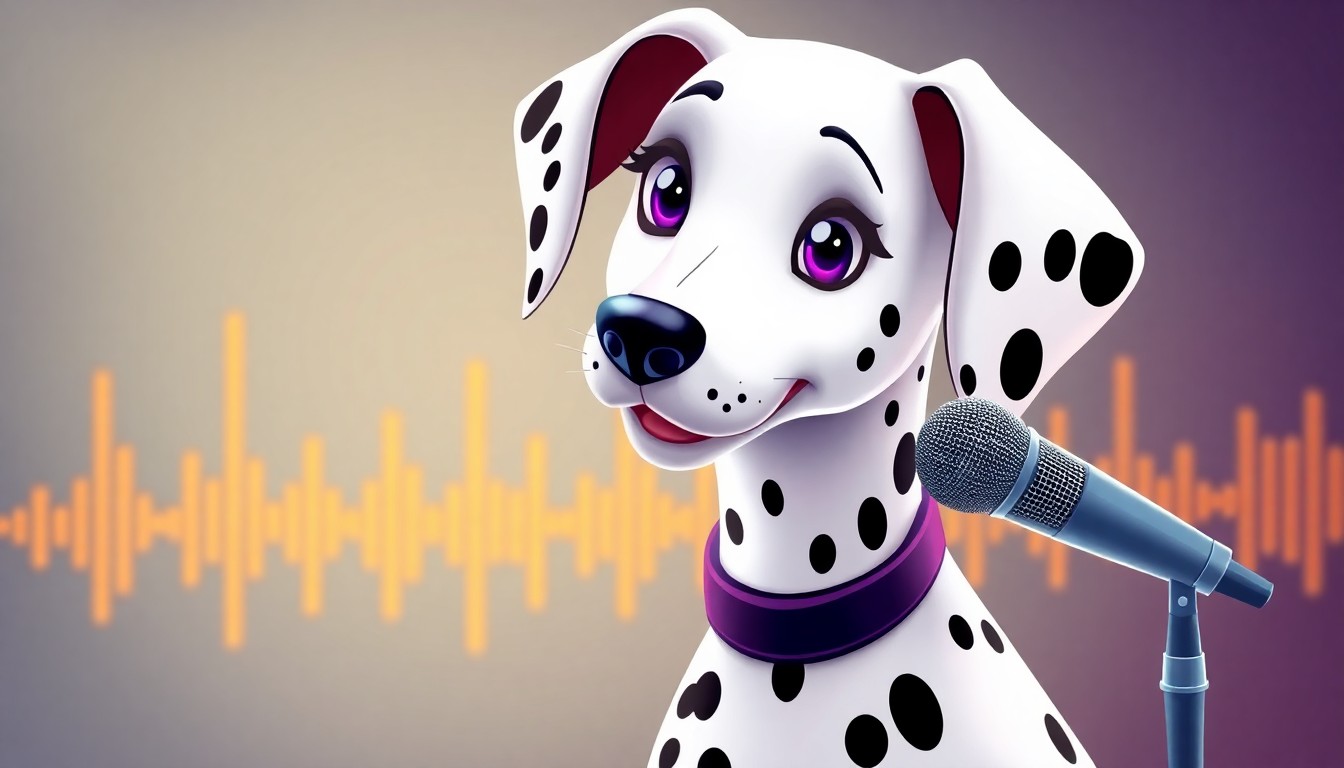
Creating a Perdita AI voice model opens incredible possibilities for content creators. The elegant maternal Dalmatian from Disney's 101 Dalmatians has a distinct voice that combines sophistication with warmth, making it perfect for storytelling, educational content, and creative projects. Training an AI voice model requires understanding audio processing, machine learning fundamentals, and the right tools to capture Perdita's unique vocal characteristics.
Building voice models involves several approaches. You can train custom models using RVC (Retrieval-based Voice Conversion), work with existing platforms that offer pre-trained voices, or use professional AI voice generators designed specifically for character recreation. Each method has different technical requirements, time investments, and quality outcomes. This guide covers everything from gathering source audio to deploying a working Perdita voice model.
We'll walk through dataset preparation techniques, training workflows for different skill levels, quality optimization strategies, and ethical considerations for Disney character voices. You'll learn which tools produce the most authentic results, how to troubleshoot common training issues, and where to find high-quality source material for the best model performance.
Understanding Perdita's voice characteristics
Before building any voice model, you need to understand what makes Perdita's voice unique. Lisa Daniels voiced Perdita in the original 1961 animated film, bringing a refined British accent with maternal warmth. Her delivery combines sophistication with gentle authority, perfect for a character who maintains composure even when her puppies are in danger. The voice carries a mid-range pitch with smooth, flowing cadence that distinguishes it from other Disney AI voices.
Perdita speaks with careful articulation and measured pacing. She doesn't rush her words. Each syllable gets proper attention, creating an elegant speech pattern that reflects her aristocratic background. This precise diction makes her voice particularly challenging for AI models because the training data needs to capture subtle vocal nuances, not just basic tone matching. When selecting source material, prioritize clips that showcase her full vocal range, from tender moments with Pongo to urgent scenes during the puppy rescue.
The emotional range matters tremendously. Perdita shifts from playful affection to concerned mother to determined protector throughout the film. A comprehensive voice model needs training samples that represent all these emotional states. Single-tone datasets produce flat, unconvincing results. You want variety. Grab dialogue from her first meeting with Pongo, the birth of the puppies, the discovery they're missing, and the triumphant reunion. Each scene contributes different vocal textures.
 Photo by
 Her accent poses specific challenges. British pronunciation differs significantly from American English in vowel sounds, consonant emphasis, and rhythm patterns. Standard AI voice models trained primarily on American speech struggle with authentic British accents. You need either specialized training techniques that account for accent features or enough high-quality British-accented training data to teach the model proper phoneme production. Shortcuts here produce voices that sound forced or inconsistent.
Comparing Perdita to other character voices helps clarify what your model needs to achieve. Peter Griffin's voice relies on exaggerated nasal tones and comic timing. Spongebob's voice uses cartoonish pitch variations and energetic delivery. Perdita sits at the opposite end of the spectrum with naturalistic, subdued elegance. This means your training approach should emphasize clarity and consistency over dramatic range.
Voice model creation methods
Several paths exist for creating a Perdita voice model, each with different technical requirements and results. The method you choose depends on your technical skill level, available computing resources, time commitment, and quality expectations. Some approaches require extensive machine learning knowledge while others work through user-friendly interfaces. Understanding each option helps you pick the right path for your specific needs.
Training custom RVC models from scratch
RVC (Retrieval-based Voice Conversion) represents the most technical approach. You train a custom model using your own dataset of Perdita voice clips, controlling every parameter and optimization step. This method offers maximum customization but requires significant technical expertise. You'll need Python programming skills, understanding of audio processing concepts, GPU access for reasonable training times, and patience to troubleshoot inevitable issues.
The process starts with dataset preparation. You collect Perdita dialogue from 101 Dalmatians, extract clean audio segments, and process them into the format RVC expects. Each clip needs proper preprocessing. Remove background music, eliminate sound effects, normalize audio levels, and ensure consistent quality across all samples. Poor dataset quality directly translates to poor model performance. Garbage in, garbage out.
You'll spend hours splitting dialogue into individual phrases. RVC works best with short, clean utterances rather than long passages with pauses and overlapping sounds. Each audio file should contain a single complete thought, typically 2-10 seconds. Extract these manually using audio editing software like Audacity or automated tools with voice activity detection. The more clips you prepare, the better your model performs, but expect to invest 10-20 hours just in data preparation for a quality dataset.
Training itself requires running Python scripts with specific configurations. You set hyperparameters like learning rate, batch size, number of epochs, and model architecture choices. These technical decisions dramatically impact final quality. Too high a learning rate produces unstable training. Too low and training takes forever. Insufficient epochs leave the model undertrained. Too many epochs cause overfitting where the model memorizes training data but fails on new inputs. Finding the sweet spot requires experimentation and understanding of machine learning fundamentals.
GPU requirements can't be ignored. Training on CPU takes prohibitively long, making GPU access essential. You need at least 8GB VRAM for reasonable performance, with 12-16GB preferred for larger datasets. Cloud GPU services like Google Colab offer free tiers but with usage limits. Paid GPU access through services like RunPod or vast.ai costs money but provides consistent resources. Factor these costs into your planning.
Expect the entire process to take several days or weeks for first-time builders. Initial attempts rarely produce perfect results. You'll iterate on dataset quality, adjust training parameters, experiment with different preprocessing techniques, and gradually improve output. This path suits technically-minded creators who want complete control and are willing to climb the learning curve. For detailed guidance on the technical aspects, check our guide on how to make your own RVC AI voice model.
Using pre-trained Perdita voice models
The faster alternative involves downloading existing Perdita models other creators have already trained. Various AI voice communities share trained models through platforms like Hugging Face, Discord servers, and specialized voice model repositories. You skip the entire training process and jump straight to generating audio with a ready-made model. This approach works well for creators who want results quickly without technical deep-dives.
Finding quality pre-trained models requires knowing where to look. Communities dedicated to character AI voices frequently share their work. Search repositories with terms like "Perdita RVC model" or "101 Dalmatians voice AI." Quality varies dramatically between models. Some creators invest extensive time in dataset curation and training optimization while others release quickly-made versions with obvious artifacts and limitations. Always test multiple options before committing to one for serious projects.
Model compatibility matters. Different RVC versions, audio processing libraries, and training frameworks produce models with varying format requirements. A model trained with one RVC fork might not work smoothly with another. Check model documentation for compatibility information and required dependencies. Installing the right environment prevents hours of troubleshooting mysterious errors.
Even with pre-trained models, you'll need technical setup. Install RVC inference software, configure audio input/output settings, and learn the interface for generating speech. The learning curve is much gentler than training from scratch, but it's not completely plug-and-play. Expect to spend a few hours getting everything working correctly. Once configured, generating new Perdita dialogue becomes relatively quick and straightforward.
Quality limitations exist with most free community models. They might capture Perdita's accent and general tone but miss subtle nuances in emotional delivery or produce occasional artifacts in certain phoneme combinations. Professional applications may require custom training for production-grade results. For casual content creation, fan projects, and experimentation, pre-trained models often suffice.
Professional voice generation platforms
The most accessible approach uses established AI voice platforms with pre-built character voices. TryAIVoices and similar services offer ready-to-use voice generation without any technical setup, training, or troubleshooting. You simply type text, select the voice, and receive high-quality audio in seconds. This path trades customization for convenience, making it ideal for creators who prioritize ease of use over absolute control.
Professional platforms invest heavily in training quality. Teams of engineers optimize datasets, fine-tune models, and implement quality control processes that individual creators can't match without significant resources. The resulting voices typically sound more polished and consistent than DIY trained models. You get professional-grade output without professional-grade effort.
These services handle all technical complexity behind simple interfaces. No Python installation, no GPU procurement, no parameter tuning, no troubleshooting dependency conflicts. You focus entirely on creative work while the platform manages infrastructure. This efficiency matters tremendously for content creators working under deadlines or without technical backgrounds.
 Photo by Balmer Rosario on Unsplash
Cost structures vary. Some platforms charge per generation, others offer subscription plans with monthly allowances. TryAIVoices' pricing includes multiple plan tiers designed for different usage levels, from casual creators to high-volume content producers. Calculate your expected usage to determine which option offers better value compared to building and maintaining your own infrastructure.
Limitations include less flexibility in voice customization. You work with the voice characteristics the platform provides rather than training your own variations. For most use cases, this constraint doesn't matter. Platform-provided voices already capture character essence effectively. Only specialized applications requiring very specific vocal characteristics might need custom training approaches. When evaluating whether to use a professional platform versus building your own model, read our comprehensive comparison of AI voice generators for characters and celebrities to understand the tradeoffs.
Dataset preparation and audio collection
Quality voice models depend entirely on quality training data. Your model learns from the audio you provide, absorbing its characteristics, quirks, and limitations. Feed it clean, varied, well-processed recordings and you'll get excellent results. Use poor quality clips with background noise, inconsistent levels, and limited range, and your model will reflect those flaws. Dataset preparation isn't the exciting part of voice model creation, but it's arguably the most important.
Extracting clean audio from source material
Start by obtaining the highest quality source material available. For Perdita, the original 101 Dalmatians film provides the canonical voice. Blu-ray releases offer better audio quality than older DVD versions or streaming copies. Higher bitrate audio preserves more vocal detail, giving your model better material to learn from. If you're working with downloaded content, verify you have 320kbps or lossless audio formats rather than compressed versions.
Use audio extraction tools carefully. FFmpeg works excellently for pulling audio tracks from video files without quality loss. The command ffmpeg -i input.mkv -vn -acodec copy output.aac extracts audio without reencoding, preserving original quality. Avoid tools that automatically convert to lower bitrates or apply lossy compression during extraction. Every processing step that degrades quality handicaps your final model.
Isolate Perdita's dialogue from the film soundtrack. This proves challenging because Disney films layer dialogue with background music and sound effects. Scenes rarely feature pure isolated voice. You need vocal isolation techniques to separate her voice from the mix. Modern AI-powered vocal separation tools like Spleeter, Demucs, or Ultimate Vocal Remover can extract vocals from mixed audio with impressive accuracy. These tools won't produce perfect results, but they dramatically reduce unwanted background elements.
Manual audio editing refines what automated tools extract. Load separated vocals into Audacity or similar software and examine waveforms closely. Cut out remaining music bleed, remove residual sound effects, and trim dead air from clip beginnings and ends. Each training sample should contain only Perdita's voice from start to finish, with minimal background contamination. This tedious work pays off significantly in model quality.
Segment long audio passages into individual utterances. RVC and most voice training approaches work better with short clips of single phrases or sentences rather than extended dialogue. Aim for clips between 2-10 seconds. Anything shorter lacks enough audio information for effective learning. Longer clips often contain pauses, breathing, or overlapping sounds that confuse training algorithms. Use silence detection in your audio editor to automatically identify phrase boundaries, then manually verify and adjust as needed.
Normalize audio levels across all clips. Consistent volume ensures the model learns voice characteristics rather than volume variations. Most audio editors include normalization functions that adjust peaks to a target level without distorting audio. Apply normalization to each clip individually so quiet Perdita moments and louder ones both reach similar levels. This preprocessing step helps training convergence.
Remove clicks, pops, and other audio artifacts that survived vocal separation. Apply gentle noise reduction if necessary, but avoid over-processing that removes natural voice characteristics. The goal is clean audio, not sterile audio. Perdita's voice should sound natural and organic, not processed through heavy noise gates and aggressive filtering. Use light touch when applying audio cleanup tools.
Building a comprehensive voice dataset
Variety matters as much as quantity. Your dataset should represent Perdita's full vocal range rather than just her most common speaking style. Include samples of different emotions, varied speaking tempos, questions versus statements, whispered dialogue versus normal volume, and tense moments versus relaxed ones. Models trained on limited emotional range produce flat, unconvincing output when asked to generate varied content.
Target at least 30-60 minutes of clean training audio for a functional model. More data generally produces better results, but quality trumps pure quantity. Two hundred high-quality varied clips outperform five hundred mediocre repetitive ones. Focus first on collecting the best possible samples, then expand quantity as you find additional suitable material.
Balance your dataset across different speaking contexts. If 80% of your samples come from one scene with similar emotional tone, your model will excel at that tone but struggle with others. Intentionally seek diversity. Grab dialogue from Perdita meeting Pongo, discussing names for puppies, noticing they're missing, confronting Cruella, traveling to find them, and celebrating their recovery. Each scene provides distinct vocal characteristics.
Consider phoneme coverage. Your model needs examples of Perdita pronouncing many different sound combinations to generalize well to arbitrary text input. English includes roughly 44 phonemes depending on dialect. Your dataset should ideally include examples of all relevant sounds in various contexts. This happens somewhat naturally with sufficient diverse dialogue, but awareness helps during sample selection. If your model struggles with specific sounds during testing, add training samples that include those phonemes.
 Photo by Karolína Maršálková on Unsplash
Label your audio files systematically. Use naming conventions that identify the source scene, emotional content, and any special characteristics. Something like perdita_puppies_birth_tender_01.wav tells you immediately what the clip contains. Organization might seem tedious during collection, but it becomes invaluable during training when you need to analyze which samples contribute to specific model behaviors or debug quality issues.
Create a validation set separate from training data. Set aside 10-15% of your best clips that won't be used in training. After training completes, test model performance on these held-out samples to gauge how well it generalizes to new content. If the model performs great on training data but poorly on validation data, you've overtrained. This separation provides crucial feedback for optimizing training parameters.
Audio preprocessing and quality optimization
Convert all audio to a consistent format before training. Most RVC implementations expect 16-bit PCM WAV files at 40kHz or 48kHz sample rate. Check your chosen training framework's documentation for exact requirements. Batch convert all your prepared clips using FFmpeg or similar tools. The command ffmpeg -i input.mp3 -ar 40000 -ac 1 -sample_fmt s16 output.wav converts to mono 16-bit 40kHz WAV format suitable for most voice training workflows.
Mono versus stereo matters. Voice training typically uses mono audio since human speech doesn't require stereo imaging. Convert stereo tracks to mono to reduce file size and simplify processing. Most audio editors offer mono conversion in export settings. This also ensures any slight differences between left and right channels don't confuse the training algorithm.
Apply consistent preprocessing to all samples. If you use noise reduction on some clips, apply it to all. If you normalize levels, normalize everything. Inconsistent preprocessing creates dataset irregularities that hamper training. Establish a preprocessing pipeline and run every clip through the identical steps. Automation tools like Python scripts with audio processing libraries help maintain consistency across hundreds of files.
Verify audio quality before training begins. Listen to random samples from your prepared dataset. Do they sound clean and natural? Can you clearly hear Perdita's voice without distracting background elements? Does volume stay reasonably consistent across different clips? If you notice issues at this stage, fix them before investing time in training. Problems in source data multiply during the training process and become much harder to correct after model creation.
Consider spectral analysis to identify remaining contamination. Load samples into audio analysis tools and examine frequency spectrograms. Perdita's voice occupies certain frequency ranges while background music and effects occupy others. Residual contamination appears as unexpected energy in frequencies outside the typical vocal range. Additional filtering can target these specific frequency bands if needed. This advanced technique helps squeeze extra quality from imperfect source material.
Back up everything. Store your cleaned, processed, organized dataset securely before training begins. Training processes occasionally corrupt data or produce unexpected results that require starting over. Having a pristine dataset backup saves you from repeating hours of preparation work. Use cloud storage or external drives to maintain redundancy.
Training workflow and technical setup
Once your dataset is ready, the actual training process begins. This phase transforms hours of prepared audio into a working voice model. The technical complexity varies dramatically depending on your chosen approach, but understanding the general workflow helps set realistic expectations and troubleshoot issues when they inevitably arise.
Setting up the RVC training environment
RVC training requires a properly configured Python environment with specific dependencies. Start by installing Python 3.10 or newer. Newer versions may have compatibility issues with some RVC dependencies, so check your specific RVC fork's documentation. Create a virtual environment to isolate RVC dependencies from other Python projects on your system. This prevents version conflicts and makes troubleshooting easier.
Clone the RVC repository you're using. Multiple RVC variants exist with different features and optimizations. Popular options include RVC-Project/Retrieval-based-Voice-Conversion-WebUI and ManglioRVC. Read documentation for each to understand their specific capabilities. Some versions prioritize ease of use with web interfaces while others focus on advanced features and optimization options. Choose based on your technical comfort level and specific needs.
Install required dependencies listed in the repository's requirements.txt file. Run pip install -r requirements.txt from your virtual environment. This installation may take significant time as it downloads PyTorch, audio processing libraries, and numerous other dependencies. Watch for error messages during installation. Missing system libraries sometimes prevent certain dependencies from building correctly. Common culprits include audio codecs and CUDA toolkits.
Configure CUDA for GPU acceleration if you have an NVIDIA graphics card. PyTorch needs to detect your GPU correctly for training to run efficiently. Verify GPU detection by running a simple PyTorch test script. If PyTorch doesn't see your GPU, troubleshoot CUDA installation before proceeding. Training on CPU alone takes prohibitively long for practical use. Some creators resort to cloud GPU services like Google Colab or Paperspace if they lack local GPU access.
Download required model checkpoints and pretrained components. RVC training typically starts from pretrained base models rather than training completely from scratch. These checkpoints, often called pretrained models or base models, provide a foundation that your Perdita audio will fine-tune. Check the RVC documentation for download links and placement instructions. Missing checkpoints cause cryptic error messages when training begins.
Configuring training parameters
Training configuration makes or breaks your final model quality. RVC implementations typically include configuration files or GUI settings where you specify crucial parameters. Understanding these settings helps you make informed choices rather than blindly accepting defaults.
Batch size determines how many audio samples the model processes simultaneously during training. Larger batch sizes can speed up training but require more GPU memory. Start with conservative values like 4-8 if you have 8-12GB VRAM. If training crashes with out-of-memory errors, reduce batch size. If you have VRAM to spare, gradually increase batch size for potential speed improvements. Monitor GPU memory usage during training to find the sweet spot.
Learning rate controls how quickly the model updates its parameters based on training data. Too high and training becomes unstable with erratic loss curves. Too low and training progresses extremely slowly, potentially getting stuck in suboptimal configurations. Default learning rates in RVC repositories generally work reasonably well, but experimentation helps. Values between 0.0001 and 0.001 are typical starting points. Advanced users employ learning rate scheduling that reduces the rate as training progresses.
Number of training epochs specifies how many times the training process iterates through your entire dataset. More epochs generally improve quality up to a point, after which overfitting degrades generalization. Start with recommendations from your RVC repository's documentation, typically 200-500 epochs. Monitor validation loss during training. When validation loss stops improving or starts increasing while training loss continues decreasing, you've hit overfitting territory and should stop training.
 Photo by Mohammad Metri on Unsplash
Save frequency determines how often the training process saves model checkpoints. Saving too infrequently risks losing progress if training crashes. Saving too frequently consumes disk space and slows training slightly. Saving every 10-50 epochs provides good balance. These intermediate checkpoints also let you test model quality at different training stages to identify the optimal stopping point.
Pitch extraction algorithm affects how the model processes fundamental frequency information. RVC supports multiple pitch extractors like Harvest, Crepe, and RMVPE. Each has different accuracy, speed, and characteristic. RMVPE generally produces higher quality results but runs slower. Harvest works faster but with slightly lower accuracy. Experiment with different extractors on small test sets before committing to full training runs.
Running the training process
Launch training through your RVC interface. Web GUI versions typically include a training tab where you upload your dataset, configure parameters, and click start. Command-line versions require running Python scripts with appropriate arguments. Double-check all settings before starting since training runs consume hours or days of GPU time.
Monitor training progress through loss curves and checkpoints. Training loss should generally decrease over time, though some fluctuation is normal. Severe spikes or continuously increasing loss indicate problems like learning rate too high, corrupted data, or configuration errors. Most RVC implementations output training metrics to console logs and sometimes generate loss curve plots.
Test intermediate checkpoints periodically. Don't wait until full training completes to evaluate quality. After 50-100 epochs, generate some test audio with the current model state. How does it sound? Does Perdita's accent come through? Are there obvious artifacts or quality issues? Early testing reveals dataset problems or configuration mistakes while you can still adjust and restart training without wasting days of GPU time.
Expect training to take considerable time. On modern GPUs with decent datasets, training might run anywhere from several hours to multiple days depending on dataset size, batch size, number of epochs, and your specific hardware. Budget this time appropriately. Don't start training the day before you need results. GPU temperature and fan noise can be substantial during long training runs, so consider running overnight or when the noise won't disturb you.
Training interruptions sometimes occur due to power outages, system crashes, or OOM errors you didn't anticipate. RVC checkpoints enable resuming from the last saved state rather than starting completely over. Verify your configuration saves checkpoints frequently enough that interruptions don't lose excessive progress. Some users run training in tmux or screen sessions on Linux to survive SSH disconnections if training on remote servers.
Quality testing and iteration
When training completes, thoroughly test the resulting model before considering it finished. Generate speech from varied text inputs that weren't in your training data. How does the model handle different sentence structures, emotions, and speaking styles? Does it maintain Perdita's British accent consistently? Listen critically for artifacts, unnatural prosody, mispronunciations, or other quality issues.
Compare your model against source material. Play a clip of actual Perdita dialogue followed by your model generating similar text. How close is the match? Professional listeners can usually distinguish AI generation from authentic recordings, but your goal is getting close enough that casual listeners don't immediately notice or find the AI version jarring and unnatural. Small gaps are acceptable. Large discrepancies indicate training problems.
Test edge cases. How does your model handle uncommon words, unusual punctuation, or very short versus very long sentences? Robust models gracefully handle varied inputs while weak models break down outside their comfort zone. Identifying limitations helps you understand appropriate use cases and where additional training might help.
Create an evaluation rubric with specific criteria. Rate accent accuracy, emotional range, audio clarity, artifact frequency, and overall naturalness on consistent scales. This systematic evaluation catches quality issues you might miss with casual listening. Compare scores across different checkpoint versions to identify the best model iteration. Sometimes earlier checkpoints actually sound better than the final one due to overfitting.
If quality falls short, diagnose root causes before attempting fixes. Is the problem limited training data in certain areas? Configuration issues during training? Source audio quality problems? Each root cause suggests different solutions. Adding more varied data helps with limited coverage. Adjusting learning rates or training duration addresses configuration problems. Better source preprocessing fixes audio quality issues. Random experimentation wastes time. Targeted iteration based on diagnosis produces faster improvement.
Consider whether iterating on your custom model makes sense versus switching to professional platforms. If you've spent weeks on training attempts without reaching acceptable quality, TryAIVoices and similar services might deliver better results with zero additional effort. Sometimes the right tool for the job is the one someone else built. DIY approaches satisfy curiosity and provide learning experiences, but projects with deadlines need pragmatic decisions about where to invest time.
Using professional AI voice platforms
For creators who want excellent Perdita voice results without technical complexity, professional AI voice platforms offer the most efficient path. These services handle all the difficult backend work so you can focus entirely on creative content. Understanding how to effectively use these platforms maximizes the quality of your generated audio.
Getting started with TryAIVoices
TryAIVoices streamlines character voice generation into a simple workflow. Visit the platform, select the Perdita voice from the extensive voice library, type or paste your desired text, and generate audio in seconds. The interface eliminates technical barriers completely. No installation, no configuration, no troubleshooting. You're creating within minutes of signing up.
Account creation takes moments. Choose a subscription plan based on your expected usage. The Starter plan works well for occasional projects while the Pro and Unlimited tiers suit content creators producing regular videos, podcasts, or other media requiring frequent voice generation. All plans include access to the full voice library, so your choice primarily affects monthly generation limits rather than available features.
The voice generator interface prioritizes usability. A clean text input field accepts your script. Emotion and tone settings let you adjust delivery for different contexts. Preview functionality lets you hear results before committing credits. Download options provide ready-to-use audio files compatible with all major editing software. The entire workflow focuses on removing friction between your creative idea and usable audio.
Quality controls include advanced settings for fine-tuning output. Adjust speaking speed to match your content's pacing. Modify pitch slightly if needed for specific use cases. Control emphasis on particular words through text markup. These options provide enough flexibility for professional applications while maintaining simplicity for casual users. The platform balances power and accessibility effectively.
Generation happens quickly. Most text inputs produce audio in under 30 seconds. This rapid iteration allows creative experimentation. Try multiple phrasings, test different emotional deliveries, and compare variations to find the perfect take. The fast feedback loop makes TryAIVoices valuable for editing workflows where you need to quickly test audio against video cuts or other project elements.
Optimizing generated voice quality
Write clear, well-punctuated scripts for best results. AI voice models interpret punctuation as natural pauses and inflection cues. Proper periods, commas, question marks, and exclamation points help the model deliver text with appropriate pacing and emotional tone. Scripts lacking punctuation tend to produce run-on delivery that sounds unnatural. Take a moment to punctuate properly and your audio quality improves measurably.
Consider sentence length and complexity. Very long complex sentences sometimes confuse voice models, potentially causing unnatural pauses or awkward phrasing. Break longer thoughts into multiple sentences when possible. This approach gives the model clearer structure to work with and generally produces more natural delivery. If a sentence feels overly long when reading it aloud, split it.
 Photo by Caught In Joy on Unsplash
Use contextually appropriate vocabulary. Perdita's character has a refined speaking style. She wouldn't use heavy slang or crude language. Writing scripts that match her character produces more authentic results than forcing the voice model to say things wildly out of character. Think about what Perdita would actually say and how she'd phrase it. This consideration improves both the AI delivery and overall content quality.
Test different emotion settings for your specific use case. The same text delivered with "neutral," "warm," or "concerned" emotion can sound dramatically different. Preview multiple versions. What works best for your project? A bedtime story benefits from warm, gentle delivery while a dramatic rescue scene needs urgency and concern. The emotion settings provide creative control over how Perdita's voice interprets your script.
Generate slightly more content than you need. Create alternate takes of important lines. Small variations in AI generation mean one version might have perfect pacing while another hits emphasis better. Having options during editing gives you flexibility to choose the best fit for each moment. The marginal cost of extra generations is minimal compared to discovering you need a retake after your editing session.
Pay attention to audio format requirements for your editing workflow. TryAIVoices outputs standard audio formats compatible with all major video and audio editing software, but verify your specific tools' optimal import settings. Using appropriate sample rates and bit depths from the start saves conversion steps later. Most editors prefer WAV or MP3 formats at standard sample rates like 44.1kHz or 48kHz.
Comparing professional platform results
How does platform-generated Perdita compare to DIY trained models? Professional platforms invest significantly more resources in model training than individual creators can match. They use larger datasets, more sophisticated training techniques, more powerful computing infrastructure, and dedicated engineering teams. This investment produces notably better quality in most cases.
Listen specifically to accent accuracy. Does the generated Perdita maintain her British pronunciation consistently across different words and sentences? DIY models often struggle with accent stability, occasionally slipping into different accents on certain phonemes. Professional platforms generally maintain more consistent accents because their training datasets are larger and more carefully curated.
Emotional range deserves evaluation. Can the platform model effectively convey different emotions while maintaining voice consistency? Weak models might sound fine in neutral delivery but fail when asked for sadness, urgency, or joy. TryAIVoices' Perdita voice handles emotional variation well because the underlying model was trained with diverse emotional samples from throughout the film.
Audio artifact frequency matters tremendously for professional use. Clicks, pops, robotic transitions, and other glitches ruin otherwise good content. Professional platforms implement sophisticated post-processing to minimize artifacts. DIY models sometimes produce audible flaws, especially on challenging phoneme combinations or longer sentences. Count artifact frequency when comparing options. Higher quality means fewer artifacts that require manual editing to fix.
Consider workflow efficiency beyond just audio quality. Professional platforms save enormous time compared to managing local infrastructure. No updating dependencies, no troubleshooting training crashes, no waiting days for training to complete. You get immediate results. For commercial content creation where time equals money, this efficiency often justifies platform costs even if DIY approaches could theoretically match quality with enough effort.
Cost-effectiveness requires honest calculation. Factor in your time spent building and maintaining DIY solutions, GPU costs for training, electricity for extended training runs, and opportunity cost of technical work instead of creative work. Compare against subscription costs. For many creators, professional platforms actually cost less when all factors are considered. Your time is valuable. Platforms let you focus on content creation rather than technical troubleshooting.
Creative applications and content ideas
Once you have access to quality Perdita voice generation, what can you create? Character voices enable diverse content types across platforms. Understanding different applications helps you maximize the value of your voice model or platform access.
Storytelling and narration projects
Perdita's warm, articulate voice works beautifully for children's stories and family-friendly content. Her maternal quality adds comfort and authority to narration. Create audiobooks or story podcasts featuring her voice. The British accent adds sophistication that American audiences often associate with quality children's literature. This application plays to the character's strengths perfectly.
Educational content benefits from her clear diction and patient delivery. Explain concepts to young learners using Perdita's voice. The recognizable character grabs attention while her speaking style ensures clarity. Create lessons about animal care, responsibility, family values, or other topics that connect to 101 Dalmatians themes. The character tie-in makes educational content more engaging for children familiar with the film.
Fan fiction audio adaptations find natural use for Perdita voices. The 101 Dalmatians fandom includes creators writing stories that expand the film's universe. Convert written fan fiction to audio format using character voices. This adds tremendous production value to fan projects and makes stories accessible to audiences who prefer audio content. Other Disney character voices can be combined for full cast productions.
Bedtime stories featuring Perdita leverage her soothing vocal qualities. Parents and content creators can produce calming bedtime content with her voice. Short stories with positive messages delivered in her gentle tone help children wind down for sleep. This niche content type has consistent demand from parents seeking quality children's audio content.
Podcast intros and outros can feature brief Perdita narration for shows about dogs, parenting, Disney content, or family topics. A short character voice segment adds personality and production polish. It signals to listeners that your show has professional production values and creative flair. Just a 10-15 second intro with recognizable voice talent makes podcasts more memorable.
Social media content creation
TikTok videos featuring character voices generate significant engagement. Use Perdita's voice for comedic scenarios, relatable parenting moments, or reactions to trending topics. The unexpected juxtaposition of an elegant Disney character discussing modern situations creates humor. This content format has proven viral potential when executed well. Check out how other creators use cartoon AI voices for inspiration on comedic timing and scenario selection.
YouTube content across multiple niches can incorporate character voices. Animation channels create stories featuring Perdita and other characters. Gaming channels use character voices for commentary or NPC dialogue in games. Commentary channels employ character voices for humorous takes on topics. The versatility of quality voice generation opens creative possibilities across YouTube's diverse content landscape.
Instagram Reels and Stories benefit from short voice clips. Create 15-30 second pieces of advice, reactions, or commentary in Perdita's voice paired with relevant visuals. Her sophisticated delivery contrasts interestingly with Instagram's typically casual tone. This contrast creates memorable content that stands out in crowded feeds.
Meme culture incorporates AI voices frequently. Perdita's voice applied to trending audio formats or popular meme templates creates shareable content. The key is maintaining awareness of current trends and quickly creating character voice versions that riff on popular formats. Speed matters in meme culture. AI voice generation's quick turnaround enables rapid content creation.
Educational social media benefits from character narration. Explain dog care tips, parenting advice, or British culture facts using Perdita's voice. The character connection provides built-in audience appeal while her clear speaking style ensures information is communicated effectively. This combines entertainment and education in the "edutainment" format that performs well across platforms.
Video production and multimedia
YouTube video essays gain polish from character narration. Use Perdita's voice for videos analyzing 101 Dalmatians, Disney history, animation techniques, or dog breed characteristics. Character voices add thematic consistency when the video topic directly relates to the character. This technique works especially well for channels focused on animation and film analysis.
Animation projects of all scales can use AI voices for character dialogue. Student films, indie animations, and fan projects often lack access to professional voice actors. AI voices fill this gap effectively. While not perfect substitutes for talented human performers in major productions, they provide reasonable quality for projects operating on minimal budgets. An entire short film could feature multiple character voices from TryAIVoices' library without costly recording sessions.
Advertisements and promotional content use character voices carefully. Perdita's association with Disney means usage rights matter. Original content clearly positioned as parody, commentary, or fan work generally falls under fair use. Commercial advertisements require careful legal consideration. When creating promotional content, focus on contexts where character usage is legally defensible. Creators working on commercial projects should review our guide on creating AI voices for best practices.
Documentary narration could employ Perdita's voice for dog-focused documentaries or British culture content where her accent and character fit thematically. The recognizable voice adds character to otherwise straightforward documentary content. This application works best when the character connection makes thematic sense rather than feeling random or forced.
Video game modding communities create custom dialogue for games. Modders replace or add character voices using AI generation. While professional game development rarely uses AI voices for main characters, modding communities embrace it enthusiastically. Create dialogue packs for games, character voice options, or total conversion mods featuring 101 Dalmatians characters.
Educational and tutorial content
Dog training tutorials benefit from Perdita's voice. She's a dog herself, creating thematic consistency. Her patient, clear delivery suits instructional content perfectly. Create training videos teaching commands, behavior modification, or puppy care with her narration. The character connection makes content more memorable and engaging than generic narration.
British English pronunciation lessons could employ her voice for language learners. Many students specifically want to learn British accents. Perdita's clear, refined pronunciation provides excellent modeling. Create pronunciation guides, vocabulary lessons, or conversational English practice materials. Her distinctive voice helps language learning apps and YouTube channels stand out from countless generic language learning resources.
Parenting advice content leverages her maternal character. Create content about raising children, family dynamics, balancing responsibilities, or protective instincts. Perdita's character embodies devoted motherhood, making her voice thematically perfect for parenting content. The character association adds warmth and authority to advice.
Animation tutorials about 101 Dalmatians or classic Disney films could feature her voice. Teach animation techniques, character design principles, or Disney history with Perdita narrating. This creates engaging content for animation students and Disney enthusiasts. The character voice adds entertainment value to otherwise technical instruction.
Book summaries and literature analysis might use her voice when discussing children's literature, British authors, or stories featuring dogs. The refined accent suits literary analysis while her character provides recognizable personality. This application works for YouTube channels and podcasts focused on book discussions.
Legal and ethical considerations
Creating and using AI voices involves navigating complex legal and ethical terrain. Disney characters specifically carry additional considerations due to Disney's strict intellectual property enforcement. Responsible creation requires understanding these issues and making informed decisions.
Copyright and fair use guidelines
Disney owns comprehensive intellectual property rights to Perdita and all 101 Dalmatians characters. This includes the character likeness, voice, name, and associated trademarks. Using AI to recreate these voices doesn't bypass these rights. The legal framework governing AI-generated character voices remains developing, but existing copyright law still applies.
Fair use doctrine provides limited exceptions for commentary, criticism, parody, education, and transformative use. Content clearly positioned as fan work, parody, or educational commentary generally falls within fair use boundaries. Commercial usage selling products directly based on Disney characters typically doesn't qualify. The distinction between protected fair use and infringing commercial exploitation isn't always clear-cut, requiring careful consideration for each use case.
Transformative use matters significantly in fair use analysis. Courts examine whether new work transforms original material by adding new meaning, message, or purpose. A parody video using Perdita's voice to comment on modern parenting might qualify as transformative. Directly reproducing scenes from 101 Dalmatians with AI voices adds nothing new and likely doesn't qualify for fair use protection.
Attribution and disclosure represent best practices even when not legally required. Clearly label AI-generated content as such. State that voices are AI-generated versions inspired by characters rather than implying any official Disney endorsement. Transparency prevents audience deception and demonstrates good faith, potentially relevant if legal questions arise.
Commercial use carries maximum risk. Selling products, running ads on content, or otherwise profiting directly from Disney character voices invites legal challenges. Disney actively defends their intellectual property. Many fan creators successfully operate under fair use protection because they create non-commercial content. Adding direct monetization changes the legal calculation significantly.
Consider platform policies alongside copyright law. YouTube, TikTok, Instagram, and other platforms maintain their own policies regarding copyrighted content. Platforms may remove content that technically qualifies as fair use under law but violates platform guidelines. Even if you're legally right, platforms can restrict content through their terms of service. Review platform policies before investing significant effort in content that might be removed.
Disclosure and audience transparency
Clearly identify AI-generated voices to your audience. Don't imply that actual voice actors recorded your content when using AI generation. Transparency builds trust with audiences and avoids potential accusations of deception. A simple note like "Voiced using AI generation" or "Featuring AI-generated character voices" sets appropriate expectations.
Disclosure placement matters. Include voice generation information somewhere audiences will actually see it. YouTube video descriptions, TikTok captions, podcast episode notes, or brief on-screen text at video beginning all work. The disclosure should be reasonable conspicuous rather than hidden in fine print most viewers never read.
Consider why disclosure matters beyond legal protection. Audiences increasingly value transparency about content creation methods. Some viewers specifically seek AI-voiced content while others prefer human performances. Letting audiences make informed choices respects their preferences. Hiding AI usage risks backlash if audiences discover it independently and feel deceived.
Content context affects disclosure requirements. Obviously satirical content requires less explicit labeling than content that might be mistaken for official Disney productions. A parody TikTok with Perdita discussing modern topics doesn't need lengthy disclaimers because context makes the nature clear. Content more easily confused with official material needs clearer labeling.
Educational content about AI voice technology benefits from detailed disclosure. When creating content that teaches others about AI voices or demonstrates capabilities, thorough transparency about tools and methods adds value. This content category especially benefits from showing audiences exactly what's possible with current technology. Our guide to AI voice technology provides helpful framing for educational content.
Responsible use guidelines
Avoid content that could damage character reputation or create inappropriate associations. Perdita is a children's character from a family film. Creating adult content, violent scenarios, or other inappropriate material using her voice violates the spirit of the character and potentially creates legal risks beyond copyright. Respect the source material and target audience.
Consider the broader implications of AI voice technology. Deepfakes and voice cloning enable deception and manipulation. While Perdita voice models pose minimal harm since she's fictional, the technology that creates them can be applied to real people's voices. Support responsible development and use of voice AI technology through your own practices. Don't contribute to erosion of trust in audio media.
Respect voice actors' livelihoods. Lisa Daniels and other voice performers created the original performances AI models learn from. While using AI voices for personal projects or fan content doesn't directly harm voice actors, wholesale replacement of human performers in commercial contexts raises ethical questions. Balance efficiency and cost savings against fair compensation for creative professionals.
Think critically about content value. Just because you can generate Perdita's voice doesn't mean every use case provides value to audiences. Create content that entertains, educates, or enriches rather than just demonstrating technical capability. Quality content respects audiences' time and the characters you're working with.
Support original content creation alongside character voices. If you love 101 Dalmatians enough to create content with Perdita's voice, consider supporting Disney through legitimate channels. Watch the films, buy official merchandise, visit theme parks. Demonstrate that fan creators can simultaneously use fair use rights and support the companies creating characters they love. This balanced approach to fandom benefits everyone.
Technical troubleshooting and optimization
Even with professional platforms, occasional issues arise. Understanding common problems and solutions ensures you can quickly resolve issues and maintain productive creative workflows. These troubleshooting tips apply to various AI voice generation approaches.
Common quality issues and fixes
Robotic or unnatural delivery often indicates poor model quality or inappropriate text input. If using professional platforms, try rephrasing your text with more natural sentence structures and appropriate punctuation. If using DIY models, the issue likely stems from insufficient or poor quality training data. Adding more varied training samples and retraining typically improves naturalness.
Accent inconsistency where Perdita's British accent wavers or disappears on certain words suggests model training issues. Professional platforms rarely have this problem because they use extensive datasets. DIY models require very consistent accent coverage in training data. Review your dataset for accent authenticity and coverage across different phonemes. Some creators find success mixing authentic character audio with additional British-accented training data from other sources to improve consistency.
Mispronunciations of specific words can often be corrected through text manipulation. Try alternate spellings, breaking words into phonetic components, or rephrasing sentences to avoid problematic words. Professional platforms sometimes include pronunciation guides or special syntax for difficult words. Check documentation for these features. For DIY models, adding training samples that include challenging words in various contexts helps the model learn proper pronunciation.
Audio artifacts like clicks, pops, or glitches usually indicate model quality issues or post-processing problems. Professional platforms handle artifact reduction automatically, so persistent artifacts might indicate bugs worth reporting to support. DIY models benefit from post-processing with audio editing software. Apply gentle noise reduction, click removal, and normalization to generated audio. Don't over-process, which can degrade quality further.
Volume inconsistency across different generations disrupts editing workflows. Normalize audio clips to consistent levels using your audio editor. Most professional platforms output reasonably consistent levels, but minor variations occur. Batch normalization processing ensures all your generated clips sit at similar volumes, simplifying audio mixing in your final project.
Emotional delivery not matching your intent suggests either unclear text markup or limitations in the model's emotional range. Review emotion controls in professional platforms and experiment with different settings. For DIY models, emotional range depends entirely on training data variety. Models trained exclusively on calm dialogue can't convincingly produce urgency or excitement. Expanding training data with varied emotional content improves range.
Performance optimization tips
Generate audio in appropriate length chunks for your editing workflow. Very long generations sometimes introduce quality drift where delivery changes noticeably partway through. Breaking content into paragraph or scene-sized chunks maintains more consistent quality and gives you better control during editing. You can select the best take for each section independently.
Cache frequently used phrases if your platform supports it or manually build a library. Opening greetings, transitions, common phrases, and outros that you use repeatedly don't need regeneration each time. Reuse previous high-quality generations when appropriate. This saves generation credits on professional platforms and ensures consistency for recurring content elements.
Experiment with speaking speed settings to match your project requirements. Slower delivery suits serious educational content while faster pacing works for energetic social media posts. Don't rely exclusively on default speeds. Testing different speeds often reveals one that better fits your specific content style and audience expectations.
Consider the listening environment for your content. Audio for headphone consumption can include subtle details that would be lost through phone speakers or laptop audio. Content consumed primarily through phone speakers benefits from slightly exaggerated clarity and less dynamic range. Optimize your generated audio for how audiences actually consume it rather than ideal listening conditions.
Maintain organized project files for efficiency. Name generated audio files descriptively with content summaries and version numbers. When you return to a project days or weeks later, clear file naming prevents wasting time identifying which audio files contain which content. Organization seems trivial until you're searching through dozens of similarly named files for one specific line.
Batch generate when possible to streamline workflows. If you know you need voices for multiple scenes or segments, generate all of them in one session. This ensures consistent quality across the project since all audio comes from the same model state. Generating in multiple sessions days apart introduces potential inconsistency if platform models update or settings accidentally change between sessions.
Platform-specific tips for TryAIVoices
Explore the full voice library beyond just Perdita. You might discover other Disney character voices or cartoon voices that suit different segments of your project. Having multiple high-quality character options available expands creative possibilities. A project might feature Perdita as the main narrator with other character voices for dialogue or supporting segments.
Use the preview function extensively before finalizing generations. Text that looks good written often needs adjustment for optimal audio delivery. Preview lets you test phrasings and make quick edits before committing generation credits. This iterative refinement produces better final audio than generating once and hoping for perfect results.
Save successful text inputs for future reference. When you find phrasing, punctuation, and emotion settings that produce excellent results, document them. Build a personal reference guide of techniques that work well for Perdita's voice specifically. Different voices on the platform may respond better to different text formatting approaches, so maintaining voice-specific notes improves your efficiency over time.
Monitor generation credits remaining on your account to avoid running out mid-project. Nothing disrupts creative flow like hitting credit limits halfway through a content creation session. Check remaining credits before starting significant work. Upgrade plans or purchase additional credits proactively if a project requires more than your current balance provides.
Provide feedback to the platform when you encounter issues or have feature requests. Professional platforms improve based on user input. Reporting bugs helps developers fix problems that might affect other users. Feature requests sometimes lead to new capabilities that benefit the entire user base. Active users who engage with platform development often get the most value from these services over time.
Combine platform-generated voices with your own audio editing skills for professional results. Add appropriate background music, sound effects, and mixing techniques. AI-generated voices provide the raw material, but your editing transforms them into polished content. Learning basic audio production techniques in software like Audacity or Adobe Audition multiplies the impact of AI voices in your projects. Check our voice generation tips guide for audio editing recommendations.
Frequently asked questions
Can I legally create a Perdita AI voice model?
Creating a voice model for personal use and fair use applications like commentary, parody, or educational content generally falls within legal boundaries. Commercial usage that directly profits from Disney's intellectual property carries significant legal risk. Disney actively defends their copyrights and trademarks. If you're creating content for personal enjoyment, fan projects, or educational purposes, you're likely on solid ground. Commercial applications require legal counsel to navigate Disney's intellectual property rights properly.
How much training data do I need for a quality Perdita model?
Aim for at least 30-60 minutes of clean, varied audio for functional results. More data generally improves quality, but quality of training samples matters more than pure quantity. Two hundred excellent varied clips outperform five hundred mediocre repetitive ones. Focus on diverse emotional range, varied speaking contexts, and clean audio processing before simply accumulating more hours of marginal material. Professional platforms like TryAIVoices use substantially larger datasets curated by engineering teams, which explains their quality advantages over typical DIY efforts.
What's the difference between RVC and other voice training methods?
RVC (Retrieval-based Voice Conversion) represents one specific approach to voice model training that's become popular in community settings. Other methods include traditional TTS (text-to-speech) training, neural voice cloning, and various proprietary approaches used by commercial platforms. RVC offers relatively accessible entry points for hobbyists with decent results, but professional approaches often produce higher quality at the cost of increased complexity and resource requirements. Each method has tradeoffs in quality, training time, technical difficulty, and resource requirements.
Can I use a Perdita voice model for YouTube videos?
Yes, with appropriate disclaimers and within fair use boundaries. YouTube content categorized as fan work, parody, commentary, or educational material typically qualifies for fair use protection. Clearly label your content as using AI-generated voices and don't imply official Disney endorsement. Monetization adds complexity since commercial use increases legal scrutiny. Many fan creators successfully operate YouTube channels featuring character voices by maintaining clear fair use positioning. Review YouTube's policies on copyrighted content and consider consulting legal guidance for commercial channels.
How does TryAIVoices Perdita voice compare to DIY models?
Professional platforms generally deliver better quality, consistency, and convenience than typical DIY training attempts. TryAIVoices invests significantly in dataset curation, advanced training techniques, and quality control processes individual creators can't easily match. DIY models offer customization and learning experiences but require substantial technical expertise, GPU resources, and time investment. For most creators prioritizing results over technical exploration, professional platforms provide better value when accounting for time, electricity, and GPU costs of DIY approaches.
What equipment do I need to train my own voice model?
RVC training minimally requires a computer with an NVIDIA GPU (8GB+ VRAM recommended), Python development environment, audio editing software for dataset preparation, and substantial time. Cloud GPU services like Google Colab offer alternatives if you lack local GPU access. Expect to invest in GPU compute time through cloud services if training without local hardware. Budget several hundred dollars for GPU rental across multiple training runs while learning. Professional platforms eliminate these infrastructure requirements entirely for creators who don't need custom model control.
Related voices to try
Related guides
Perdita AI voice models open creative possibilities for content creators across every platform and format. Success comes down to choosing the right approach for your skill level and project requirements, investing appropriate time in quality over shortcuts, and respecting both legal boundaries and the character's family-friendly nature.
Start creating authentic Perdita voiceovers with TryAIVoices today. Generate professional character voices instantly without technical complexity or infrastructure investment.