AI Crowd Voice Generator: Create Realistic Group Sounds & Atmospheres
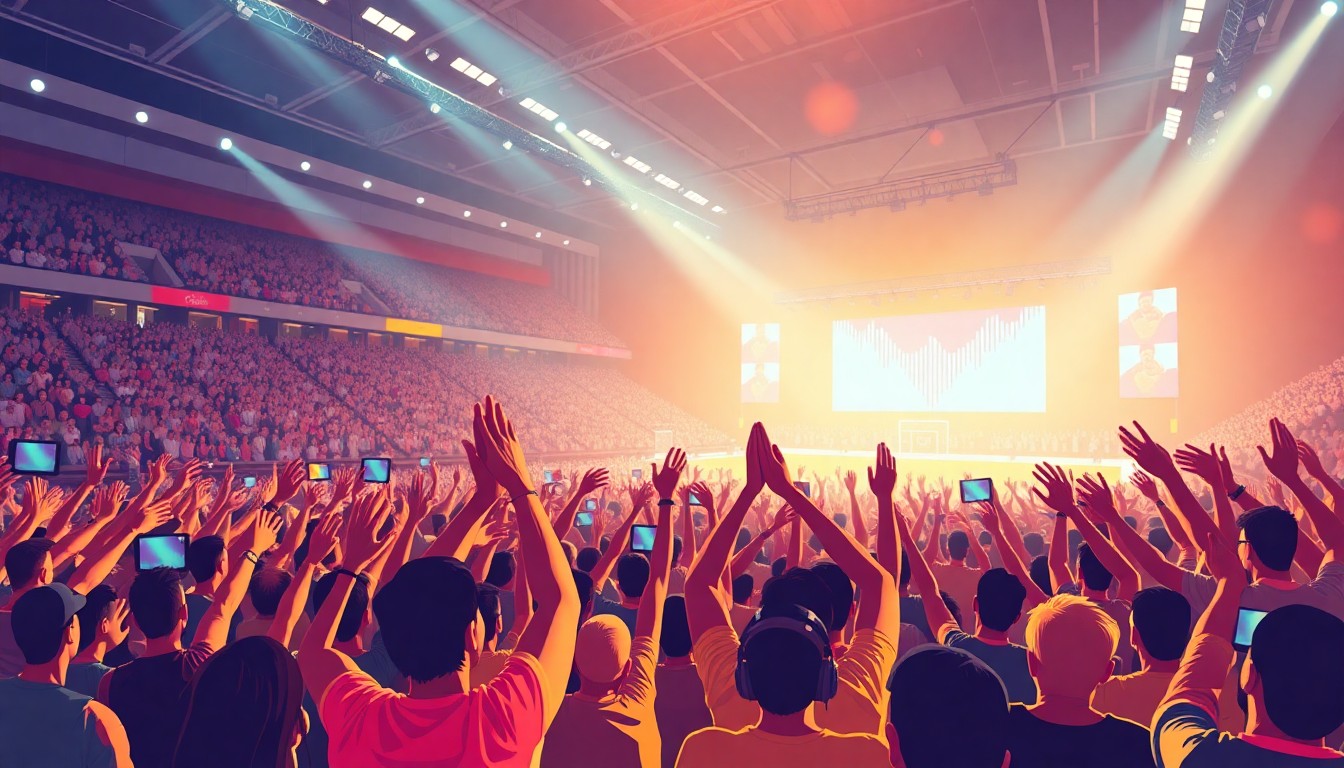
Crowd sounds bring scenes to life. Background chatter fills empty spaces. Group atmospheres make content feel real.
But recording actual crowds costs money. You need equipment, locations, and dozens of people. Professional crowd libraries sound generic. Custom recordings require permits and coordination.
AI crowd voice generators solve this problem. These tools create realistic group sounds without hiring actors or booking venues. You can generate stadium cheers, restaurant ambiance, protest chants, or schoolyard noise in seconds.
This guide covers everything you need to know about AI crowd voice generation. We'll explore how the technology works, compare leading platforms, share practical use cases, and provide tips for creating authentic group atmospheres that enhance your projects.
Understanding AI crowd voice technology
AI crowd generators use a fundamentally different approach than traditional sound libraries. Instead of layering pre-recorded samples, these systems synthesize new audio from scratch based on your specifications.
The technology combines multiple AI voice models simultaneously, varying pitch, timing, and intensity to create the illusion of distinct individuals. Advanced systems add spatial positioning so voices appear to come from different locations. The best platforms incorporate environmental acoustics so crowd sounds match the setting you're creating.
What makes this powerful is customization. Traditional crowd libraries give you fixed recordings. If you need a small group of excited teenagers rather than a large crowd of adults, you're out of luck. AI generation lets you specify group size, demographic characteristics, emotional tone, and acoustic environment.
TryAIVoices offers specialized crowd generation capabilities alongside our library of 500+ character voices, giving you complete control over both individual speakers and group atmospheres.
How AI creates realistic group dynamics
Creating convincing crowd audio requires solving several technical challenges. Individual voices need distinct characteristics so the crowd doesn't sound like clones talking over each other. Timing must vary naturally because real groups don't speak in perfect unison. Energy levels should fluctuate as some people speak louder while others fade into background murmur.
The most sophisticated AI systems analyze real crowd recordings to learn these patterns. They study how conversation volume swells and recedes in restaurants. They model how stadium cheers build to crescendos. They understand how protest chants maintain rhythm while individuals vary slightly in timing and pitch.
This learning produces remarkably realistic results. You can generate a crowd where 30% of voices are female, average age is 35, emotional state is excited, and acoustic environment suggests a large indoor space. The AI synthesizes all these parameters into cohesive audio that sounds like you recorded it on location.
The advantage over traditional sound design
Traditional crowd sound design relies on layering techniques. Sound designers take multiple crowd recordings and stack them with slight timing offsets to create density. This works but has limitations. You're constrained by your source recordings. Creating new crowd types requires new recording sessions. Adjusting the demographic mix or emotional tone means starting over.
AI generation breaks these constraints. Need to change your stadium crowd from celebratory to disappointed? Adjust the emotional parameter and regenerate. Want to shift your restaurant scene from dinner rush to quiet afternoon? Modify the density and energy settings. This flexibility transforms post-production workflow.
Production teams save enormous amounts of time and money. Instead of hiring 50 extras for background voices in your podcast drama, you generate exactly what you need. Film projects can create crowd scenes without location shooting. Game developers can generate thousands of variations for different in-game scenarios.
 Photo by Samuel Branch on Unsplash
Best AI platforms for crowd voice generation
The crowd voice generation market is evolving rapidly. Several platforms offer specialized crowd capabilities while others focus on individual voice synthesis with layering tools.
Dedicated crowd generation tools
Some platforms specialize specifically in crowd and atmosphere generation using advanced AI voice technology. These tools excel at creating large group sounds but may lack flexibility for individual voice control.
Sonantic pioneered emotionally expressive crowd generation. Their system lets you specify crowd size, emotional state, and demographic composition. The platform works particularly well for cinematic applications where you need dramatic crowd reactions.
Replica Studios offers crowd generation as part of their voice synthesis platform. Their approach combines individual character voices with crowd layering capabilities. This works well when you need both named characters and background atmosphere in the same scene.
Respeecher focuses on voice cloning but includes crowd multiplication features. You can record a few people and multiply them into convincing larger groups. This helps when you need crowd voices that match specific accent or dialect requirements.
General voice platforms with crowd capabilities
Many AI voice generators designed for individual synthesis can create crowd effects through creative layering. These platforms give you more control over individual voices but require more manual work to build crowd scenes.
TryAIVoices provides access to 500+ distinct character voices across all demographics. You can layer multiple voices with different emotional settings to create custom crowd atmospheres. This approach works exceptionally well when you need crowd members to have specific recognizable voices rather than generic background noise.
The platform's strength lies in character-specific crowd generation. Want a crowd of cartoon characters? Layer voices from our cartoon voice library. Creating a political rally scene? Combine multiple politician voices with varying intensity levels. Need a gaming tournament atmosphere? Mix gaming character voices to create authentic esports crowd energy.
Traditional text-to-speech platforms like ElevenLabs and Murf AI can generate individual crowd voices but lack specialized crowd synthesis features. You'll need to manually layer multiple generations and adjust timing to create realistic group dynamics.
Creative use cases for AI crowd voices
Crowd voice generation serves countless creative applications. The technology shines in any context where group atmosphere matters but recording real crowds isn't practical.
Film and video production
Background atmosphere makes or breaks the realism of film scenes. Restaurant scenes need conversation murmur. Outdoor shots require street noise. Stadium sequences demand energetic crowds.
AI crowd generation lets filmmakers create these atmospheres without expensive location recording. You can generate specific crowd types that match your scene demographics using different voice categories. A high school cafeteria sounds different from a corporate boardroom. A jazz club has distinct energy compared to a sports bar.
Dialogue scenes particularly benefit from customized crowd layers. You can generate background chatter at exactly the right volume so it supports the scene without competing with foreground dialogue. Traditional crowd libraries often require extensive mixing to achieve this balance.
Post-production teams gain enormous flexibility. If a director decides the crowd should sound more anxious after filming wraps, you regenerate the audio rather than scheduling a new recording session. Need to localize your film for different markets? Generate crowd voices with appropriate accents and language characteristics.
Podcast and audio drama
Podcast productions create immersive experiences through audio alone. Crowd sounds establish location and scale without visual cues.
Your detective story can transport listeners to a busy police station with background officer chatter using character voices. Your sci-fi adventure can establish an alien marketplace with exotic crowd atmospheres. Your historical drama can recreate period-appropriate public gatherings with authentic voice characterization.
TryAIVoices users create layered podcast scenes by combining character voices with crowd elements. Foreground characters speak while background voices add environmental context. This technique transforms static dialogue into dynamic scenes.
The budget advantages are substantial. Independent podcast producers can create Hollywood-quality soundscapes without studio resources. You're not limited to generic crowd samples. You can generate exactly the crowd type your story requires.
Game development and interactive media
Games need massive amounts of crowd variation. Background NPCs populate cities. Stadium games require reactive crowd noise. Multiplayer lobbies need ambient voice chatter.
AI generation solves the content volume problem. Instead of recording dozens of crowd variations, you generate hundreds or thousands procedurally. Each game session can have unique crowd atmospheres rather than repeating the same audio files.
Reactive crowds enhance immersion. Generate celebratory crowd noise when players score. Create anxious murmur during tense moments. Produce angry chanting when players perform unpopular actions. This dynamic audio responds to gameplay in ways pre-recorded samples can't match.
Our gaming voice library includes characters perfect for building game-specific crowd atmospheres. Layer Minecraft villager voices for blocky world crowds. Combine Team Fortress voices for competitive shooter atmospheres. Mix Sonic character voices for high-energy platform game environments.
Educational and training content
Training simulations need realistic environments to prepare professionals for real-world situations using AI voice generation. Customer service training improves when trainees practice managing difficult situations in noisy environments. Public speaking courses benefit when students present to realistic audience sounds.
AI crowd generation creates these training environments affordably. Medical simulation can include emergency room background noise. Retail training can feature Black Friday shopping chaos. Teacher preparation programs can simulate classroom management scenarios with authentic student chatter.
The customization capabilities matter enormously here. Different training scenarios require different crowd types. Customer service representatives dealing with luxury retail need different background atmospheres than those handling discount store rushes.
Content creation and social media
YouTubers, TikTokers, and content creators use crowd sounds to enhance storytelling with AI voice generation. Comedy sketches need laugh track alternatives that sound natural using cartoon character voices. Commentary videos benefit from reaction crowd noise that emphasizes points. Educational content uses crowd sounds to establish historical or cultural context.
AI generation gives creators professional production value without professional budgets. You can generate crowd reactions that perfectly match your content timing. Traditional crowd samples require editing to fit your needs. AI lets you specify duration and intensity upfront.
Viral content often succeeds through unique audio signatures. Create signature crowd reactions that become associated with your channel. Generate crowd voices that match your brand personality rather than using generic stock audio everyone recognizes.
 Photo by Husna Miskandar on Unsplash
Creating authentic crowd sounds with AI
Generating convincing crowd audio requires understanding what makes real crowds sound natural. Several key factors separate realistic AI crowds from obvious synthetic noise.
Group size and density
Real crowds have specific size characteristics you can hear. A group of five people sounds fundamentally different from fifty people. Density affects how individual voices overlap and blend.
Small groups require distinct individual voices. Listeners should hear separate people with clear characteristics. Generate 5-10 unique voices and layer them with minimal overlap. Each voice needs space to register as an individual rather than blending into anonymous noise.
Medium crowds need the sweet spot between individual distinction and group blend. Generate 20-40 voices with varied characteristics. Some voices should be prominent while others fade into background. This creates depth and realistic spatial distribution.
Large crowds become textural. Individual words matter less than overall energy and rhythm. Generate 50+ voices with significant variation in pitch, volume, and timing. The goal is creating an ocean of sound rather than distinguishable individuals.
Density mistakes to avoid: Using too few voices makes large crowds sound thin. Using identical voices creates robotic cloning effects. Over-processing individual voices removes the natural variation that makes crowds convincing.
Emotional tone and energy
Crowd emotional state dramatically affects acoustic characteristics. Excited crowds have higher pitch, faster speech rate, and greater volume variation. Anxious crowds feature tense vocal quality and uncertain rhythms. Bored crowds produce monotone murmur with minimal energy fluctuation.
Match your crowd's emotional tone to scene requirements. Stadium victory celebrations need peak excitement with shouting and cheering. Restaurant background chatter should have casual, relaxed energy. Protest scenes require determined, intense vocal quality.
Energy levels fluctuate naturally in real crowds. Generate variations that swell and recede rather than maintaining constant intensity. Conversation crowds should have moments where volume builds as multiple people talk simultaneously, then quiets as conversations resolve.
Our platform's emotion control features let you adjust crowd voice characteristics precisely. Generate variations of the same crowd at different energy levels. Layer them with dynamic mixing so energy changes throughout your scene.
Demographic characteristics and variety
Real crowds reflect demographic diversity. Age, gender, accent, and vocal characteristics vary naturally. Homogeneous crowds sound artificial unless you're specifically creating a scenario where uniformity makes sense.
Gender balance affects crowd timbre. All-male crowds have lower average pitch. All-female crowds sound brighter. Mixed crowds need appropriate gender distribution based on your scenario using male voices and female voices. A military crowd might be predominantly male while a nursing conference would lean female.
Age distribution changes vocal quality significantly. Young crowds have higher energy and pitch variability using anime character voices. Older crowds typically speak at moderate pace with lower, more resonant voices like old man AI voices. Children's crowds have distinct high-pitched chaos that's immediately recognizable.
Accent and language characteristics add authenticity. A Boston restaurant crowd sounds different from a Texas barbecue gathering. International settings need appropriate accent mixing. Fantasy settings can use character-specific vocal traits to establish fictional cultures.
Generate your crowd from diverse voice models rather than using variations of a single voice. TryAIVoices' extensive voice library gives you hundreds of distinct starting points. Combine celebrity voices, character voices, and accent variations to create believably diverse crowds.
Spatial positioning and acoustics
Real crowds exist in three-dimensional space. Some voices come from the left, others from the right. Foreground voices sound close while background voices are distant and muffled.
Stereo positioning creates width and depth. Pan some voices left, others right, and some center. This simple technique makes crowds feel spacious rather than flat. More advanced spatial audio uses surround positioning for immersive experiences.
Distance affects voice clarity. Close voices have full frequency response and clear articulation. Distant voices lose high frequencies and sound more muffled. Layer your crowd with varied clarity to create depth perception.
Room acoustics dramatically change crowd character. Large spaces add reverberation that blends voices into smooth textures. Small rooms produce more distinct voices with less natural blending. Outdoor crowds lack reverb, making individual voices more separate.
Apply appropriate reverb and filtering to match your scene's acoustic environment. Stadium crowds need long reverb tails. Restaurant crowds need short, warm reverb. Outdoor market crowds need minimal reverb with some background ambiance.
Technical implementation strategies
Turning AI crowd voice concepts into finished audio requires practical workflow knowledge. These strategies help you work efficiently and achieve professional results.
Layering individual voices effectively
Building crowds from individual AI voice generations requires strategic layering. The goal is creating cohesive group sound rather than obvious separate tracks playing simultaneously.
Start with your most prominent voices using politician voices or streamer voices for recognizable character. These are crowd members who should be partially intelligible even though they're background. Generate these at normal volume with clear articulation. Place them strategically in your stereo field, close to the listener.
Add your middle layer with moderate clarity. These voices should be recognizable as speech but not fully intelligible. Generate them with slightly lower energy and mix them quieter than your foreground layer. Spread them across the stereo field for spatial width.
Create your background wash with heavily processed voices. These provide texture and density without individual distinction. Generate high quantities of short phrases, mix them very quietly, and add significant reverb to blend them together.
Three to five layers typically suffice. More layers add density but also increase mixing complexity. Focus on variation within each layer rather than adding excessive layers.
Timing and rhythm variation
Synchronized crowd voices sound robotic. Natural crowds have complex timing relationships where individuals speak, pause, react, and overlap unpredictably.
Generate individual voice segments rather than complete crowd performances. Create 5-10 second clips of different crowd members speaking. This gives you building blocks you can arrange with varied timing.
Offset your voice layers by random intervals. Don't align them to grid positions. Real people don't start talking in perfect rhythmic patterns. Random timing creates natural overlaps and gaps that characterize real group dynamics.
Use crowd rhythm to support scene pacing. Faster timing with frequent overlaps creates energetic, chaotic atmospheres. Slower timing with clear gaps produces calmer, more organized crowds. Match rhythm to emotional context.
Consider call-and-response patterns for specific crowd types. Protest chants have rhythmic structure. Sports crowds respond to game events with coordinated reactions. Religious gatherings might have responsive liturgy. These structured patterns need careful timing alignment rather than pure randomness.
Processing and mixing techniques
Raw AI voice generations need processing to blend into cohesive crowd sound. Several mixing techniques transform separate voices into unified atmospheres.
EQ sculpting creates space for different crowd layers. High-pass filter background voices to remove low-frequency content that would muddy the mix. Boost mid-range frequencies on foreground voices so they cut through. This frequency separation makes layers distinguish themselves clearly.
Compression smooths volume inconsistencies between generated voices. Gentle compression on individual voices prevents some from overwhelming others. Bus compression on the complete crowd mix glues layers together into cohesive sound.
Reverb unifies disparate voices into shared acoustic space. Use the same reverb on all crowd layers with varied send amounts. Foreground voices get minimal reverb. Background voices get significant reverb. This creates consistent spatial environment while maintaining depth.
Noise and ambiance additions sell realism. Pure voices sound too clean. Add subtle room tone, environmental noise, or very quiet textural elements. A restaurant crowd benefits from subtle dish clinks. A stadium crowd needs distant cheering washes.
Dynamic automation brings static crowds to life. Automate overall crowd volume to swell and recede throughout your scene. Automate individual layer volumes so prominence shifts. This movement prevents listener fatigue and maintains interest.
Creating crowd conversation content
The words your crowd speaks matter significantly. Generic placeholder text produces generic results. Thoughtful conversation content creates believable atmospheres.
For background murmur where intelligibility doesn't matter, use varied sentence fragments rather than complete sentences. Real background conversation is mostly unintelligible. Generate short phrases like "I was thinking that," "Maybe tomorrow," "Did you hear about," that blend into texture using different voice personalities.
For partially intelligible crowds, create topic-appropriate conversation. Restaurant crowds should discuss food, plans, and casual topics. Business crowds need work-related fragments. Sports crowds should reference the game. This contextual accuracy helps even non-intelligible voices support your scene.
Generate questions and statements in natural proportions. Real conversation includes questions, exclamations, and statements. All declarative sentences sound unnatural. Mix in "Really?" and "No way!" and "What about..." to create conversational rhythm.
Avoid repetition at all costs. Generate far more content than you need, then use different sections for each layer. Repetition destroys crowd realism faster than any other mistake. Listeners' brains are pattern-recognition machines that immediately notice repeated phrases.
TryAIVoices lets you generate unlimited variations with different emotional settings and delivery styles. Create a library of crowd fragments you can reuse across projects, mixing and matching to prevent repetition.
 Photo by Jonathan Velasquez on Unsplash
Platform comparison for crowd generation
Choosing the right AI crowd generation platform depends on your specific needs, budget, and workflow preferences. Different tools excel at different aspects of crowd synthesis.
Specialized crowd synthesis platforms
Sonantic leads the dedicated crowd generation space with sophisticated emotional modeling. Their system excels at creating dramatic crowd reactions with natural energy dynamics. The platform works exceptionally well for film and game applications where crowd emotional response drives narrative impact.
Strengths include precise emotional control and natural volume dynamics. The crowd reactions sound genuinely responsive rather than static. Audio quality is excellent with minimal artificial artifacts. Integration with major game engines streamlines implementation for interactive applications.
Limitations include higher pricing that puts the platform out of reach for independent creators. The system focuses on reactions and atmospheres rather than conversation, making it less suitable for dialogue-heavy scenes. Customization options for specific demographic characteristics are more limited than platforms with diverse voice libraries.
Replica Studios positions itself as the voice actor replacement for games and animation. Their crowd features complement extensive individual character voice capabilities. This makes Replica ideal when you need both named characters and background crowds.
The platform's strength is workflow integration. You can create all character dialogue and crowd atmospheres in one system rather than using multiple tools. Voice quality consistently matches across individual and crowd elements. The subscription model offers good value for active production teams.
Drawbacks include less sophisticated crowd dynamics compared to Sonantic. The crowds sound good but lack the dramatic swell and emotional nuance of dedicated crowd systems. Processing time can be slow during peak usage periods. Character voice selection is smaller than some competitors.
Respeecher specializes in voice cloning with crowd multiplication features. This platform excels when you need crowds that match specific accent, dialect, or voice quality requirements.
Record a handful of people with the exact vocal characteristics you need, then Respeecher multiplies them into larger groups with enough variation to avoid obvious cloning. This approach works brilliantly for niche requirements like historical accuracy or fantasy language crowds.
The limitation is that you need source recordings to multiply. Pure synthesis from text descriptions isn't the platform's focus. This makes Respeecher perfect for projects with recording budgets but not for creators working entirely with synthetic audio.
General voice platforms with crowd capabilities
ElevenLabs offers extensive individual voice control but lacks specialized crowd features. You can create crowd effects by generating multiple voices and layering them manually. This gives you complete control but requires significant post-production work.
The platform's strength is voice quality. Individual generations sound remarkably human with subtle emotional expressiveness. The voice cloning feature lets you create custom crowd members with specific characteristics.
The crowd workflow limitation is significant. You're manually generating dozens of individual clips and layering them yourself. No built-in crowd synthesis or timing variation tools exist. This makes ElevenLabs most suitable when you need a few specific crowd voices rather than large anonymous groups.
Murf AI positions as a presentation and explainer video platform. Their focus on individual narrator voices means crowd generation isn't a primary use case. You can layer voices manually but the platform doesn't optimize for this workflow.
Voice selection is broad with good demographic diversity. Pronunciation and emphasis controls help create natural variation. The interface works well for straightforward generations but becomes cumbersome when managing complex multi-voice projects.
TryAIVoices provides a unique middle ground between specialized crowd tools and general voice platforms. Our library of 500+ character and celebrity voices gives you an enormous palette for building custom crowds.
The platform excels at character-specific crowd scenarios. Creating a crowd of Marvel characters reacting to battle? Layer Iron Man, Spider-Man, and Thor voices with varied intensity. Building a cartoon show audience? Combine recognizable voices that audiences will appreciate even in background.
Our subscription model provides unlimited generation, so you can create as many crowd variations as needed without per-clip charges. This makes TryAIVoices particularly cost-effective for projects requiring extensive crowd content.
The manual layering requirement is the primary workflow consideration. Unlike dedicated crowd platforms with automatic synthesis, you'll generate and layer voices yourself. This gives you complete creative control but requires more hands-on production work.
Industry-specific crowd applications
Different industries have unique crowd voice requirements. Understanding these specialized needs helps you create appropriate atmospheres for specific contexts.
Sports and stadium environments
Sports crowds are among the most challenging to synthesize convincingly using AI voice technology. They combine coordinated chanting with chaotic reactions and emotional swings that follow game action.
Victory celebrations need peak energy with shouting and cheering using sports announcer voices. Generate high-intensity voices with excited emotional settings. Layer heavily for dense crowd texture. Add rhythmic elements like clapping and stomping to reinforce the celebration.
Tense moments require anxious energy with anticipatory murmuring. Generate voices with worried or focused emotional tones. Keep intensity moderate with occasional shouts. Volume should swell as tension builds and release when plays resolve.
Chants and songs need rhythmic coordination. Generate individual voices performing the same text with slight timing variation. Don't perfectly sync them—real crowds have natural timing spread. Layer different sections performing the chant at slightly different tempos for authenticity.
Broadcasting applications need crowd balance that doesn't overpower commentary. Generate stadium atmosphere at moderate volume with emphasis on ambient crowd texture rather than distinct voices. This provides environment without competing with foreground audio.
Restaurants and social venues
Restaurant crowds create ambient soundscapes that establish intimacy and energy level without demanding attention. The goal is atmospheric presence rather than intelligible content.
Fine dining requires subdued conversation at lower volume. Generate voices with calm, relaxed emotional settings. Keep group size small to medium so conversations remain somewhat distinct. Add subtle dish and silverware sounds for environmental authenticity.
Casual dining needs moderate energy with comfortable volume. Generate mixed conversations with casual emotional tone. Medium to large group size creates buzz without chaos. Include occasional laughter and higher energy moments for natural variation.
Bars and clubs require high energy with significant volume. Generate excited, social voices with dense layering. Conversations should be largely unintelligible, blending into textural wash. Add music bleed and ambient venue noise for complete atmosphere.
Coffee shops benefit from sparse, intermittent conversation. Generate quiet voices with contemplative or focused emotional tones. Keep conversations minimal with significant quiet space. Add ambient noise like espresso machines and door sounds.
Educational and corporate settings
Classroom and office environments need specific crowd characteristics that support realistic training and simulation applications.
Elementary classrooms require high-energy child voices with frequent interruptions using child AI voices. Generate young voices with excited, curious emotional tones. Include questions, shouts, and spontaneous outbursts. Energy should feel barely controlled chaos that teachers manage.
High school environments need teenage vocal characteristics with social energy from anime girl voices and other youthful character types. Generate age-appropriate voices with varied emotional states from bored to excited. Include social dynamics like gossip, laughter, and attitude. Create cliques with distinct conversation clusters.
College lectures require mature voices with academic context. Generate adult voices discussing course material with engaged or distracted emotional states. Include questions, discussions, and sidebar conversations. Balance focused academic atmosphere with social elements.
Corporate meetings need professional vocal tone with business-appropriate energy. Generate adult voices with serious, focused emotional settings. Include formal language and structured turn-taking. Occasional humor or frustration adds realism without undermining professionalism.
Entertainment and performance venues
Concert halls, theaters, and entertainment venues each have distinct crowd characteristics that establish atmosphere and context.
Concert audiences combine anticipatory energy with reactive celebration using musician voices. Generate excited voices with high energy that responds dynamically to performance moments. Include coordination for singalongs and synchronized responses. Build energy progressively throughout performance.
Theater audiences require more controlled, sophisticated crowd behavior using movie character voices. Generate cultured voices with interested, engaged emotional tones. Include intermission conversation about the performance. Reactions should be appreciative rather than wild. Include appropriate silence during performances.
Comedy clubs need reactive laughter and verbal responses. Generate amused voices with varied laugh characteristics. Include verbal reactions like "Oh no!" and "Come on!" that comedians feed off. Timing matters enormously—responses must follow joke delivery naturally.
Award shows combine applause, cheers, and social conversation. Generate celebratory voices for winning moments and supportive applause for nominees. Include celebrity conversation atmosphere during commercial breaks. Create energy that matches broadcast show requirements.
TryAIVoices' celebrity voice library works perfectly for entertainment venue crowds where recognizable voices enhance authenticity and audience appeal.
 Photo by Anthony DELANOIX on Unsplash
Legal and ethical considerations
Using AI-generated crowd voices involves legal and ethical questions that responsible creators should address. Understanding these issues helps you make informed decisions.
Copyright and licensing
AI-generated crowd voices generally avoid copyright issues that affect music and licensed content. You're creating new audio rather than reproducing existing recordings. However, several considerations apply.
Platform licensing matters significantly when using AI voice generators. Read your AI voice generator's terms of service carefully. Some platforms restrict commercial use of generated audio. Others require attribution. Most allow unlimited commercial use but verify before building production workflows.
Generated content that imitates real people enters complicated territory. Creating a crowd that sounds like specific celebrities could potentially violate publicity rights depending on how identifiable the voices are. Generic crowd voices avoid these issues.
Music and chanting content needs attention. If your crowd sings copyrighted songs, you're responsible for music licensing even though the voices are AI-generated. Generate original chants and cheers to avoid this complexity.
TryAIVoices provides clear commercial licensing with our subscription plans. Generated audio is yours to use in commercial projects without additional fees or attribution requirements. Review our terms for complete details.
Disclosure and transparency
Whether to disclose AI crowd generation depends on context and audience expectations. Several factors influence this decision.
Documentary and news content requires disclosure when using AI-generated voices. Audiences expect authentic recordings in factual content. Using AI crowds without disclosure could be considered deceptive. Include acknowledgment in credits or production notes.
Entertainment content has more flexibility. Film, games, and fictional podcasts don't require disclosure of production techniques. Audiences don't expect authenticity in the same way. Using AI crowds is a production choice like any other sound design technique.
Training and educational content should disclose when it affects learning objectives. If you're teaching audio production, students should know you used AI generation. If you're training customer service representatives, the simulation context makes AI use obvious and appropriate.
Marketing content benefits from transparency that builds trust. Some brands highlight AI use as innovative and modern. Others focus on final results regardless of production methods. Consider your brand voice and audience expectations.
Replacing human voice actors
AI crowd generation affects voice acting economics. Understanding this impact helps you make ethical choices aligned with your values.
Traditional crowd recording employed dozens of voice actors for background voices. This provided income for performers and created community around productions. AI generation reduces or eliminates these opportunities.
However, crowd voice work traditionally paid minimal rates for intensive sessions. Many voice actors didn't rely on crowd work as significant income. The impact varies by individual career focus.
Consider hybrid approaches that support voice actors while leveraging AI voice efficiency. Record real actors for prominent crowd voices that need human authenticity. Use AI generation for extensive background layers that would be cost-prohibitive to record using voice cloning technology. This balances budget reality with ethical employment.
Budget limitations affect the equation. Independent creators often can't afford any voice actor hiring. AI generation enables projects that wouldn't exist otherwise rather than replacing paid work. This creates content and opportunity even if it doesn't provide direct voice actor employment.
Professional productions with voice actor budgets should consider their responsibility carefully. Using AI to cut costs that would have gone to performers requires ethical justification. Using AI to create content at scale that extends budgets can benefit everyone.
Privacy and data considerations
AI voice generation platforms process the text you input to create audio. Understanding data handling protects your intellectual property and privacy.
Script confidentiality matters for unreleased projects. Verify your platform's data privacy policies. Do they store your input text? Can their staff access it? Is it used for model training? Choose platforms with appropriate privacy protections for your needs.
Some platforms use generated content to improve their models. This might mean your crowd scripts could influence future generations. For most use cases this doesn't matter. For confidential projects, verify the platform won't use your content for training.
Account security affects content protection. Use strong passwords and enable two-factor authentication on platforms containing project files. Treat your AI voice account with the same security standards as other creative tools.
Workflow optimization and best practices
Efficient crowd voice generation workflows save time and produce better results. These practices help you work smarter rather than harder.
Planning crowd requirements
Thoughtful planning before generation prevents wasted effort and revision cycles. Define your crowd characteristics precisely before opening your AI platform.
Document group size requirements. How many people are present? This affects how many individual voices you need to generate. Small groups need 5-10 voices. Medium crowds need 20-40. Large crowds need 50+.
Specify demographic characteristics. What's the gender distribution? Age range? Accent or dialect requirements? Creating this specification upfront guides your voice selection and prevents demographic inconsistencies.
Define emotional arc throughout your scene. Does the crowd start calm and build to excitement? Maintain steady energy? Include emotional transitions? Map this before generating so you create appropriate variations.
Establish audio specifications. What format do you need? What's your target loudness? What acoustic environment are you creating? Knowing this upfront helps you generate with appropriate characteristics rather than fixing everything in post.
Building reusable crowd libraries
Creating a personal library of crowd elements streamlines future projects. You can reuse and recombine elements instead of regenerating from scratch each time.
Organize crowd elements by category using voice organization strategies. Create folders for different crowd types like sports crowds, restaurants, schools, protests. Within each category, organize by size and energy level. This makes finding appropriate elements quick when you need them.
Generate more content than current projects need. If you're creating restaurant atmosphere, generate variations you might use in future projects. The marginal cost of additional generation is minimal, and future efficiency gains are substantial.
Name files descriptively. "Crowd_Restaurant_Medium_Happy_01.wav" communicates much more than "Crowd47.wav". Include key characteristics in filenames so you can find elements without auditioning dozens of files.
Version your crowd scenes. As you layer and process crowd elements, save intermediate versions. This lets you return to earlier states if processing doesn't work out. It also gives you variations to use in different contexts.
TryAIVoices subscribers can generate unlimited crowd voice content, making library building cost-effective. Create comprehensive collections that serve multiple projects rather than generating one-off solutions.
 Photo by Jonathan Farber on Unsplash
Rapid iteration techniques
Professional crowd work requires testing variations to find what serves your scene best. Efficient iteration techniques help you explore options quickly.
Generate in batches rather than individually. Create 10 variations of crowd voices simultaneously rather than generating, auditioning, generating again. This gives you options to compare directly.
Use temporary low-quality renders for testing. Most platforms let you preview at lower quality faster than full renders. Use this for iteration, then do final high-quality generation only for your selected versions.
Test crowd layers in context immediately. Don't perfect crowd audio in isolation, then discover it doesn't work with dialogue and music. Drop temporary crowd layers into your full mix to test how they sit.
Create processing chains you can reuse. Build plugin chains or presets for common crowd processing needs. This lets you apply consistent processing across multiple crowd elements quickly rather than recreating your processing each time.
Document what works. When you create crowd voices that perfectly serve your needs, note what settings and approaches worked. Build a personal knowledge base that makes future projects easier.
Collaboration and file management
Multi-person teams need organized workflows to prevent chaos when multiple people create and manage crowd assets.
Establish naming conventions everyone follows. Agree on file naming structure before work begins. Enforce it consistently so anyone can find needed files.
Use version control for crowd projects. Cloud storage with version history lets team members access current files while maintaining rollback capability. This prevents lost work and coordination failures.
Create clear documentation of crowd generation settings. Note which voices were used, what processing was applied, what settings produced specific results. This lets other team members recreate or adjust your work.
Centralize crowd asset libraries. Don't let each team member maintain separate collections. Shared libraries ensure everyone has access to all available elements and prevents duplicate work.
Set quality standards everyone maintains. Define minimum requirements for crowd generations. This ensures consistency across assets created by different team members.
Advanced crowd generation techniques
Once you master basic crowd generation, advanced techniques create even more sophisticated and specialized atmospheres.
Dynamic crowd reactions
Crowds that respond to events feel alive. Static crowd noise sounds flat. Dynamic reactions that follow action create engagement and immersion.
Map reaction points to your scene using voice generation tips. Identify moments where crowds should respond—goals scored, speeches reaching climax, surprising revelations. Generate crowd audio specifically for these moments with appropriate emotional intensity.
Build transition audio between reaction peaks using different emotional tones. Crowds don't instantly switch from calm to excited. Generate transitional crowd states that bridge between emotional levels. This creates natural emotional flow.
Layer reactive elements over base atmosphere. Create foundation crowd ambiance that maintains consistent presence. Layer reaction elements that swell and recede over this base. This prevents dead space while adding dynamic response.
Time reactions to feel natural. Real crowds have slight delay before coordinated responses as individuals process events and react. Don't align reaction peaks exactly with trigger moments. Offset slightly for authenticity.
Multicultural and multilingual crowds
International settings and multicultural environments require authentic linguistic diversity. Creating convincing multilingual crowds presents unique challenges.
Research appropriate language mixing for your setting. A Brussels crowd might mix French, Dutch, and English. A Singapore crowd combines English, Mandarin, Malay, and Tamil. Match linguistic characteristics to setting.
Generate voices in multiple languages with appropriate distribution. Don't just use English voices with accents. Create actual multilingual content where some crowd members speak different languages. This authenticity is immediately noticeable.
Consider code-switching patterns where speakers mix languages within sentences. This is natural in multilingual communities and adds significant authenticity. Generate conversations that reflect real linguistic behavior.
Match accents to setting and demographics. Not all French speakers sound Parisian. Not all Spanish speakers sound Mexican. Regional accent variation within languages adds realism that careful listeners will appreciate.
Historical period crowds
Period-appropriate crowds require attention to vocal characteristics and language use that match specific eras. Modern speech patterns destroy historical immersion.
Research period-appropriate vocabulary and speaking patterns. Slang changes over time. Sentence structure evolves. Speech formality varies by era. Generate crowd content using language appropriate to your time period.
Consider class distinctions in historical settings. Upper and lower class crowds sounded different in most historical periods. Match crowd voice characteristics to the social context of your scene.
Account for regional and national variations. American crowds in the 1920s sounded different from British crowds. Rural and urban crowds had distinct characteristics. Regional accents were often stronger than in contemporary settings.
Generate crowds with period-appropriate topics. Background conversation should reference period-relevant concerns, events, and daily life. Modern topics destroy period authenticity instantly.
TryAIVoices includes character voices that span historical periods and settings. Use movie character voices from period films as foundation for historically-informed crowd creation.
Fantasy and science fiction crowds
Non-human crowds in fantasy and sci-fi settings need distinctive vocal characteristics that establish alien or mythical quality while remaining intelligible.
Define species-specific vocal traits using character voice libraries. Do your aliens have raspy voices? Do your elves sound ethereal? Do your robots have synthetic characteristics? Establish clear guidelines for each species or faction.
Generate base crowd audio from Star Wars characters or other sci-fi voices, then process for fantasy characteristics. Pitch-shifting, formant adjustment, and harmonic processing can transform human voices into alien sounds. Apply consistently across all voices of a species.
Consider non-verbal vocalizations appropriate to your world. Fantasy crowds might include growls, chirps, or other sounds. Science fiction crowds might incorporate synthetic elements. Layer these with speech for rich texture.
Create linguistic diversity within fantasy worlds. Different regions or species should have distinct linguistic characteristics. This world-building detail rewards careful listeners and enhances immersion.
Language inventions need consistent phonetic rules. If you're generating crowds speaking constructed languages, maintain consistent sound patterns. Random gibberish sounds fake. Systematic constructed language sounds authentic.
Measuring success and quality control
Knowing whether your crowd voices work requires objective assessment criteria. These evaluation methods help you judge quality before finalizing content.
Technical quality metrics
Audio quality affects professional perception. Several measurable characteristics indicate proper crowd generation.
Frequency response should match natural speech. Analyze your crowd audio's spectrum. Natural crowds have balanced frequency content with strong presence in speech frequencies (200-4000 Hz). Excessive high or low frequency content sounds synthetic.
Dynamic range creates natural energy variation. Measure the difference between quiet and loud moments. Real crowds have substantial dynamic range as individuals speak and stop. Overly compressed crowds sound lifeless.
Stereo width establishes spatial presence. Analyze stereo field distribution. Well-designed crowds spread across the stereo image rather than clustering in the center. Mono crowds sound flat and unnatural.
Artifact detection identifies AI generation problems. Listen carefully for digital artifacts like clicking, zipper noise, or robotic qualities. These indicate generation or processing issues requiring correction.
Perceptual quality assessment
How crowds sound matters more than technical measurements. Perceptual evaluation determines if your crowd serves its creative purpose.
Intelligibility testing verifies appropriate clarity. Background crowds should be mostly unintelligible. If listeners can understand too much, the crowd distracts. If they can't perceive any speech characteristics, it sounds like noise rather than voices.
Emotional authenticity confirms your crowd conveys intended feelings. Play your crowd audio without other context. Does it clearly communicate the emotional state you targeted? Ambiguous emotional communication undermines your scene.
Demographic believability ensures your crowd sounds like specified groups. If you created a crowd of teenagers, does it convincingly sound teenage? Do gender, age, and cultural characteristics read clearly?
Contextual appropriateness tests if the crowd fits its setting. Drop crowd audio into your full scene mix. Does it support the environment or conflict with it? Does volume balance work? Do acoustic characteristics match the space?
A/B testing crowd variations
Creating multiple crowd versions and comparing them reveals which approaches work best for your specific needs.
Generate 2-3 crowd variations using different approaches. Try different group sizes, emotional settings, or demographic mixes. Keep everything else constant so you're testing one variable.
Place each variation in your full mix. Test how they work with dialogue, music, and sound effects. What works in isolation might not work in context.
Get feedback from others. Your ears adapt to audio you've heard repeatedly. Fresh listeners notice problems you've become blind to. Ask specific questions about intelligibility, emotional tone, and realism.
Document which approaches worked best. Build knowledge about crowd generation that informs future projects. Note which voice types, emotional settings, and processing techniques served different crowd requirements.
Future trends in AI crowd generation
Crowd voice technology continues evolving rapidly. Understanding emerging capabilities helps you plan for future creative possibilities.
Real-time crowd generation
Current crowd generation requires pre-production. You generate audio, then use it in your project. Emerging technology enables real-time crowd synthesis that responds instantly to changing parameters.
Gaming applications benefit enormously from real-time crowds using gaming voices. Imagine stadium noise that dynamically responds to score changes without pre-recorded variations. Multiplayer lobbies could generate unique ambient voices for each session.
Live performance applications could use real-time crowd augmentation with celebrity voices. Small live audiences could be enhanced with generated crowd layers that respond to performance. Theater productions could add crowd atmospheres that adapt to actor energy.
Interactive storytelling with dynamic crowd responses becomes possible. Choose-your-own-adventure audio dramas could generate crowd reactions that match story choices rather than using the same audio regardless of path.
Computational requirements currently limit real-time generation. Current AI models need significant processing power. As efficient models and specialized hardware emerge, real-time crowd synthesis becomes practical.
Emotional AI and authentic reactions
Current crowd generation requires manual emotional parameter setting. Next-generation systems will understand context and generate emotionally appropriate crowds automatically.
Script analysis could automatically determine appropriate crowd emotions. AI systems that read your screenplay could generate crowds that match scene emotional requirements without manual specification.
Music-reactive crowds could respond to soundtrack characteristics. Crowds that automatically match musical energy eliminate the manual work of creating synchronized crowd dynamics.
Character dialogue analysis could generate crowds that respond authentically to foreground conversation. Background restaurant patrons could react naturally to nearby dialogue without manual timing and emotional specification.
The challenge is training AI systems to understand nuanced emotional context. This requires massive datasets of properly tagged crowd audio with emotional metadata. Progress continues but widespread deployment remains future-looking.
Personalized crowd generation
Future systems might learn individual creator preferences and automatically generate crowds matching your style. This personalization could dramatically streamline workflow.
Style learning from your previous work could establish generation defaults. If you consistently create energetic crowds with specific characteristics, AI could adopt these as starting points.
Brand-specific crowd voices could maintain consistency across projects. A production company's crowd voices could have signature characteristics that audiences subconsciously recognize.
Collaborative filtering might suggest crowd characteristics based on similar creators. "Creators working on projects like yours typically use these crowd settings" could provide useful starting points.
Privacy implications need attention as personalization requires analyzing user behavior and content. Opt-in personalization with clear data usage policies should be standard.
Integration with existing production tools
Standalone crowd generation platforms require export and import workflow. Future integration brings crowd generation directly into digital audio workstations and video editors.
DAW plugins could generate crowds directly on timeline tracks. Adjust parameters and re-generate without leaving your mixing environment. This eliminates the export-import workflow that slows iteration.
Video editing software integration enables crowd generation synchronized to picture. Editors could generate crowd reactions timed precisely to visual events without manual synchronization.
Game engine integration provides procedural crowd audio that generates on-demand. This reduces asset storage requirements while providing unlimited variation.
API access enables custom workflow integration. Technical creators could build automated pipelines that generate, process, and place crowd audio based on project requirements.
Frequently asked questions
What makes AI crowd voices sound realistic compared to traditional crowd recordings?
AI crowd generation creates variation that's impossible with limited recorded samples. Traditional crowd libraries contain fixed recordings you hear repeatedly. AI generates unique audio every time, preventing the listener fatigue that comes from recognizing the same crowd sounds. The best AI systems model how real crowds vary in timing, pitch, and energy rather than just layering identical voices.
Can I generate crowds speaking specific languages or accents?
Most AI crowd platforms support multiple languages and accents through their underlying voice models. Choose voice models with your target linguistic characteristics, then generate crowd content. TryAIVoices offers voices across numerous accents and character types that you can layer into multilingual or accent-specific crowds. The key is selecting appropriate source voices rather than trying to force English-only voices to sound foreign.
How many individual voices do I need to create a convincing crowd?
Small groups of 5-10 distinct voices work for intimate scenes like dinner conversations. Medium crowds require 20-40 voices for scenarios like classrooms or small venues. Large stadium or protest crowds benefit from 50+ voices to create dense, textural atmospheres. More important than quantity is variation—10 truly distinct voices sound more convincing than 50 similar ones.
What's the best way to sync crowd reactions to video or gameplay?
Generate crowd audio in short segments rather than long continuous files. This gives you building blocks you can place precisely at reaction points. For video, use your editing software's markers to identify reaction moments, then place appropriate crowd audio. For games, trigger crowd audio clips through your game engine's audio system based on game events. Dynamic music systems used for game soundtracks work similarly for reactive crowd audio.
How do I prevent my AI crowd from sounding robotic or synthetic?
Variation prevents robotic sound. Use multiple voice models with different characteristics. Vary the timing so voices don't align perfectly. Apply different processing to different crowd layers. Add subtle imperfections like environmental noise. Real crowds are messy and imperfect. Polish your crowd audio but don't make it so clean that it loses organic character.
Can I use AI crowd voices in commercial projects like films and games?
Platform licensing determines commercial use rights. Most AI voice platforms including TryAIVoices allow commercial use of generated audio under subscription plans. Always read the specific platform's terms of service. Some platforms restrict commercial use to certain tiers. Others allow unlimited commercial use. Verify before building production workflows to avoid problems when you're ready to release.
Related voices to try
- Morgan Freeman AI Voice - Ideal for narrator voices in documentary crowd scenes
- Trump AI Voice - Perfect for political rally and news broadcast crowds
- Spongebob AI Voice - Great for cartoon and animation crowd atmospheres
Related guides
- AI Voice Generator Guide - Complete guide to AI voice generation fundamentals
- Voice Generation Tips - Advanced techniques for creating authentic AI voices
AI crowd voice generation transforms content creation by making professional crowd atmospheres accessible to creators at every budget level. The technology eliminates the expense and logistics of recording real crowds while providing creative flexibility impossible with static sound libraries.
Success comes from understanding crowd characteristics that sound natural, choosing platforms that match your workflow needs, and applying processing techniques that blend synthetic voices into cohesive atmospheres. Whether you're creating film soundtracks, game audio, podcast immersion, or social media content, AI crowd voices provide the tools to build believable environments.
Start creating professional crowd atmospheres with TryAIVoices today. Our library of 500+ character and celebrity voices gives you unlimited creative possibilities for building custom crowd scenes that bring your projects to life.