Overwatch AI Voice Generator: Create Authentic Hero Voiceovers
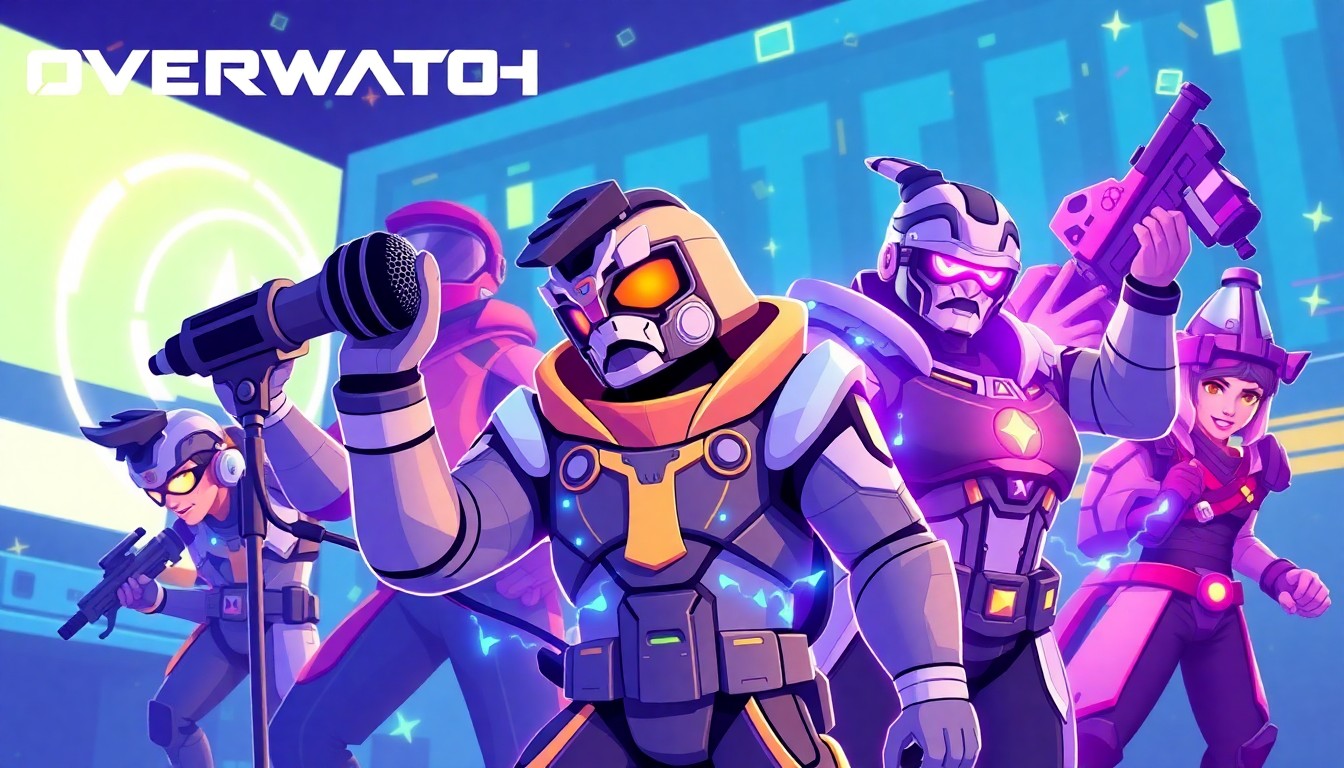
Gaming content thrives on authenticity. Your Overwatch montage deserves voiceovers that match Blizzard's quality, not robotic text-to-speech that breaks immersion. The challenge goes beyond finding tools. You need voices that capture Tracer's British accent, Mercy's German precision, or Reaper's gravelly intensity.
AI voice technology now makes this possible. Modern text-to-speech models trained on game audio deliver character-accurate results. This guide covers platform selection, script optimization, legal considerations, and distribution strategies for content creators working with Overwatch character voices. We'll examine how different tools handle accents, compare quality across platforms, and show you techniques that separate amateur clips from professional-grade content.
TryAIVoices offers the most extensive gaming voice library we tested, with instant generation and no rendering queues.
Understanding Overwatch voice synthesis technology
Overwatch characters work exceptionally well for AI voice synthesis because Blizzard designed them with distinct vocal signatures. Each hero has specific pitch ranges, accent patterns, and speech rhythms that AI models can learn and replicate.
The technology behind Overwatch AI voice generators uses neural networks trained on game dialogue. These models analyze thousands of voice lines to understand pronunciation patterns, emotional ranges, and character-specific quirks. When you input text, the model reconstructs speech using these learned patterns.
 Photo by Florian Olivo on Unsplash
Why Overwatch voices train well
Blizzard recorded extensive dialogue for each hero. Tracer alone has over 1,500 unique voice lines across game modes, seasonal events, and interactions with other heroes. This volume gives AI models rich training data.
Character consistency matters too. Gaming character voices like Overwatch heroes maintain stable vocal qualities across years of content updates. Tracer always sounds energetic with her Cockney accent. Mercy stays calm with German pronunciation. This consistency helps models produce reliable results.
The game's global cast provides accent diversity. You get British, German, Japanese, Australian, Egyptian, and American variants. Each accent follows predictable phonetic rules that neural networks can map accurately.
How modern voice models process game audio
Current AI voice technology splits synthesis into three stages. First, the model analyzes your input text for punctuation, emphasis, and sentence structure. Second, it converts text to phonemes (individual sound units). Third, it generates audio waveforms that match the target character's vocal profile.
TryAIVoices uses this approach across all gaming voices, delivering results in seconds rather than minutes. The platform handles accent placement automatically, so you don't need phonetic spelling guides.
Quality depends on training data volume. Heroes with more voice lines typically generate better results. Main roster characters like Tracer, Genji, and Mercy produce more authentic output than limited-appearance heroes.
Technical limitations to understand
AI voice synthesis can't match every aspect of professional voice acting yet. Emotional subtlety remains challenging. A Mercy voice generator can produce her calm, reassuring tone, but might struggle with panic or intense anger unless those emotions appear frequently in training data.
Context awareness has gaps. If your script references game-specific terminology or character relationships, the model treats them like normal words. It won't automatically add the reverence Tracer shows when mentioning Winston, or the contempt Reaper displays toward his former Overwatch colleagues.
Audio quality maxes out at the training data's bitrate. Most game audio compresses to 96-128kbps for file size optimization. Your generated voice won't exceed this quality ceiling without additional audio enhancement.
Selecting the right platform for Overwatch voices
Platform choice determines your workflow efficiency and output quality. Some services specialize in celebrity voices but lack gaming characters. Others offer extensive libraries with inconsistent quality. Understanding these tradeoffs helps you avoid wasted subscriptions.
Comparing major AI voice platforms
TryAIVoices leads in gaming character coverage. The platform includes Overwatch heroes alongside anime characters, cartoon voices, and movie characters. Generation happens instantly without render queues. You type your script, hit generate, and download your audio file within seconds.
The interface prioritizes speed over complexity. No advanced emotion sliders or pronunciation guides. This simplicity works well for creators who need volume over granular control.
Other platforms offer deeper customization. Some let you adjust pitch, speed, and emphasis on individual words. This helps when generating complex emotional scenes or technical dialogue. The tradeoff comes in generation time. Adding customization layers increases processing from seconds to minutes per clip.
 Photo by Caught In Joy on Unsplash
Voice library depth matters
Platform value extends beyond total voice count. Library composition tells you more. A service with 1,000 voices but only three Overwatch characters doesn't help gaming creators as much as one with 50 focused gaming voices.
Check for roster coverage. Main heroes like Tracer, Genji, Mercy, and Reaper appear on most platforms. Secondary heroes vary. If your content features Zenyatta, Symmetra, or Orisa, verify availability before subscribing.
Accent accuracy separates platforms. Tracer's Cockney English differs significantly from standard British accents. Gaming voice generators that flatten this distinction produce less authentic results. Listen to platform samples before committing.
Quality consistency across the library indicates training methodology. Platforms that sound great for Trump AI voices or celebrity voices might falter on gaming characters if they prioritized different training datasets.
Pricing structures and credit systems
Most AI voice platforms use credit-based pricing. You buy credits in bulk, then spend them per generation. Credit costs typically scale with output length. A 10-second clip might cost one credit, while a 60-second monologue costs six.
TryAIVoices pricing bundles credits with subscription tiers. Starter plans work for casual creators making a few clips weekly. Pro tiers suit content creators producing daily uploads. Unlimited plans serve agencies or creators with high-volume needs.
Watch for hidden restrictions. Some platforms limit commercial usage on lower tiers. Others cap daily generations regardless of credit balance. These limits can bottleneck creators during production crunches.
Free tiers rarely offer gaming voices. Platforms gate popular characters behind paid plans, offering generic voices for testing. Factor this into your trial strategy.
Platform-specific features for gaming content
Gaming creators need features beyond basic voice generation. Batch processing helps when creating multiple character dialogues for a single video. You upload a script with character tags, and the platform generates all voices simultaneously.
Audio format options matter for editing workflows. WAV files preserve maximum quality but create large files. MP3 compression reduces file size with minimal quality loss. Some platforms offer both, others default to MP3 only.
 Photo by Jukka Aalho on Unsplash
API access benefits creators with technical skills. Instead of using web interfaces, you generate voices programmatically. This streamlines workflows for series content where character dialogue follows consistent patterns.
Voice preview before credit spending prevents waste. Quality platforms let you hear short samples before committing credits to full generation. This catches pronunciation issues or tone mismatches early.
Writing scripts that sound authentic
Script quality determines whether your generated voice sounds like official game dialogue or awkward text-to-speech. Understanding character speech patterns makes the difference.
Overwatch characters have distinct linguistic fingerprints. Tracer uses British slang and drops word-final consonants. Mercy speaks formally with occasional German phrases. Reaper favors short, menacing statements. Your scripts must reflect these patterns.
Character-specific writing techniques
Tracer scripts should feel energetic and informal. She contracts words aggressively. "I am going to" becomes "I'm gonna." She uses British terms like "cheers" for thanks and "brilliant" for great. Her sentences often start with "Right then" or "Alright."
Example: "Right then, love! We've got the payload moving. Keep it together and we'll get this done, yeah?"
Mercy scripts maintain professionalism with warmth. She enunciates clearly and uses complete sentences. Her medical background surfaces in technical vocabulary. She occasionally drops German phrases for emphasis, particularly when stressed or surprised.
Example: "Stay with me. Your injuries are severe, but I can stabilize you. Just breathe slowly and let me work."
Reaper scripts emphasize brevity and menace. He rarely uses contractions. Short declarative sentences create impact. His dialogue often references death, shadows, or his past. Dark humor appears occasionally.
Example: "Death walks among you. One bullet at a time."
Genji scripts balance philosophical reflection with warrior pragmatism. He references his past struggles with humanity and cybernetics. His dialogue includes Japanese phrases and zen concepts. Tone shifts between calm mentorship and focused combat intensity.
Example: "The outcome is not preordained. Every match is a lesson. Learn from defeat, but do not be consumed by it."
Dialogue length optimization
AI voice generators produce best results with moderate-length inputs. Scripts between 15-50 words per generation typically sound most natural. Longer monologues risk audio quality degradation or artificial pausing.
Break extended dialogue into shorter segments. Instead of generating one 200-word speech, create four 50-word clips. This gives you editing flexibility and maintains consistent vocal quality throughout.
 Photo by Garrett Morrow on Unsplash
Single-sentence generations work well for game-like callouts. Overwatch characters frequently deliver short tactical updates. Generate these as individual audio files for maximum authenticity.
"Payload approaching checkpoint." "Enemy turret ahead." "I need healing!"
Each line becomes a discrete audio file you can trigger independently in your content.
Punctuation and pacing control
Periods create hard stops. Use them to separate distinct thoughts. The AI pauses briefly at periods, mimicking natural speech patterns.
Commas suggest softer pauses. They work for lists, clarifications, or breath marks. "We need a tank, a healer, and some DPS to round out this team."
Exclamation points add energy without shouting. Most gaming AI voice generators interpret them as enthusiasm markers. "The payload has reached its destination!"
Ellipses indicate trailing off or hesitation. Use sparingly, as AI models sometimes interpret them inconsistently. "I thought I saw something... but maybe not."
Question marks raise inflection at sentence end. They work for interrogatives but sound awkward on rhetorical questions or sarcastic statements.
Avoiding common script mistakes
Don't phonetically spell words trying to force pronunciation. Writing "Oi luv" instead of "Hey love" for Tracer usually backfires. Quality platforms handle accents automatically. Trust the model's training data.
Avoid excessive capitalization for emphasis. ALL CAPS often triggers strange pronunciation rather than volume increase. Use punctuation and word choice for emphasis instead.
Skip stage directions in your script. Text like "(angrily)" or "[laughs]" gets vocalized as words. The AI doesn't interpret them as performance instructions.
Don't mix character voices in single generations. Some platforms attempt multi-character dialogue, but quality suffers. Generate each character separately, even for conversations.
Creating combat callouts and game dialogue
Overwatch thrives on real-time communication. Combat callouts, ultimate announcements, and objective reminders define the game's audio landscape. Replicating this style requires understanding Blizzard's voice direction principles.
Ultimate ability callouts
Ultimate voice lines follow specific patterns. They're short, punchy, and character-distinctive. Most use present tense and active voice. They communicate power without explanation.
Tracer: "Cavalry's here!" Reaper: "Die, die, die!" Mercy: "Heroes never die!" Genji: "Ryūjin no ken wo kūrae!"
Your custom ultimate callouts should match this energy. Keep them under eight words. Use exclamation points for intensity. Reference the hero's theme or abilities metaphorically.
Examples for custom ultimates: "Time stops for no one!" "Shadow takes all!" "Ascending to new heights!" "Steel cuts through doubt!"
Tactical communication patterns
Overwatch heroes communicate objective status, enemy positions, and team needs. These callouts prioritize clarity over personality. They follow military-style brevity.
Enemy position callouts specify location and threat: "Sniper on the high ground." "Flanker in the back line." "Tank pushing through main."
Objective updates state current status: "Payload has stopped moving." "Capturing Point A." "Defending the final checkpoint."
Team coordination requests stay concise: "Group up with me." "I need healing." "Fall back to cover."
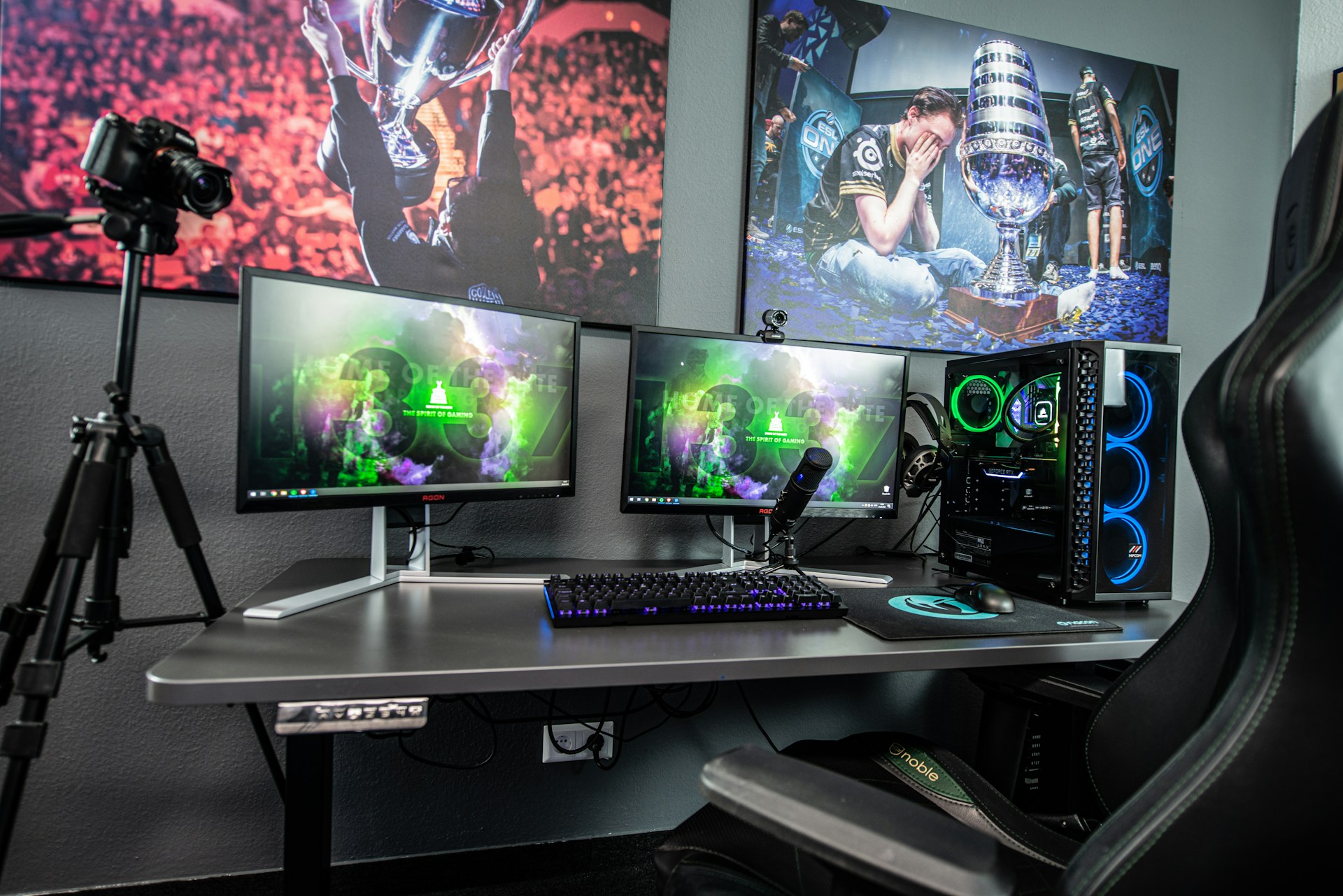 Photo by Fredrick Tendong on Unsplash
Interaction dialogue between heroes
Overwatch features pre-match and in-game dialogue between specific hero pairings. These conversations reveal relationships and backstory. They follow question-answer format or observation-response patterns.
Mercy to Genji: "Your body seems to be adapting well." Genji to Mercy: "I am grateful for your work, Doctor Ziegler."
Your custom interactions should reference shared history, conflicting philosophies, or mutual respect. Keep exchanges to 2-4 lines total. Each character gets one or two speaking turns.
Example custom interaction: Tracer: "Ready to race, love?" Lucio: "Try to keep up, speedster."
Alliance-based dialogue works for team compositions. Heroes comment on having specific teammates present.
"With Reinhardt protecting us, we can't lose." "Ana's support gives us the advantage." "Symmetra's teleporter changes everything."
Emote and voice line variations
Overwatch includes contextual voice lines for emotes, victory poses, and play-of-the-game highlights. These tend toward character humor or catchphrase reinforcement.
Confident statements work for victory scenarios: "That's how you get it done." "Victory was inevitable." "Another successful mission."
Humble or team-focused alternatives add variety: "We did this together." "The team carried me." "Couldn't have done it without support."
Taunts or playful jabs suit competitive content: "Better luck next time." "Try harder." "Was that supposed to be difficult?"
Generate these as short 5-10 word clips for maximum reusability across content.
Technical audio enhancement strategies
Raw AI-generated voice files need post-processing for professional quality. Even the best AI voice generators produce audio that benefits from enhancement. Understanding basic audio editing transforms acceptable clips into polished content.
Noise reduction and cleanup
AI-generated audio sometimes includes artifacts. Subtle background noise, digital clicks, or processing residue appears in output files. These flaws become obvious when inserted into gaming content.
Use noise reduction plugins in your audio editor. Audacity offers free noise reduction. Adobe Audition includes spectral frequency display for targeted cleanup. These tools analyze silent portions of your audio to identify and remove unwanted frequencies.
Apply reduction conservatively. Aggressive noise removal degrades voice quality, making it sound hollow or underwater. Set reduction to 6-9 dB as a starting point. Preview results before final application.
Declicking removes digital pops. Generate these artifacts during AI synthesis. Most audio editors include declicking under restoration tools. Run it at medium sensitivity to catch obvious issues without overprocessing.
Equalization for game audio
Overwatch audio has specific frequency characteristics. The game emphasizes mid-range frequencies where speech intelligibility lives. Low frequencies stay clear of bass-heavy effects. High frequencies remain crisp without harshness.
Apply high-pass filtering at 80-100 Hz. This removes rumble and subsonic noise while preserving voice body. Gaming audio systems often struggle with excessive low end, making voices muddy.
Boost presence around 2-4 kHz slightly. This frequency range contains consonants and speech clarity. A 2-3 dB boost helps voices cut through game sound effects and background music.
Reduce sibilance around 6-8 kHz if needed. "S" and "sh" sounds can become harsh in AI-generated audio. De-essing plugins target these frequencies specifically. Reduce by 3-4 dB when sibilance sounds sharp.
Compression and normalization
Compression evens out volume differences within your audio clip. AI-generated voices sometimes have inconsistent loudness between words or phrases. Compression brings quiet parts up and loud parts down.
Apply gentle compression with 3:1 ratio. Set threshold so gain reduction shows 3-6 dB during louder speech. This maintains dynamics while controlling peaks. Attack time around 10ms catches initial consonants. Release around 100ms sounds natural for speech.
Limiting prevents distortion. Set a limiter at -1 dB as final processing. This catches any unexpected peaks before export. Overwatch voice lines rarely exceed this level, maintaining headroom for game audio mixing.
Normalize to -3 dB after processing. This brings your voice to consistent volume levels. Most gaming content uses voices around this level, allowing them to sit properly with music and effects.
Adding environmental effects
Overwatch locations have distinct acoustic properties. Indoor areas sound different from outdoor maps. Adding subtle reverb or echo matches voices to specific environments.
Small room reverb works for interior locations like Lijang Tower control points. Use reverb with 0.3-0.8 second decay. Mix it at 10-15% wet signal to maintain voice clarity while adding space.
Larger spaces like King's Row streets need different treatment. Medium reverb with 1.0-1.5 second decay suggests open areas. Keep wet mix around 20% to prevent voices from sounding distant.
Radio effects suit communication devices. The Overwatch universe uses high-tech comms. Apply bandpass filter (300-3000 Hz) and add slight distortion for this effect. Mix it subtly to suggest transmission without clarity loss.
Skip environmental effects for close proximity dialogue. Face-to-face conversations during pre-match or cutscene content sound better dry or with minimal processing.
Platform-specific content creation
Different platforms have unique technical requirements and audience expectations. Your Overwatch AI voice content needs optimization for each distribution channel.
YouTube integration strategies
YouTube content using Overwatch voices typically falls into several categories. Montages pair gameplay highlights with character commentary. Lore videos explore backstory using character dialogue. Tutorial content delivers strategy advice in character voices.
Audio loudness standards matter. YouTube recommends -14 LUFS for content. Mix your AI-generated voices to this level along with game audio and music. Consistent loudness prevents viewer volume adjustments.
Closed captioning improves accessibility and SEO. YouTube's automatic captions struggle with character names and game terminology. Upload accurate subtitle files to capture gaming audience members who watch muted or use accessibility features.
Video thumbnails should indicate voice content. Text overlays like "Tracer Voice AI" or "Mercy Commentary" set expectations. Viewers clicking for voice content shouldn't discover silent gameplay.
TikTok and short-form video
TikTok thrives on punchy 15-60 second clips. Your Overwatch voice content needs immediate impact. The first three seconds determine whether viewers keep watching or scroll past.
Lead with the strongest voice line. Don't build up to it. If you generated an epic Reaper ultimate callout, put it at second one. Hook viewers immediately with recognizable character audio.
Trending sounds dominate TikTok. Create Overwatch voice clips that could become sound templates. Short, memorable lines work best. "Cavalry's here!" or "Heroes never die!" have meme potential.
Hashtag strategy includes both gaming and creator tags. #Overwatch and #OverwatchMemes reach game fans. #AIVoice and #VoiceGenerator attract creator audiences interested in tools. Combine both for maximum reach.
Visual timing syncs voice to gameplay clips or meme formats. The voice line's emotional peak should align with visual impact. Tracer saying "brilliant!" hits exactly when a play-of-the-game highlight occurs.
Twitch stream integration
Streamers use AI-generated gaming voices for alerts, donations, and channel points rewards. A viewer redeems points, triggering custom Overwatch dialogue.
Keep alert voices under 10 seconds. Longer clips interrupt gameplay excessively. Viewers redeem them frequently, so brevity prevents audio spam from degrading stream quality.
Variety prevents repetition fatigue. Generate 5-10 variations for common alerts. Rotate them randomly so viewers don't hear identical clips constantly. "Thanks for the bits!" can be "Cheers for the support!" or "You're brilliant!" in different Tracer generations.
Volume balance between game audio and alert voices requires testing. Alerts need enough volume to register without drowning out gameplay communication. Streamers often set alerts 3-4 dB louder than game audio.
Controversial character quotes deserve consideration. Some Overwatch voice lines reference in-game conflicts or character tensions. What works in-game might seem harsh as donation alerts. Preview social implications before deploying voice lines publicly.
Discord and voice chat applications
Custom soundboards enhance Discord servers with character voices. Members trigger Overwatch callouts during gaming sessions. This recreates the in-game communication experience in external voice chat.
Technical requirements differ from streaming. Discord compresses voice audio to 96 kbps by default. Your AI-generated files should match or slightly exceed this quality. Higher bitrates waste bandwidth without audible improvement.
Soundboard organization by character helps users quickly find voices. Create separate boards for each hero with their respective voice lines categorized by type: combat, tactical, social, emotes.
Server permissions control who can trigger soundboard clips. Restricting access prevents audio spam. Some servers limit it to moderators or specific roles. Others allow all members but set cooldown timers between uses.
Length restrictions prevent abuse. Discord soundboard clips max out at 5 seconds on free servers, 15 seconds on boosted servers. Keep your generated voices within these limits for compatibility.
Legal and ethical considerations
Creating content with AI-generated Overwatch voices enters complex legal territory. Blizzard owns these characters. Understanding intellectual property boundaries protects you from takedowns and legal issues.
Fair use and parody protections
Fair use doctrine in the United States allows limited use of copyrighted material for commentary, criticism, parody, and education. Gaming content using AI voices may qualify if structured properly.
Parody adds transformative creative expression. Using Mercy's voice to comment on healthcare policy potentially qualifies. Having her read actual game dialogue does not. The more your content transforms the original context, the stronger your fair use claim.
Commentary on Overwatch itself strengthens protection. Strategy guides using character voices to explain game mechanics have stronger fair use arguments than unrelated content. The voices serve educational purposes directly tied to the copyrighted work.
Amount used matters. Generating entire character monologues or story arcs suggests more than fair use allows. Short clips integrated into larger original works stay safer. A 30-second voice clip in a 10-minute video differs from a 10-minute character audiobook.
Market substitution raises problems. If your AI voice content replaces something Blizzard might sell, fair use weakens. Official Overwatch voice packs exist for some platforms. Creating identical products invites legal challenges.
Platform content policies
YouTube's policies on synthetic media require disclosure. As of recent updates, creators must declare AI-generated voices in content. Failure to disclose risks strikes or demonetization. The disclosure appears in video descriptions or through YouTube's built-in tools.
Twitch allows AI voices but prohibits impersonation. Using Overwatch AI voices for entertainment clearly labeled as AI-generated stays within policy. Presenting AI voices as official Blizzard content violates terms of service.
TikTok's community guidelines address synthetic media. Disclosure requirements vary by region. Some markets mandate watermarks or labels on AI-generated audio. Check your jurisdiction's specific requirements before posting.
Monetization policies differ across platforms. Some ad networks reject content using unlicensed character voices regardless of fair use claims. This affects revenue potential even if your content technically falls within legal boundaries.
Attribution and disclosure requirements
Transparency builds audience trust. Clearly stating you use AI-generated voices prevents viewer confusion. Many creators add "AI Voice" or "Voice Synthesis" to titles or descriptions.
TryAIVoices users should mention the platform when relevant. This helps other creators discover tools while maintaining transparency about content creation methods. Simple notes like "Voices generated with TryAIVoices" suffice.
Distinguish AI content from official Blizzard material. Viewers unfamiliar with voice synthesis might assume your content represents official game audio. Opening disclaimers prevent this confusion.
Example disclaimer: "This video uses AI-generated voices based on Overwatch characters for entertainment and educational purposes. It is not affiliated with or endorsed by Blizzard Entertainment."
Respecting voice actor rights
Overwatch voice actors have legitimate concerns about AI replication of their work. Their performances created the training data that makes AI voice generation possible.
Avoid presenting AI voices as official actor performances. Credit the AI tool, not the original voice actor. The voice actor performed the game dialogue Blizzard owns. Your AI-generated content derives from that work but isn't their performance.
Some voice actors oppose AI voice synthesis entirely. They view it as job displacement and artistic theft. Engaging with these concerns respectfully maintains community relationships. Some creators choose not to use certain characters out of respect for actor positions.
Commercial use heightens ethical concerns. Selling products or services using AI-generated character voices without compensation to original actors raises fairness questions beyond legal requirements.
Building content series with consistent voices
Single clips demonstrate AI voice technology. Series content proves its practical value. Creating consistent multi-video projects with Overwatch character voices requires planning beyond one-off generation.
Character voice consistency across episodes
AI voice quality varies slightly between generations. The same script generated twice produces similar but not identical results. This inconsistency becomes obvious in series content when viewers hear the same character episode after episode.
Generate all dialogue for a scene in one session when possible. Most platforms maintain consistent voice characteristics within single generation sessions. Output quality stays more uniform than spreading generation across multiple days or account sessions.
Save generation settings if your platform offers them. Parameters like pitch adjustment, speed, or emotion settings should remain identical across episodes. Even small changes create noticeable character drift over time.
Create reference audio files for each character. Generate a standard greeting or catchphrase at your series start. Use this as quality benchmark for future episodes. If new generations sound significantly different, adjust settings to match your reference.
Archive your scripts with generation metadata. Note which platform, which date, and which settings produced each voice file. If you need to regenerate lost audio or create new lines mid-series, this data helps maintain consistency.
Script planning for long-form content
Multi-episode content needs narrative structure. Plan character arcs before generating dialogue. Knowing where each hero's storyline goes helps you write consistent dialogue that builds properly across episodes.
Character development affects voice requirements. A hero starting confident but facing defeat needs different emotional ranges than one maintaining steady optimism. Verify your AI voice platform can produce the full emotional spectrum your story requires.
Dialogue volume predictions help budget management. Estimate how many words per episode each character speaks. Multiply by your planned episode count. This gives you total generation needs for credit purchasing decisions.
Balance character screen time with voice generation costs. Main characters naturally require more dialogue. Supporting characters deliver occasional comments. Plan this distribution before writing to avoid budget surprises mid-production.
Managing voice file organization
File naming systems prevent chaos in large projects. Establish conventions before generating your first audio file. Most creators use: ProjectName_Character_EpisodeNumber_LineNumber.mp3
Example: OverwatchSeries_Tracer_E03_L024.mp3 immediately identifies project, character, episode, and line number.
Folder hierarchies mirror your editing structure. Organize by episode first, then character within each episode. Alternative systems organize by character with episode subfolders. Choose one approach and stay consistent.
Backup strategies matter more for series content. Losing a single video's voice files is recoverable. Losing an entire season's generated dialogue means regenerating everything, with potential consistency issues. Use cloud backup or external drives for redundancy.
Project files should include raw generated audio plus edited versions. Keep original AI output separate from processed files with effects, normalization, or background noise removal. This allows reprocessing if you change audio standards mid-project.
Maintaining production schedule
Generation time seems instant, but project scale changes this. Twenty episodes with five characters and thirty lines each equals 3,000 individual voice generations. Even at seconds per generation, this adds hours to production.
Batch generation where possible. Write all dialogue for multiple episodes simultaneously. Generate all Tracer lines together, all Mercy lines together. This reduces platform switching time and helps maintain per-character consistency.
Schedule generation separate from editing. Don't generate voices while actively editing video. Platform loading times and generation queues interrupt creative flow. Generate a full episode's audio before starting video assembly.
Buffer episodes ahead. Aim to have three episodes fully voiced before publishing episode one. This protects against platform downtime, generation quality issues, or script revisions. Series viewers expect consistent upload schedules. Voice generation shouldn't bottleneck this.
Credit management for series requires planning. Monitor credit usage per episode. If episode three used 40% more credits than expected, adjust future scripts accordingly or purchase additional credits proactively. Running out of credits mid-episode disrupts production.
Advanced use cases and creative applications
Beyond standard gaming content, Overwatch AI voices enable creative projects that push voice synthesis boundaries. These applications demonstrate the technology's versatility while showcasing unique value propositions.
Machinima and animated projects
Machinima creators build stories using game engines. Overwatch's built-in replay system and Workshop mode provide filmmaking tools. AI voices let small teams create character dialogue without voice actor recruitment.
Plan shots around dialogue pacing. Generate your character audio first, then time camera movements to match speech patterns. This reverses traditional animation workflow but suits AI voice generation's instant output.
Lip sync remains challenging. Overwatch character models have preset animations. Match your dialogue length to available lip sync animations. Shorter sentences work better than complex monologues that desync from character mouth movements.
Multiple takes cost nothing. Unlike voice actor sessions, regenerating dialogue has minimal cost. Experiment with different script versions until delivery matches your creative vision. Try formal speech versus casual phrasing to see what feels right for each scene.
Mix AI voices with sound effects carefully. Overwatch has distinct audio design. Match your voice clips' acoustic properties to game sound effects. Both should feel like they exist in the same space.
Educational content and tutorials
Gaming tutorial content benefits from character voices that maintain viewer engagement. Strategy guides delivered by Mercy feel thematically appropriate. Aggressive tactics explained by Reaper match character personality.
Character selection should match content tone. Analytical heroes like Symmetra or Zenyatta suit technical breakdowns. Energetic characters like Lucio or Tracer work for fast-paced highlight commentary.
Script educational content conversationally. Tutorial viewers need clarity over personality immersion. Use character voices to add flavor, not complicate explanations. Balance authentic character speech with instructional clarity.
Visual aids paired with AI voices increase comprehension. Overlay text highlighting key points while the character voice explains them. This accommodates different learning styles within your audience.
Segment long tutorials into chapters. Generate separate voice files for each section. This gives viewers easy navigation while preventing AI voice fatigue from extended listening.
Podcast and audio-first content
Audio-focused content lets voice quality shine without visual distractions. Overwatch character podcasts exploring lore, strategy, or player interviews showcase AI voice capabilities.
Format affects voice requirements. Interview shows need conversational back-and-forth. Solo commentary demands sustained monologue generation. Choose formats matching your platform's generation length limits.
Character chemistry matters for multi-host shows. Pair heroes with existing relationships. Genji and Hanzo discussing reconciliation feels natural. Random pairings require establishing chemistry through dialogue.
Audio editing becomes crucial without visuals. Remove verbal artifacts, normalize levels precisely, and add subtle music beds. Listeners focus entirely on audio quality in podcast format.
Distribution platforms have varying audience expectations. Spotify listeners might accept experimental character podcasts. Apple Podcasts audiences skew toward professionally produced content. Match production quality to platform standards.
Language learning applications
Overwatch's multilingual cast creates unique language learning opportunities. Generate dialogue in characters' native languages for immersive practice.
Mercy's German lines help learners hear authentic pronunciation. Genji's Japanese phrases provide cultural context. Tracer's British English teaches accent patterns. Match character to target language for thematic consistency.
Script difficulty levels serve different proficiency stages. Beginners need simple vocabulary and clear pronunciation. Advanced learners benefit from complex sentences and idiomatic expressions.
Repetition aids retention. Generate the same phrase multiple times with slight variations. Language learners need reinforcement. AI voice generation makes this economical versus traditional audio course production.
Combine with visual learning aids. Show written text while audio plays. This connects spelling to pronunciation. Many language learning apps use this model. AI voices provide the audio layer cost-effectively.
Meme and viral content creation
Short, punchy character lines drive meme culture. Overwatch voice lines like "I need healing!" already have meme status. Custom generated lines create new viral opportunities.
Timing matters for meme relevance. Generate voices responding to current events quickly. AI generation speed lets you produce timely content hours after trending topics emerge.
Format matching increases shareability. TikTok sounds, Twitter videos, and Reddit clips each have ideal lengths. Generate voice content matching target platform specifications.
Originality within familiarity drives shares. Recognize character voices paired with unexpected dialogue creates humor. Mercy saying medical advice works. Mercy commenting on completely unrelated topics surprises viewers into engagement.
Iteration speed advantages AI voices. Test multiple script variations rapidly. See which versions gain traction, then produce refined versions. Traditional voice work can't match this iteration pace.
Troubleshooting common generation issues
Even quality AI voice platforms produce occasional problematic output. Understanding common issues and their solutions saves time and credits.
Pronunciation problems
Character names, technical terms, and fictional locations often mispronounce. The AI treats them like regular words, applying standard phonetic rules that don't match proper pronunciation.
Try alternate spellings phonetically. If "Genji" sounds wrong, test "Genjee" or "Gen-jee." This tricks the model into different pronunciation patterns. Test variations until finding one that works.
Break compound words with hyphens. "Overwatch" might pronounce oddly as one word but sound correct as "Over-watch." The hyphen cues the model to treat segments separately.
Some platforms offer pronunciation dictionaries. Upload custom phonetic spellings for repeatedly used terms. This maintains consistency across all generations without manual script editing each time.
Check if your platform supports International Phonetic Alphabet (IPA) notation. Advanced users can specify exact pronunciation using IPA symbols. This requires linguistic knowledge but solves persistent pronunciation issues definitively.
Emotional tone mismatches
AI models struggle with sarcasm, anger, or subtle emotions. Your script intends intensity but the generation sounds flat. Or you want calm delivery but receive over-energetic output.
Punctuation influences emotional interpretation. Exclamation points add energy. Periods reduce it. Adjusting punctuation sometimes corrects tone without changing words.
Word choice affects perceived emotion. Active verbs sound more energetic than passive constructions. "We're capturing the point!" beats "The point is being captured."
Context clues within longer scripts help models. Leading with emotional language sets tone for the entire generation. Starting with "This is urgent!" primes the model toward intensity for following sentences.
Some platforms offer emotion tags or sliders. These controls explicitly set mood without relying on script inference. Use them when available for precise emotional targeting.
Audio quality degradation
Occasionally, generated audio sounds distorted, muffled, or compressed beyond platform standards. Quality issues stem from various technical causes.
Regenerate first. Sometimes generation errors occur randomly. The same script generated again might produce clean audio. If the platform uses cloud processing, server load affects quality.
Check script length. Extremely long inputs sometimes cause quality issues as models struggle with extended context. Break long monologues into shorter segments for better results.
Special characters or formatting in scripts can confuse parsers. Remove emojis, excessive punctuation, or unusual Unicode characters. Clean text inputs produce more reliable outputs.
Audio export format affects quality. If your platform offers multiple formats, choose WAV over MP3. Lossless formats preserve maximum quality. Compress to MP3 later during video editing if needed.
Platform subscription tier sometimes affects generation quality. Some services reserve highest quality outputs for premium plans. Verify your subscription includes maximum quality before troubleshooting other issues.
Character voice inconsistency
The same character sounds noticeably different between generations. Tracer's accent shifts. Mercy's formality varies. Consistency matters for professional content.
Use identical generation settings every time. If you adjusted speed or pitch previously, return to exact same values. Settings variations create voice drift even with identical scripts.
Generate related dialogue in single sessions. Batch generations from the same time period maintain better consistency than spreading production across weeks. Platform model updates between sessions might alter character implementations.
Save successful generations as references. When you get perfect Reaper voice, save that audio. Compare future generations against it. If new output sounds different, troubleshoot before using it in content.
Some platforms version their AI models. Updates improve general quality but might alter specific character voices. Monitor platform changelogs. If updates cause unwanted changes, contact support about reverting to previous model versions.
Platform technical problems
Generation failures, credit charging errors, or download issues interrupt workflow. Technical problems require different solutions than voice quality issues.
Browser cache clearing solves many web platform issues. Stored data sometimes conflicts with platform updates. Clear cache and cookies, then log in fresh.
Internet connectivity affects generation quality. Unstable connections might result in corrupted audio files or failed generations. Test your connection speed. Aim for at least 5 Mbps upload for smooth generation experience.
Credit discrepancies require support contact. If generations fail but credits charge anyway, document specifics: timestamp, voice selection, script used. Support teams resolve billing issues faster with detailed information.
Platform maintenance schedules cause temporary unavailability. Check platform status pages or social media for announced downtime before assuming your account has problems.
Browser compatibility varies. Some platforms optimize for Chrome but have issues on Safari or Firefox. If experiencing persistent problems, test different browsers before concluding the platform itself has issues.
Monetization strategies for voice content
Creating Overwatch AI voice content costs time and money. Understanding monetization options helps creators sustain production while building audiences.
YouTube ad revenue optimization
Ad-friendly content generates revenue through YouTube Partner Program. Videos using AI gaming voices qualify if they follow community guidelines and copyright policies.
Video length affects ad placement options. Content over eight minutes allows mid-roll ads, increasing revenue potential. Structure Overwatch voice content with natural breaks allowing ad insertion without disrupting viewer experience.
CPM varies by content category. Gaming content typically earns $2-8 per thousand views depending on audience demographics. Educational gaming content often commands higher CPMs than pure entertainment.
Audience retention impacts monetization more than views alone. YouTube promotes videos keeping viewers watching. Structure content so the best AI voice moments appear throughout, not just at the start. This maintains engagement and boosts algorithmic promotion.
Click-through rate on ads affects earnings. Thumbnail and title accuracy matters. Viewers clicking expecting Overwatch voice content shouldn't encounter different material. Misleading titles increase bounce rates, lowering ad revenue.
Sponsorship and brand deals
Gaming brands seek influencers creating unique content. Overwatch AI voice videos demonstrate creativity that attracts sponsor attention.
View count matters less than engagement for sponsorships. Brands value audiences that comment, share, and interact. A channel with 10,000 engaged subscribers interests sponsors more than 100,000 passive viewers.
Disclosure requirements mandate transparency. Paid sponsorships need clear labeling. YouTube requires creators mark videos with paid promotion tools. FTC guidelines demand disclosure in obvious locations like video descriptions.
Niche focus increases sponsor relevance. Channels exclusively featuring Overwatch content attract gaming peripheral companies, energy drink brands, and game-adjacent products. Diverse content dilutes sponsor targeting.
Media kits help pitch sponsors. Document your audience demographics, engagement rates, and previous brand work. Include examples of your best AI voice content showing production quality. Professional presentation separates serious creators from hobbyists.
Patreon and subscription models
Direct fan support through Patreon or channel memberships provides stable income independent of ad revenue fluctuations.
Tiered rewards should match production capacity. Lower tiers might offer early access to videos. Higher tiers could include custom AI voice generations for supporters. Don't promise more than you can consistently deliver.
Exclusive content justifies subscriptions. Behind-the-scenes looks at AI voice generation process, outtakes, or extended cuts create value beyond free content. Supporters need reasons to pay.
Community building increases retention. Patreon supporters want connection with creators they fund. Discord access, monthly Q&As, or input on upcoming content strengthens supporter relationships.
Consistent delivery matters more than amount. Three videos monthly released reliably beats ambitious promises followed by silence. Subscription models demand predictability. Supporters funding you expect consistent output.
Commissioned content services
Creators skilled with AI voice generators can offer services to others lacking expertise or tools.
Define scope clearly in agreements. How many revisions? How many different voices? What's the final deliverable format? Unclear terms cause payment disputes later.
Pricing models include per-word, per-minute, or per-project rates. Per-word pricing suits short clips. Per-project rates work for complex multi-voice productions. Choose models matching your efficiency and client expectations.
Rights assignments affect pricing. Clients might want exclusive commercial rights to generated audio. This should cost more than personal-use licensing. Establish ownership terms in written agreements.
Portfolio quality attracts premium clients. Your best AI voice work demonstrates capabilities to prospective clients. Maintain updated samples showing range across different characters and use cases.
Future developments in gaming AI voices
Voice synthesis technology evolves rapidly. Understanding coming developments helps creators prepare for changing capabilities and competition.
Real-time generation advances
Current platforms generate voices in seconds. Future iterations promise real-time synthesis allowing live interaction with AI character voices. This enables new content formats impossible with pre-generated audio.
Streaming integration would let viewers trigger character responses during live broadcasts. Twitch streamers could have AI Overwatch characters react to gameplay in real-time. This level of interactivity transforms passive viewing into participation.
Latency reduction remains technical challenge. Even 500-millisecond delay breaks immersion for real-time conversation. Current models need 2-5 seconds for generation. Achieving instant response requires significant computational advances.
Edge computing might solve latency issues. Processing voice generation locally rather than cloud-based reduces network delays. This requires more powerful user devices but enables responsive AI voices.
Emotional range expansion
Current AI voice technology handles basic emotions reasonably well. Happiness, anger, sadness produce decent results. Subtle emotions like concern, suspicion, or bittersweet nostalgia remain challenging.
Expanded training data helps models learn nuance. As more game audio becomes available for training, models capture subtler performance details. Voice actors' full emotional ranges become replicable.
Contextual awareness improvements let models infer appropriate emotions from script content. Future systems might automatically detect sarcasm or determine when to sound menacing versus playful. Current models need explicit emotion specification.
Hybrid synthesis combining multiple models could blend prosody, timing, and emotion separately. This modular approach allows independent optimization of each component for more natural overall results.
Interactive conversation models
Next-generation systems won't just generate isolated voice lines. They'll maintain conversational context allowing back-and-forth dialogue with characters.
Chat-based interfaces could let users type questions receiving character-voice responses. Imagine asking Mercy medical questions and receiving audio answers in her voice, not text. This creates immersive educational or entertainment experiences.
Memory systems tracking conversation history enable consistent character behavior across interactions. The AI remembers what Tracer said five questions ago, maintaining narrative coherence.
Character personality modeling ensures responses match established traits. Reaper wouldn't suddenly sound cheerful. Mercy wouldn't recommend violence. Personality constraints keep generated dialogue true to characters.
Quality ceiling improvements
Current AI voices sound impressive but still distinguishable from original voice acting. Future models will approach indistinguishable quality.
Higher bitrate outputs preserve more audio information. As processing power increases, platforms can offer studio-quality 192 kbps or higher. This matches professional voice recording standards.
Breath sounds and micro-expressions add realism. Real voice acting includes subtle intake breaths, slight vocal texture changes, and timing variations. AI models incorporating these details sound more human.
Environmental audio integration automatically matches voice to scene acoustics. The system detects whether content portrays indoor or outdoor settings, applying appropriate effects without manual post-processing.
Frequently asked questions
Can I legally use Overwatch AI voices for YouTube videos?
Legal status depends on how you use the voices. Fair use protections cover parody, commentary, and educational content that transforms the original work. Creating strategy guides or humorous content typically qualifies. Simply reproducing game dialogue without transformation risks copyright claims. Always include disclaimers stating your content isn't official or endorsed by Blizzard. Platform policies require disclosing AI-generated voices in content. Most creators using gaming AI voices for transformative work haven't faced takedowns, but legal guarantees don't exist. Consider consulting intellectual property attorneys for commercial projects.
Which Overwatch characters sound most realistic with AI voice generation?
Main roster heroes like Tracer, Mercy, Reaper, and Genji produce the most authentic results. These characters have extensive voice line libraries providing rich training data. TryAIVoices generates particularly accurate results for heroes with distinctive accents and speech patterns. British-accented Tracer and German-inflected Mercy benefit from clear accent markers that AI models replicate well. Heroes with less in-game dialogue or recent additions to the roster sometimes sound less consistent. Character voice quality continues improving as platforms update their models with expanded training data.
How long does it take to generate Overwatch character voice clips?
Generation speed varies by platform and script length. TryAIVoices processes most clips in 3-8 seconds regardless of subscription tier. Short callouts generate almost instantly. Longer monologues require up to 15 seconds. Other platforms using different processing methods might take 30-60 seconds per generation. Batch generation of multiple voice lines happens sequentially, not simultaneously, so total time multiplies. A project requiring 50 voice clips takes 5-10 minutes on fast platforms. Factor generation time into production schedules, especially for deadline-driven content.
Do AI voice generators capture character accents accurately?
Quality platforms handle distinctive accents well. Tracer's Cockney English and Mercy's German-accented English come through clearly in generated output. The technology works best with consistent accents backed by substantial training data. Subtler accent details sometimes get smoothed out. Regional variations within broader accent categories may not reproduce perfectly. Test your chosen platform with sample generations before committing to large projects. AI voice generators specifically trained on gaming characters generally outperform general-purpose text-to-speech tools for accent accuracy.
What's the best script length for Overwatch AI voice generation?
Optimal script length ranges from 15-50 words per generation. This produces 5-20 second audio clips with consistent quality. Shorter clips risk sounding choppy. Longer scripts sometimes develop audio quality issues or unnatural pacing toward the end. For extended dialogue, break content into multiple shorter generations. Generate each sentence separately if creating complex multi-sentence monologues. This approach also gives you editing flexibility when assembling final content. Combat callouts and tactical communication naturally fall within ideal length ranges. Narrative content requires planning to segment appropriately.
Can I use AI-generated Overwatch voices for commercial projects?
Commercial use involves legal complexity. Platform terms of service vary regarding commercial rights to generated audio. Some grant broad commercial licenses, others restrict commercial use to specific subscription tiers. Beyond platform rights, copyright concerns about Overwatch characters themselves remain. Blizzard owns these characters regardless of how you generated the voices. Commercial projects face higher scrutiny than fan content. Major commercial ventures should seek legal counsel and potentially licensing agreements with Blizzard. Small-scale commercial use like monetized YouTube content generally operates without issue, but formal legal protection doesn't exist. Review both your AI platform's terms and intellectual property law.
How do AI-generated voices compare to hiring voice actors?
AI voices offer speed and cost advantages. Generation happens in seconds at subscription costs far below hourly voice actor rates. Multiple takes cost nothing extra. Revision flexibility exceeds traditional recording sessions. Voice actors provide superior emotional nuance, improvisational creativity, and legal clarity. They deliver custom performances tailored to your exact needs rather than synthesizing from existing training data. For professional productions with substantial budgets, voice actors remain preferable. Content creators, hobbyists, and projects with limited budgets find AI voice generation practical. The choice depends on quality requirements, budget constraints, and legal risk tolerance.
Related voices to try
Related guides
Overwatch AI voice generators open creative possibilities for content creators across platforms. Success requires understanding platform selection, script optimization, audio enhancement, and legal boundaries. Quality tools combined with proper technique produce character voiceovers indistinguishable from game audio to casual listeners.
The technology continues improving. Real-time generation, expanded emotional range, and conversational AI push voice synthesis toward new applications. Content creators adopting these tools early build audiences and skills positioning them for future developments.
Start creating authentic Overwatch content with TryAIVoices today. Generate professional character voiceovers instantly with our library of gaming voices designed specifically for content creators.