Thai Voice to Text AI: Complete Guide to Speech Recognition
Thai speech recognition technology has transformed how content creators, businesses, and individuals work with audio content. The complexity of Thai tones and script makes accurate transcription challenging. Traditional typing can't match the speed of natural speech.
Advanced AI models now handle Thai voice recognition with impressive accuracy, capturing tonal nuances that define meaning in the language. These systems process spoken Thai and convert it into readable text, saving hours of manual transcription work. The technology serves podcasters creating show notes, journalists conducting interviews, students taking lecture notes, and businesses managing customer service recordings.
Success with Thai voice-to-text depends on audio quality, speaker clarity, vocabulary complexity, and platform capabilities. This guide covers how Thai speech recognition works, platform comparisons, optimization techniques, real-world applications, and troubleshooting strategies. You'll learn to choose the right tool for your needs and configure it for maximum accuracy.
Understanding Thai speech recognition technology
Thai presents unique challenges for AI voice recognition systems compared to languages like English or Spanish. The language relies heavily on five distinct tones that completely change word meaning. The word "mai" can mean new, not, burn, or silk depending on tonal pronunciation. AI systems must accurately detect these subtle pitch variations to produce correct transcriptions.
Thai script adds another layer of complexity. The language uses 44 consonants, 15 vowel symbols that can appear before, after, above, or below consonants, and four tone marks. Unlike English with its 26-letter alphabet and left-to-right writing, Thai requires sophisticated models that understand the spatial relationships between characters and their phonetic values.
Modern Thai voice recognition systems use deep learning neural networks trained on thousands of hours of Thai speech data. These networks learn to map audio waveforms to Thai phonemes, then assemble those phonemes into words and sentences while considering grammatical context. The best systems achieve over 90% accuracy on clear speech with standard vocabulary.
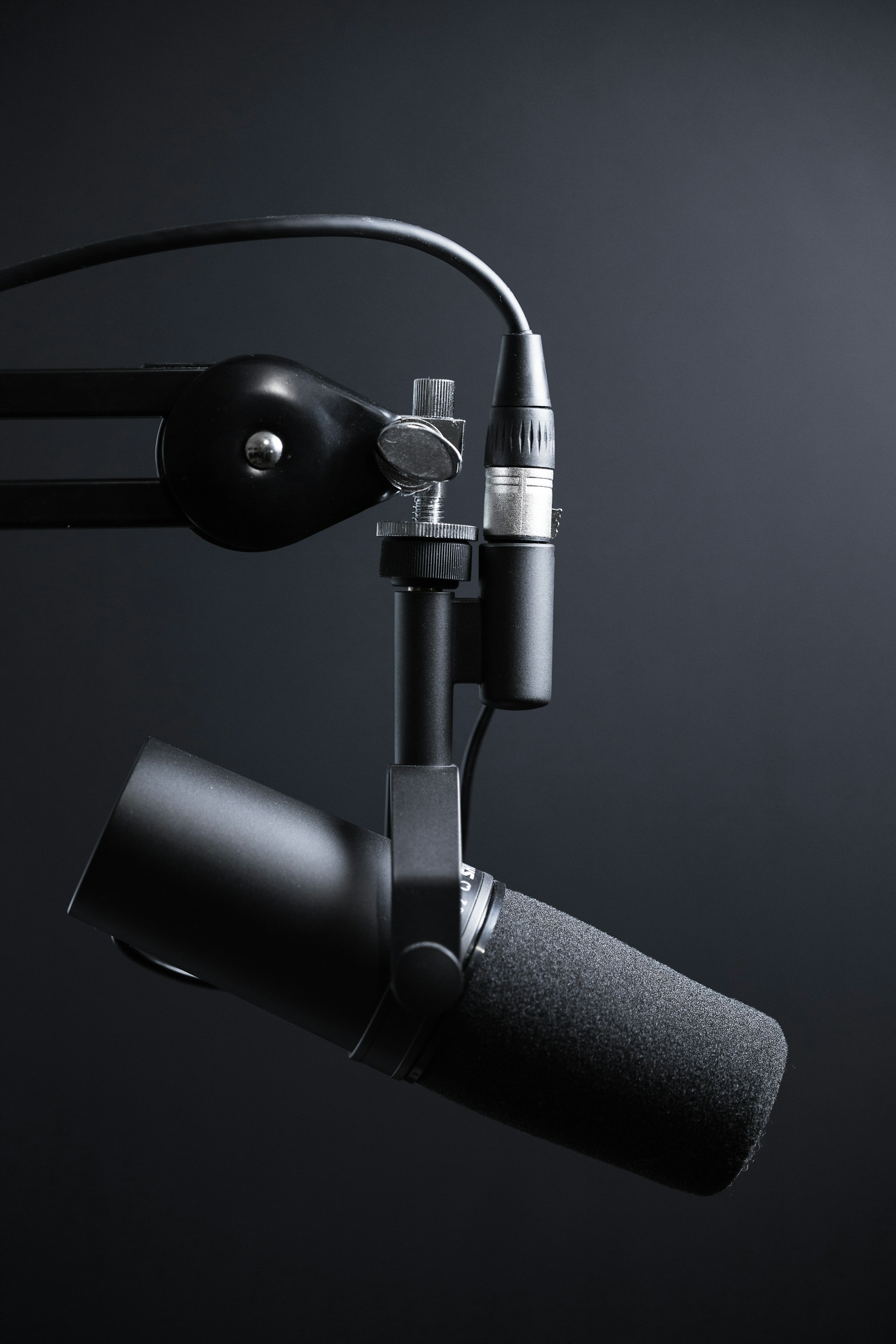 Photo by Magda Ehlers on Unsplash
How AI processes Thai tones and phonetics
Tone recognition forms the foundation of accurate Thai transcription. AI models analyze the fundamental frequency patterns in speech to identify whether a syllable uses mid, low, falling, high, or rising tone. The system examines pitch contours across time, comparing them against learned tone patterns from training data.
Phonetic processing handles consonant and vowel identification. Thai has consonant clusters and vowel combinations that don't exist in many other languages. The AI must distinguish between similar sounds like "p" and "ph" (aspirated), or recognize that "kw" forms a single consonant sound rather than two separate sounds.
Context helps disambiguate challenging cases. When the acoustic signal is unclear, the system uses language models trained on written Thai text to predict the most likely word based on surrounding context. This is how advanced systems handle background noise or unclear pronunciation better than simpler rule-based approaches.
Word boundary detection presents another challenge since Thai doesn't use spaces between words. The AI must determine where one word ends and another begins using statistical patterns learned during training. This process works best with common vocabulary and standard grammar but can struggle with technical jargon or creative language use.
Key differences between Thai and English speech recognition
English speech recognition benefits from decades of research investment and massive training datasets. Every major tech company has prioritized English, resulting in highly accurate consumer products. Thai systems lag behind in development resources and available training data, though the gap narrows each year.
Tonal complexity makes Thai inherently more difficult for AI to process. English uses intonation for emphasis and emotion but not to change core word meaning. Thai requires the system to capture precise pitch information that English systems can safely ignore. This demands more sophisticated acoustic models and higher quality audio input.
Script conversion adds computational steps unique to Thai processing. English systems output letters that match input sounds relatively directly. Thai systems must navigate complex orthographic rules where the same sound can be spelled multiple ways depending on etymology and tone. The AI must learn these spelling conventions from text data, not just audio.
Code-switching complicates real-world Thai transcription. Speakers often mix Thai with English words for technical terms, brand names, or modern concepts. The system must detect language switches and apply appropriate recognition models mid-sentence. Handling this seamlessly requires training on diverse conversational data.
Top platforms for Thai voice to text conversion
Choosing the right Thai speech recognition platform depends on your specific needs, budget, and technical requirements. Different services excel at different tasks. Some prioritize real-time transcription for live streaming while others focus on high-accuracy batch processing of recorded files.
Professional platforms typically charge based on audio duration processed, with prices ranging from $0.01 to $0.05 per minute. Consumer apps often use freemium models with limited free minutes and subscription tiers for heavy users. Open source options exist but require technical expertise to deploy and maintain effectively.
 Photo by Will Francis on Unsplash
Accuracy varies significantly across platforms and use cases. A system that performs well on podcast audio might struggle with phone call recordings. Testing platforms with your specific audio types before committing to one is essential. Most services offer free trials or demo credits for evaluation.
Google Cloud Speech-to-Text for Thai
Google Cloud Speech-to-Text ranks among the most accurate Thai speech recognition services available. The platform leverages Google's massive investment in machine learning infrastructure and training data. It handles both short audio clips and long recordings with consistent quality.
The service supports Thai in both standard and enhanced models. Enhanced models use larger neural networks trained on more diverse data, producing 15-20% better accuracy than standard models but costing twice as much. For professional applications where accuracy matters, the enhanced model proves worth the premium.
Real-time streaming capabilities make Google Cloud ideal for live transcription scenarios. The API can process audio as it's recorded, returning partial results with low latency. This enables applications like live subtitles for Thai video streams or real-time meeting notes.
Punctuation and formatting work reasonably well for Thai text. The system inserts appropriate punctuation marks and handles paragraph breaks, though it's not perfect with complex sentence structures. You'll still need human review for polished output, but the raw transcription provides a strong foundation.
Pricing starts at $0.024 per minute for standard models and $0.048 per minute for enhanced models. Volume discounts reduce costs significantly for heavy users processing more than 100,000 minutes monthly. Google offers $300 in free credits to new users for testing.
Microsoft Azure Speech Service Thai support
Microsoft Azure Speech Service provides robust Thai voice recognition with tight integration into the Microsoft ecosystem. If you already use Azure for cloud infrastructure or Microsoft 365 for productivity, Azure Speech offers seamless connectivity with your existing systems.
The platform excels at handling audio from different sources including telephone calls, video conferences, and broadcast media. Custom speech models let you train the system on domain-specific vocabulary for specialized applications. Medical practices can train on medical terminology, legal firms on legal language, and so on.
Speaker diarization helps identify who said what in multi-speaker recordings. When transcribing interviews, meetings, or panel discussions, the system attempts to separate speech by different speakers and label each segment accordingly. This works best with clear audio and distinct voices.
Language detection automatically identifies when speakers switch between Thai and other languages. The system can be configured to handle Thai-English code-switching common in business and technical conversations. This saves manual preprocessing time when working with bilingual content.
Azure charges $1.00 per audio hour for standard recognition and $2.75 per audio hour for custom models. The first five audio hours each month are free for standard recognition, making Azure attractive for light usage. Enterprise agreements can reduce costs for large deployments.
OpenAI Whisper for Thai transcription
OpenAI Whisper represents a different approach to speech recognition. Released as an open-source model, Whisper can be downloaded and run on your own hardware without per-minute API costs. This makes it cost-effective for processing large volumes of Thai audio if you have the technical resources to deploy it.
Whisper's training on diverse multilingual data gives it strong generalization capabilities. The model handles various accents, background noise, and audio quality levels more gracefully than some commercial alternatives. It works reasonably well even on challenging recordings that trip up other systems.
Multiple model sizes let you balance accuracy against computational requirements. The large model provides the best accuracy but requires significant GPU resources. Smaller models run on standard computers but sacrifice some transcription quality. Testing different sizes helps find the right tradeoff for your hardware.
The open-source nature enables customization that commercial APIs don't allow. Developers can fine-tune Whisper on specific Thai dialects or domains, modify the code to handle special requirements, or integrate it deeply into custom applications. This flexibility comes at the cost of requiring machine learning expertise.
Whisper doesn't natively support real-time streaming. It processes complete audio files rather than transcribing live input. For applications needing real-time transcription, you'll need to implement custom buffering and chunking logic or use a different solution like Google Cloud's streaming API.
Rev.ai and automated Thai transcription services
Rev.ai combines automated transcription with optional human review for maximum accuracy. The platform uses advanced AI for initial transcription, then routes files requiring higher accuracy through human transcribers who correct errors and refine formatting.
The two-tier approach works well for content where accuracy is critical but full human transcription is too expensive. Automated Thai transcription costs $0.02 per minute and returns results in minutes. Human review adds $1.50 per minute but achieves 99% accuracy, ideal for legal proceedings, medical records, or published content.
Rev's API integrates easily with existing workflows and applications. Upload audio files, specify Thai as the language, and receive transcription results via webhook notification when processing completes. The simple REST API requires minimal development work compared to more complex platforms.
Speaker identification and timestamping come standard with all transcriptions. Each segment includes start and end timestamps and speaker labels, making it easy to navigate long recordings or sync transcriptions with video. Custom vocabularies improve accuracy for specialized terminology.
The platform handles files up to 5 hours long and supports common audio formats including MP3, WAV, M4A, and FLAC. Batch processing capabilities let you submit multiple files simultaneously. Volume pricing reduces costs for customers processing thousands of hours monthly.
Optimizing accuracy for Thai voice recognition
Input quality dramatically affects transcription accuracy. Even the most advanced AI models struggle with poor audio. Investing time in proper recording setup and audio optimization pays off with cleaner transcriptions that require less manual editing.
Speaker behavior influences results as much as technical setup. Clear articulation, moderate speaking pace, and standard pronunciation all improve recognition accuracy. While AI systems can handle natural speech, understanding what challenges them helps you prepare audio for optimal results.
Post-processing techniques refine raw transcriptions into polished text. Automated corrections for common errors, custom vocabulary lists, and strategic use of language models can boost accuracy several percentage points without additional human effort.
 Photo by Caught In Joy on Unsplash
Recording best practices for clean audio
Microphone quality matters more than expensive audio interfaces or fancy software. A decent USB microphone positioned correctly will outperform a cheap headset mic every time. Position the mic 6-8 inches from the speaker's mouth, slightly off to the side rather than directly in front to reduce plosive sounds.
Room acoustics significantly impact recording quality. Hard surfaces like walls, windows, and tables reflect sound creating echoes that muddy the audio. Record in rooms with soft furnishings like carpets, curtains, and upholstered furniture. If your space is too reflective, acoustic foam panels make a cost-effective improvement.
Background noise forces the AI to work harder distinguishing speech from other sounds. Turn off fans, air conditioning, and electronics that hum or buzz. Close windows to block outside traffic and neighborhood sounds. If you can't eliminate noise sources, move closer to the microphone so speech is much louder than background sound.
Recording format affects transcription quality less than most people think. Standard 44.1kHz WAV or 320kbps MP3 files work fine for speech recognition. You don't need audiophile-grade formats. Save your storage space and bandwidth for quantity over format quality.
Audio level should be loud enough to clearly capture speech but not so loud that it clips and distorts. Peak levels around -6dB to -12dB provide good headroom. Most recording software displays levels in real time so you can monitor and adjust during recording.
Handling Thai dialects and accents
Central Thai dialect forms the basis for most speech recognition training data. Speakers using Bangkok Thai or media standard Thai will see the best accuracy. Regional dialects including Northern (Lanna), Northeastern (Isan), and Southern Thai may experience lower accuracy as these dialects have distinct vocabulary and pronunciation patterns.
Code-switching between Thai and English challenges systems trained primarily on monolingual speech. Many Thai speakers naturally insert English technical terms, brand names, or expressions into conversation. Systems like Google Cloud Speech-to-Text offer multi-language recognition that can handle this language mixing more gracefully.
Non-native Thai speakers with foreign accents will experience varying accuracy depending on how their pronunciation differs from native patterns. Heavy accents that significantly alter tone realization or consonant pronunciation will reduce transcription quality. Speaking slowly and clearly helps more than trying to force a native-sounding accent.
Age and gender affect recognition accuracy to a smaller degree. Most modern systems train on diverse speaker demographics, but extreme cases like very young children or very elderly speakers with weaker articulation may see reduced performance. Testing with representative speakers from your target audience helps identify potential issues early.
Professional voice talent produces the most accurate transcriptions. If you're creating content where Thai transcription quality is critical, consider hiring Thai voice actors for recording rather than using non-professional speakers. The combination of clear articulation, proper mic technique, and standard pronunciation yields measurably better results.
Custom vocabulary and language models
Custom vocabulary lists dramatically improve accuracy for specialized terminology. Add technical terms, brand names, product names, and domain-specific jargon that standard models might not recognize. Most platforms let you upload custom word lists that the system prioritizes during recognition.
Microsoft Azure's Custom Speech takes this further by letting you train completely customized models on your own Thai audio and transcription data. If you have hundreds of hours of domain-specific Thai recordings with accurate transcripts, custom training can boost accuracy 10-20% for that specific domain.
Proper nouns require special attention in Thai transcription. Names of people, places, and organizations should be added to custom vocabulary lists with correct Thai spelling. Without this, the system will guess at spelling based on phonetics, often producing incorrect results that require manual correction.
Abbreviations and acronyms common in your industry should be specified in custom vocabularies. Indicate whether abbreviations should be expanded to full words or kept as letters. For example, "CEO" might be better transcribed as ซีอีโอ rather than expanded to the full English phrase.
Context-specific language models help with disambiguation. If you know your audio discusses specific topics, you can bias the system toward vocabulary from those domains. A model optimized for Thai cooking content will recognize ingredient names better than a general model, while a finance-focused model will handle investment terminology more accurately.
Practical applications of Thai voice-to-text AI
Thai speech recognition enables productivity improvements across industries and use cases. The technology saves time, reduces costs, and makes audio content more accessible and searchable. Understanding how different sectors apply Thai transcription helps identify opportunities in your own work.
Real-world performance varies by application. Quiet podcast audio with single speakers transcribes more accurately than noisy multi-speaker meetings. Setting realistic expectations based on your specific audio characteristics prevents disappointment and helps plan for necessary human review.
Integration with existing workflows maximizes the value of automated transcription. Standalone transcription tools provide limited benefit if results require extensive manual reformatting. Look for solutions that export in formats compatible with your content management, editing, or analysis tools.
 Photo by Caught In Joy on Unsplash
Content creation and Thai podcast transcription
Thai podcasters use speech recognition to generate show notes, search content archives, and create text-based content from audio recordings. A one-hour podcast episode produces 7,000-10,000 words of Thai text that can be edited into blog posts, social media content, or video subtitles.
Automated transcription costs a fraction of human transcription services. Rev.ai's automated Thai transcription at $0.02 per minute means a 60-minute episode costs $1.20 to transcribe. Human transcription for the same episode would cost $60-90. Even factoring in editing time to fix errors, automated transcription provides significant savings.
Searchable transcripts help listeners find specific content within episodes. Upload transcripts alongside audio files on your podcast platform so users can search for keywords and jump directly to relevant segments. This improves listener experience and helps your content get discovered for long-tail search queries.
SEO benefits multiply the value of podcast transcripts. Search engines can't listen to audio but they index text effectively. Publishing transcripts on your website creates keyword-rich content that ranks for searches related to your podcast topics. This drives new audience discovery through organic search.
Accessibility requirements mandate transcripts for many content types. Educational institutions, government organizations, and large businesses must provide Thai text alternatives for audio and video content. Automated transcription makes compliance economical even for large content libraries.
Business meetings and Thai conference transcription
Corporate meetings generate information that's often lost when relying solely on handwritten notes. Thai speech recognition captures complete meeting discussions for later review, ensuring important decisions, action items, and context don't get forgotten in the rush of daily work.
Action item extraction becomes possible when you have full meeting transcripts. Use text analysis tools to scan transcripts for phrases indicating commitments, deadlines, and responsibilities. This automated approach catches tasks that might otherwise slip through the cracks.
Meeting analytics provide insights into communication patterns. Analyze transcripts to measure speaking time distribution, identify topics consuming the most discussion, and track how decisions evolve across multiple meetings. These insights help improve meeting effectiveness over time.
Remote teams benefit especially from transcribed meetings. Team members in different time zones can review transcripts instead of attending meetings scheduled inconveniently for their location. This asynchronous approach maintains inclusion while respecting work-life balance.
Microsoft Teams integration with Azure Speech Services automatically transcribes recorded meetings. Enable transcription when scheduling Teams meetings to generate searchable Thai text alongside video recordings. Transcripts appear in the meeting chat thread for easy access by participants.
Education and Thai lecture transcription
Students use Thai voice-to-text to convert lecture recordings into searchable notes. Instead of frantically typing during class, students can focus on understanding concepts while recording the lecture for later transcription. This supports better learning outcomes and reduces stress.
Accessibility services at universities increasingly rely on speech recognition. Students with hearing impairments need real-time or near-real-time Thai transcripts of lectures and discussions. While human captioners provide higher accuracy, automated transcription offers a cost-effective alternative that enables broader access.
Language learning applications leverage Thai transcription technology. Students learning Thai can record themselves speaking and receive text transcripts to check pronunciation accuracy. Comparing their transcript to a model transcript reveals specific pronunciation issues to work on.
Thai language curriculum development uses transcription to analyze authentic speech patterns. Educators record native Thai speakers discussing various topics, transcribe the audio, and analyze the transcripts to identify common vocabulary, grammar structures, and expressions. This real-world data informs more authentic teaching materials.
Research applications span linguistics, anthropology, sociology, and other fields studying human communication. Researchers conducting Thai language interviews can transcribe hours of recordings in minutes rather than weeks. This speeds up qualitative research timelines dramatically, enabling larger sample sizes and faster publication.
Integration and technical implementation
Successfully integrating Thai speech recognition into applications or workflows requires understanding API capabilities, authentication methods, and error handling approaches. Technical implementation details vary across platforms but follow common patterns that developers familiar with REST APIs can learn quickly.
Development environments and programming languages affect integration difficulty. Platforms like Google Cloud and Azure provide client libraries for popular languages including Python, JavaScript, Java, and Go. These libraries handle authentication, request formatting, and response parsing automatically.
Cost management becomes important when processing large volumes of Thai audio. Implementing proper error handling, retry logic, and request batching prevents wasted API calls. Monitoring usage and setting budget alerts helps avoid unexpected bills from runaway processes or usage spikes.
API integration for developers
Most Thai speech recognition platforms expose RESTful APIs that accept audio files or streams and return JSON responses containing transcription results. Authentication typically uses API keys or OAuth tokens passed in request headers. Rate limits restrict how many concurrent requests or total minutes you can process per time period.
Google Cloud Speech-to-Text API offers both synchronous and asynchronous modes. Synchronous requests work for audio files under 60 seconds, returning transcription results immediately in the API response. Asynchronous operations handle longer files by uploading audio to Google Cloud Storage and polling for completion.
Sample Python code for basic Thai transcription with Google Cloud:
from google.cloud import speech

client = speech.SpeechClient()

with open("thai_audio.wav", "rb") as audio_file:
    content = audio_file.read()

audio = speech.RecognitionAudio(content=content)
config = speech.RecognitionConfig(
    encoding=speech.RecognitionConfig.AudioEncoding.LINEAR16,
    sample_rate_hertz=16000,
    language_code="th-TH",
    enable_automatic_punctuation=True,
)

response = client.recognize(config=config, audio=audio)

for result in response.results:
    print(result.alternatives[0].transcript)
Streaming recognition enables real-time transcription of live audio. Open a bidirectional stream to the API, send audio chunks as they're captured, and receive partial transcription results with low latency. This approach powers live subtitling and real-time translation applications.
Error handling should account for common failure modes including network timeouts, audio format incompatibilities, files exceeding size limits, and quota exhaustion. Implement exponential backoff for retrying transient failures while failing fast on permanent errors like malformed audio.
Mobile app implementation for Thai speech
Mobile applications can use on-device speech recognition for privacy-sensitive applications or cloud-based recognition for maximum accuracy. iOS Speech Framework and Android Speech Recognition API provide Thai support through device operating systems.
On-device recognition processes audio locally without sending it to cloud servers. This provides faster response times, works offline, and protects user privacy. Accuracy is typically lower than cloud services since mobile devices can't run the largest neural network models.
Cloud-based mobile recognition achieves higher accuracy by leveraging powerful server infrastructure. Upload recorded audio to services like Google Cloud Speech-to-Text or Azure Speech Service from mobile apps. This approach requires internet connectivity and incurs API costs but delivers better transcription quality.
Battery life considerations affect architecture decisions. Continuous streaming of audio to cloud services drains batteries quickly. For applications requiring long recording sessions, consider batching audio into chunks and uploading periodically rather than maintaining constant connections.
Network conditions in Thailand vary significantly between urban and rural areas. Implement proper error handling for poor connectivity scenarios. Show users clear status indicators when network issues affect transcription. Cache transcription results locally so they remain accessible offline.
Real-time streaming transcription
Live streaming transcription opens Thai audio streams as they're created, sending audio chunks to speech recognition services and receiving transcription results with minimal delay. This enables use cases like live subtitles, real-time translation, and immediate transcription during recording.
Google Cloud Speech-to-Text Streaming API handles Thai real-time transcription with latency typically under one second. Open a gRPC bidirectional stream, send audio as it's captured in small chunks, and receive both interim and final transcription results.
Interim results provide provisional transcriptions that update as more audio arrives. Display these to users for immediate feedback while waiting for final results that represent the system's best transcription after hearing complete phrases. This progressive refinement creates a better user experience than waiting for final results.
Audio chunking strategy affects both latency and accuracy. Smaller chunks reduce latency but may hurt accuracy since the model has less context. Chunks of 100-200 milliseconds balance responsiveness with transcription quality. Experiment with chunk sizes for your specific application.
Silence detection helps segment continuous audio into logical units. When the system detects a pause in speech, it finalizes transcription for the preceding audio and starts a new segment. This prevents extremely long transcription results and provides natural breaking points for display or analysis.
Troubleshooting common Thai transcription issues
Even with proper setup and quality audio, Thai speech recognition occasionally produces unexpected results. Understanding common error patterns helps diagnose issues quickly and implement fixes. Most problems fall into predictable categories with known solutions.
Systematic debugging approaches save time compared to trial and error. Start by verifying basics like audio format, language settings, and network connectivity. Check example audio known to work correctly to rule out service-level problems. Only then investigate application-specific issues.
Performance monitoring reveals patterns invisible in individual transcriptions. Track accuracy metrics across time, audio sources, speakers, and topics. Declining accuracy may indicate model drift, changes in audio quality, or new vocabulary not in training data.
Handling low accuracy and recognition errors
Tone confusion errors appear when the system transcribes the wrong Thai word that sounds similar but uses a different tone. Review audio quality first since tone recognition requires clear pitch information. Background noise or poor microphone frequency response can mask tonal distinctions.
Missing punctuation and run-on sentences result from language model limitations. Enable automatic punctuation features available in Google Cloud and Azure to improve readability. For critical applications, consider light human editing to perfect punctuation.
Proper noun errors occur when the system encounters unfamiliar names, places, or organizations. Add these to custom vocabulary lists with correct spelling. For names appearing frequently in your domain, this one-time configuration effort prevents recurring errors.
Technical terminology and jargon often transcribe incorrectly or phonetically when not in the system's vocabulary. Create domain-specific custom vocabularies containing industry terms, product names, and specialized language. This focused approach improves accuracy more than trying to perfect general transcription.
Dialect and accent challenges require different solutions. For regional dialects significantly different from Central Thai, consider fine-tuning custom models on dialect-specific training data if using Azure Custom Speech. For accent variations within standard Thai, clear articulation and quality audio matter more than technical solutions.
Audio format and quality problems
Unsupported audio formats cause immediate failures. Most speech recognition services accept WAV, MP3, FLAC, and M4A files. Convert unusual formats like WMA or OGG to standard formats using tools like FFmpeg before uploading. Check each platform's documentation for complete format specifications.
Sample rate mismatches reduce accuracy. Most services expect audio at 16kHz sample rate for speech recognition. Audio recorded at different sample rates should be resampled rather than sent directly. Tools like SoX or FFmpeg handle resampling with simple commands.
Bit depth and encoding affect file size more than transcription quality for speech recognition. 16-bit linear PCM provides sufficient quality. Don't waste storage on 24-bit or 32-bit recordings for speech that will be transcribed. Compress completed files to MP3 at 64-128 kbps to save storage and bandwidth without hurting recognition.
Clipped and distorted audio degrades transcription accuracy significantly. Recording levels that peak above 0dB cause clipping that permanently damages audio. Monitor levels during recording and adjust input gain to keep peaks well below clipping. Distorted audio can't be repaired in post-processing.
Background music and overlapping speech confuse speech recognition systems trained on clean speech. Separate background audio tracks from voice tracks when possible. If music must accompany speech, keep it 15-20dB quieter than voice levels. For overlapping speech from multiple speakers, consider using speaker diarization features to improve transcription.
API errors and connectivity issues
Rate limiting errors occur when exceeding platform quota limits. Google Cloud and Azure enforce limits on concurrent requests, requests per minute, and total minutes processed per day. Implement exponential backoff and request queuing to stay within limits.
Authentication failures typically stem from expired API keys, incorrect credentials, or insufficient permissions. Verify API keys haven't expired and are correctly specified in requests. Check that service accounts have proper IAM roles in cloud platforms. Regenerate keys if rotation or revocation may have occurred.
Timeout errors suggest network connectivity problems or files too large for synchronous processing. Increase timeout values in client libraries to account for longer processing times. Switch to asynchronous batch processing for audio files longer than one minute to avoid timeout issues.
File size limit errors require chunking large audio files into smaller segments. Most APIs limit synchronous requests to 10-60 seconds of audio. Split longer recordings into chunks, transcribe each separately, and concatenate results. Ensure chunks break at silence to avoid cutting mid-word.
Malformed request errors indicate problems with API request formatting. Double-check that audio encoding, sample rate, and language code parameters match your actual audio file characteristics. Use platform-provided client libraries that handle request formatting automatically rather than manually constructing REST API calls.
Comparing Thai voice-to-text platforms
Evaluating Thai speech recognition platforms requires testing with your specific audio types under realistic conditions. Published accuracy numbers represent ideal scenarios that may not match your real-world audio quality, speaker characteristics, or vocabulary.
Free trial credits from most major platforms enable risk-free testing. Upload representative audio samples, run transcriptions, and manually verify accuracy before committing to a paid plan. This empirical approach reveals which platform works best for your needs.
Total cost of ownership includes more than per-minute API pricing. Factor in development time for integration, ongoing maintenance, custom vocabulary management, and potential human review costs. A more expensive but more accurate API may cost less overall than a cheap API requiring extensive error correction.
Google Cloud vs Azure for Thai speech
Google Cloud Speech-to-Text generally achieves higher accuracy on Thai transcription than Azure Speech Service based on independent testing. Google's enhanced models trained on larger datasets capture tonal nuances more reliably. This accuracy advantage matters most for applications where transcription quality is critical.
Azure offers superior integration with Microsoft ecosystem tools. If you already use Azure infrastructure, Active Directory, or Microsoft 365, Azure Speech Service integrates more seamlessly than Google Cloud. Single sign-on, unified billing, and existing cloud architecture reduce implementation complexity.
Custom model training capabilities favor Azure for specialized applications. Azure Custom Speech lets you train models on your own Thai audio with supervised fine-tuning. Google Cloud offers adaptation but not full custom training for Thai. For domain-specific vocabulary in specialized industries, Azure's custom training provides measurable accuracy improvements.
Pricing structures differ significantly. Google Cloud charges per minute with volume discounts. Azure charges per hour with the first five hours free monthly. For light usage under a few hours monthly, Azure's free tier makes it more economical. For heavy usage processing thousands of hours, Google's volume pricing becomes more competitive.
Real-time streaming performance slightly favors Google Cloud with lower latency and more stable connections in testing. Both services achieve well under one second latency for most requests. Applications requiring absolute minimum latency should benchmark both platforms with representative network conditions.
Open source vs commercial Thai solutions
OpenAI Whisper represents the leading open-source alternative to commercial APIs. Whisper achieves competitive accuracy to paid services while running on your own infrastructure. This eliminates per-minute costs, removes data privacy concerns about sending audio to third parties, and enables unlimited customization.
Commercial services offer significant advantages in ease of use and maintenance. Managed APIs require no infrastructure, automatically scale to handle variable load, and receive continuous model improvements without user intervention. Open-source solutions demand technical expertise for deployment, monitoring, and updates.
Cost comparison depends on usage volume and infrastructure costs. Low volume heavily favors commercial APIs with pay-per-use pricing. Processing one hour of Thai audio monthly costs under $3 with commercial services but requires spinning up infrastructure for open-source alternatives. High volume shifts the calculus since running Whisper on dedicated servers costs less than processing thousands of API minutes.
Latency characteristics differ fundamentally. Commercial APIs add network round-trip time to transcription processing. Running Whisper locally eliminates network latency but requires sufficient local compute resources. Applications with real-time requirements must carefully benchmark end-to-end latency for their specific deployment architecture.
Privacy and data security considerations favor open-source solutions for sensitive audio. Medical records, legal recordings, or confidential business meetings can be transcribed entirely on-premises without audio leaving your infrastructure. Commercial APIs require trusting cloud providers with your audio data despite encryption and compliance certifications.
Cost analysis and pricing comparison
Google Cloud charges $0.024 per minute for standard Thai recognition and $0.048 per minute for enhanced models. Enhanced models provide 15-20% better accuracy, worth the premium for applications where quality matters. Monthly volume discounts reduce rates by up to 50% for processing over 100,000 minutes.
Microsoft Azure costs $1.00 per audio hour ($0.0167 per minute) for standard recognition. The first five audio hours monthly are free for standard recognition. Custom trained models cost $2.75 per audio hour. Azure's hourly pricing works out cheaper than Google for light usage but more expensive at high volume before volume discounts.
Rev.ai charges $0.02 per minute for automated Thai transcription and $1.50 per minute for human transcription. The automated pricing is competitive with cloud providers while human transcription costs significantly less than traditional human services. The hybrid approach works well when some files need perfect accuracy while others tolerate small errors.
OpenAI Whisper has no per-use costs but requires infrastructure to run. Cloud GPU instances cost $1-3 per hour depending on GPU type and cloud provider. A V100 GPU can transcribe roughly 10-20 hours of audio per hour of runtime. This works out to $0.05-0.15 per audio hour, cheaper than commercial APIs for high volume.
Hidden costs include development time, custom vocabulary management, storage for audio files and transcripts, and quality assurance review. Budget for ongoing maintenance even with managed services. Open-source solutions require significantly more development and operations resources than commercial APIs.
Advanced techniques for Thai voice AI
Beyond basic transcription, advanced techniques extract additional value from Thai speech recognition. Multi-step workflows combining speech recognition with natural language processing enable sophisticated applications like sentiment analysis, topic extraction, and automated summarization.
Real-time translation from Thai speech to other languages builds on transcription technology. Transcribe Thai audio to text, then use machine translation APIs to convert the text to target languages. This two-step approach works better than attempting direct speech-to-speech translation.
Voice biometrics and speaker recognition identify individuals from voice characteristics. While primarily trained on English, some systems like Azure Speaker Recognition work reasonably well with Thai speech for applications requiring speaker identification or verification.
Combining Thai speech recognition with translation
Multi-language workflows start with accurate Thai transcription then apply machine translation. Google Cloud Translation API translates Thai text to 100+ languages with neural machine translation models. Combining Thai speech recognition with translation enables subtitling Thai videos in multiple languages or translating Thai podcasts to reach international audiences.
Translation quality depends critically on transcription accuracy. Errors in the initial Thai transcript cascade into the final translation. For applications requiring high-quality output, consider human review of Thai transcripts before translating. This catches tone errors and proper noun mistakes that would otherwise produce nonsensical translations.
Context preservation challenges arise when translating segmented transcripts. Speech recognition naturally segments audio into phrases or sentences. Translating each segment independently loses discourse-level context that affects meaning. Consider translating larger chunks of text rather than individual transcript segments for better translation quality.
Cultural adaptation matters for professional translation. Direct translation of Thai speech produces technically accurate but culturally awkward results in some cases. Idioms, cultural references, and rhetorical styles don't always transfer well. Applications targeting professional quality should combine automated translation with cultural review.
Subtitling workflows benefit from integrated transcription and translation. Tools like TryAIVoices enable creating voiceovers in multiple languages from original Thai audio. Generate Thai transcripts, translate to target languages, then use AI voice generation to create localized audio versions. This complete workflow makes content localization faster and more economical.
Speaker diarization for Thai conversations
Speaker diarization identifies "who spoke when" in audio recordings with multiple speakers. The technology separates speech by different speakers and labels each segment, transforming a single transcript into a conversation with identified speakers. This proves valuable for meeting notes, interviews, and multi-person content.
Google Cloud Speaker Diarization works with Thai audio by analyzing voice characteristics like pitch, speaking rate, and vocal timbre. The system identifies speaker changes and assigns labels like "Speaker 1" and "Speaker 2" to different segments. Accuracy improves with clear audio, distinct voices, and minimal overlap.
Azure Speaker Recognition takes diarization further by learning individual voice signatures. Enroll known speakers by providing sample audio recordings. The system then identifies those specific individuals in new recordings rather than just labeling anonymous speakers. This works well for recurring meetings or interview series with consistent participants.
Overlapping speech degrades diarization accuracy significantly. When multiple speakers talk simultaneously, the system struggles to separate voices and often misattributes segments. Record multi-speaker conversations with microphones for each speaker when possible. If using single-mic recordings, establish speaking protocols that minimize overlap.
Meeting transcription applications combine diarization with action item extraction. Transcribe the full meeting with speaker labels, then use natural language processing to identify commitments, deadlines, and responsibilities. Linking action items to specific speakers creates clear accountability from unstructured meeting discussions.
Thai sentiment analysis and voice analytics
Sentiment analysis determines the emotional tone of Thai speech by analyzing transcribed text. The technology classifies speech as positive, negative, or neutral, enabling applications like customer service quality monitoring, social media listening, and market research analysis.
Google Cloud Natural Language API supports Thai sentiment analysis on transcribed text. First transcribe Thai audio to text using speech recognition, then analyze the transcript text for sentiment. The system returns sentiment scores and magnitude values indicating emotional intensity.
Call center analytics combine Thai transcription, sentiment analysis, and keyword detection. Monitor customer service calls to identify dissatisfied customers requiring follow-up, track which issues generate negative sentiment, and spot training opportunities when agents struggle with certain scenarios. This automated quality assurance scales beyond manual call review.
Emotion detection goes beyond simple positive/negative sentiment to identify specific emotions like anger, joy, fear, or sadness. While Thai-specific emotion detection models are limited, cross-lingual approaches that work from transcribed text rather than audio features show promise. Research this emerging capability for applications requiring detailed emotional understanding.
Voice stress analysis examines acoustic features like pitch variation, speaking rate, and vocal tension to infer stress levels independent of words spoken. This technique works across languages including Thai since it analyzes audio features rather than linguistic content. Applications include customer service monitoring, fraud detection, and wellness monitoring.
Privacy and security considerations
Thai speech data contains personally identifiable information requiring protection under Thai Personal Data Protection Act and other regulations. Audio recordings often include names, phone numbers, addresses, financial information, and sensitive discussions. Proper data handling practices are both legally required and ethically essential.
Cloud-based transcription services process audio on remote servers, creating data custody questions. Understand where providers store data, how long they retain it, and what secondary uses they permit. Most major providers offer data processing agreements and compliance certifications but require customers to properly configure security settings.
On-premises transcription using open-source models like Whisper provides maximum control over sensitive audio. For healthcare, legal, or government applications with strict data residency requirements, local processing eliminates the need to send audio to third parties while maintaining transcription capability.
Data retention and compliance
Google Cloud and Microsoft Azure don't retain audio after transcription completes unless you specifically enable logging for model improvement. Verify logging is disabled for production applications processing sensitive audio. Both providers offer compliance certifications including ISO 27001, SOC 2, and others relevant to Thai enterprises.
The Thai Personal Data Protection Act requires explicit consent for processing personal data including voice recordings. Inform speakers that their audio will be transcribed and obtain documented consent before processing. Automated systems should include clear disclosures about transcription and consent mechanisms.
Data minimization principles suggest transcribing only necessary audio and deleting both source audio and transcripts when no longer needed. Establish retention policies defining how long you keep recordings and transcripts. Automatically delete old data to reduce exposure in case of breaches.
Access controls limit who can view or download audio recordings and transcripts. Implement role-based access with the minimum permissions necessary for each user role. Log access to sensitive transcripts for audit purposes. These practices demonstrate reasonable security measures required by data protection regulations.
Anonymization techniques can protect privacy in transcripts used for analysis or training. Remove or redact names, phone numbers, addresses, and other personally identifying information from transcripts before using them for purposes beyond the original transcription. Automated redaction tools can help but require verification since they're not perfect.
Encryption and secure transmission
Audio files should be encrypted both in transit and at rest. Use HTTPS/TLS for API requests to cloud services. Encrypt files stored on disk or object storage. Most cloud platforms encrypt customer data at rest by default but verify this is enabled for your specific services and storage buckets.
End-to-end encryption provides maximum security for sensitive audio. Encrypt files before uploading to cloud storage or transcription services using your own encryption keys. Some services support customer-managed encryption keys (CMEK) where you control key material rather than relying on provider-managed keys.
Network security isolates transcription processing from public internet where possible. Use private network connectivity to cloud providers like Google Cloud Private Service Connect or Azure Private Link. This prevents audio from traversing public internet even in encrypted form.
Audit logging tracks who accessed what audio and transcripts when. Enable detailed audit logs on storage systems and transcription APIs. Monitor logs for suspicious access patterns. Retain logs for forensic investigation in case of suspected breaches.
Compliance certifications from transcription providers demonstrate adherence to security standards. Look for SOC 2 Type II, ISO 27001, and industry-specific certifications like HIPAA for healthcare or PCI DSS for payment card data. These certifications require independent audits verifying security controls.
Future of Thai voice recognition technology
Thai speech recognition continues improving rapidly as AI models grow larger and training datasets expand. Accuracy gains of 5-10% per year are common as researchers develop better architectures and gather more diverse training data. The gap between Thai and English recognition quality narrows steadily.
Model compression techniques enable sophisticated speech recognition on mobile devices and edge hardware. Quantization, pruning, and knowledge distillation create smaller models that run efficiently on smartphones while maintaining good accuracy. On-device Thai transcription will become practical for more applications without cloud connectivity.
Multi-modal models combining speech, text, and vision will enable richer understanding of Thai audio content. Imagine systems that transcribe Thai speech while understanding visual context from accompanying video. These multi-modal approaches will power more sophisticated applications than speech-only systems allow.
Emerging trends in Thai AI speech processing
Large language models show promise for improving Thai transcription through better language modeling. Models like GPT-4 understand Thai context deeply, enabling post-processing that corrects recognition errors based on semantic understanding. Integrating large language models with speech recognition yields measurably better transcription quality.
Few-shot learning enables customizing Thai speech recognition with minimal training data. Traditional custom model training requires hundreds of hours of labeled audio. New techniques let systems adapt to new speakers, domains, or dialects with just minutes of data. This democratizes custom model creation for specialized applications.
Multilingual models trained on many languages simultaneously now match or exceed monolingual models. Training on diverse languages helps models learn universal speech patterns that transfer across languages. Thai benefits from multilingual training since the models learn to handle tones from Mandarin and other tonal languages.
Real-time translation from Thai speech to other languages improves as speech recognition and machine translation advance. Latency decreases while accuracy increases, making live interpretation applications practical. TryAIVoices explores voice translation features combining transcription, translation, and speech synthesis.
Voice cloning and synthesis complement speech recognition for complete voice AI workflows. Generate synthetic Thai speech from text transcripts, enabling content localization and accessibility applications. Combine Thai speech recognition with text-to-speech to translate content while preserving vocal characteristics.
Preparing for improved Thai speech AI
Training data collection efforts expand Thai speech recognition capabilities. Contributing audio to open datasets like Common Voice helps improve models available to everyone. Organizations with large Thai audio archives can partner with research institutions or technology companies to contribute training data.
Standardization efforts improve interoperability between Thai speech recognition systems. Industry groups work on standard APIs, data formats, and evaluation metrics. These standards make it easier to switch providers or use multiple services without complete reimplementation.
Educational initiatives train Thai developers in speech recognition technology. Universities and coding bootcamps now include speech recognition in AI and machine learning curricula. This growing talent pool will build better applications and advance the technology specifically for Thai language needs.
Investment in Thai language AI research increases from both private companies and government organizations. This funding supports academic research, dataset creation, and commercialization of new techniques. Thailand's digital economy strategy specifically identifies AI and language technology as priority development areas.
Related voices to try
Related guides
Thai voice-to-text AI transforms audio into searchable, editable text with remarkable accuracy. The technology saves time, improves accessibility, and unlocks new applications across industries. Success depends on choosing the right platform, optimizing audio quality, and understanding both capabilities and limitations.
Start creating professional Thai voiceovers with TryAIVoices today. Generate authentic voiceovers with our library of celebrity and character voices, perfect for content creators working across languages.