AI Generated Celebrity Voices: The Complete Creator's Guide
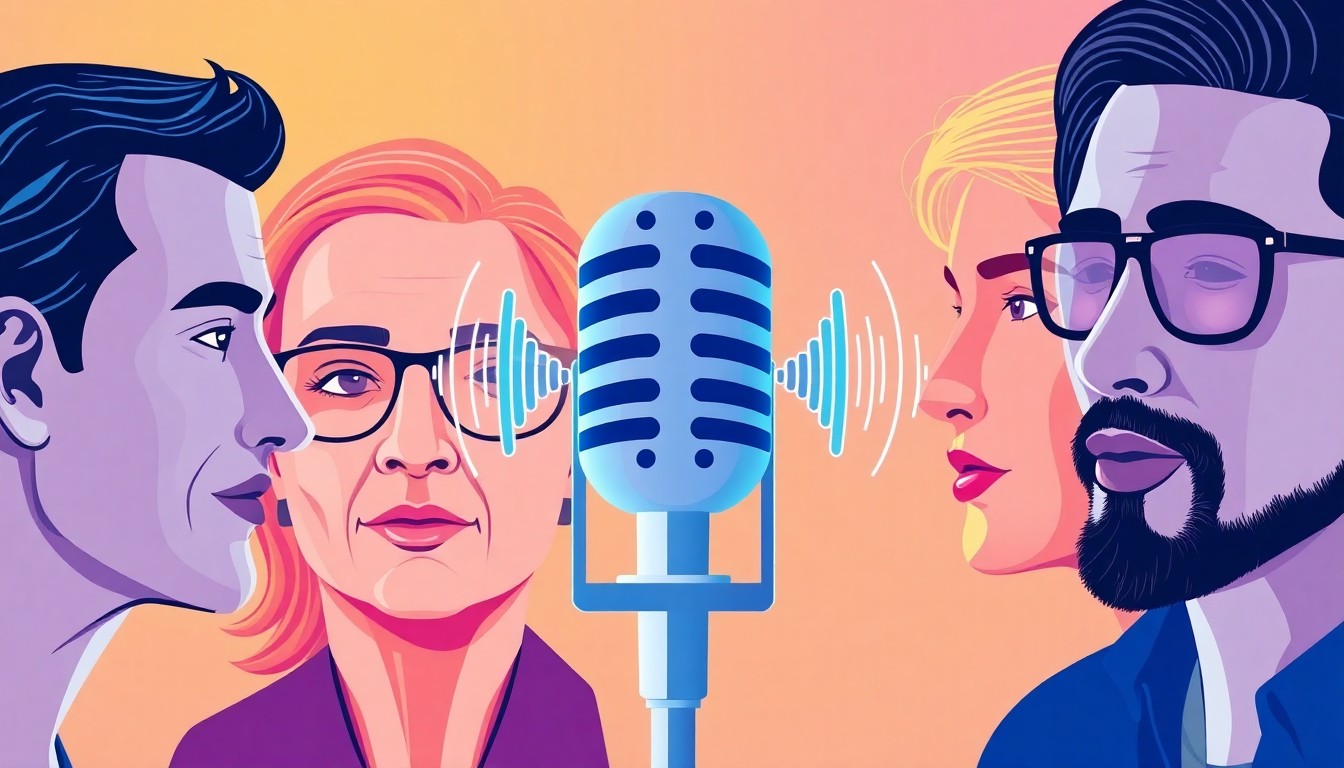
Creating content stands out when you have the right voice. AI generated celebrity voices transform how creators produce engaging videos, podcasts, and social media content. The technology replicates famous vocal patterns with remarkable accuracy.
But generating celebrity voices isn't just about picking a tool and typing text. You need to understand voice quality markers, navigate legal boundaries, match voices to content types, and edit outputs for professional results. This guide covers everything from selecting platforms to advanced script writing techniques, comparing top voice generators, exploring creative applications across TikTok and YouTube, and understanding fair use principles that protect your content.
TryAIVoices provides instant access to over 500 celebrity and character voices with studio-quality output. The platform handles complex vocal characteristics that other tools struggle with.
Understanding AI celebrity voice technology
Voice cloning technology analyzes audio samples to identify unique vocal signatures. The AI maps pitch patterns, speech rhythms, tonal qualities, accent markers, and emotional ranges. Modern systems process these elements in seconds rather than hours.
Training data requirements: Traditional voice cloning needed hours of audio samples. Current models work with minutes or even seconds of source material. The difference comes from improved neural networks that extrapolate patterns more efficiently.
Quality depends on model architecture. Some generators use basic text-to-speech engines with celebrity voice skins applied. Others employ deep learning models trained specifically on individual voices. TryAIVoices' celebrity voice library uses advanced models that capture subtle vocal nuances other platforms miss.
The generation process: Text input passes through phonetic analysis first. The system converts written words into phoneme sequences that match how the celebrity speaks. Prosody modeling adds natural speech rhythms and emotional inflection. Finally, the vocoder synthesizes the audio waveform with the target voice characteristics.
Speed matters for content creators. Some platforms take minutes to generate short clips. TryAIVoices processes most requests in under 10 seconds, letting you iterate quickly when perfecting scripts.
Voice fidelity markers: Listen for breathing patterns between phrases. Natural speech includes micro-pauses and breath sounds. Check pronunciation consistency across technical terms or proper nouns. Test emotional range by generating the same text with different tone settings. High-quality generators maintain voice characteristics across all emotional states.
Accent preservation separates good tools from great ones. Morgan Freeman's distinctive voice includes specific southern inflections and measured pacing. AI systems that nail these details produce usable content instead of obvious fakes.
 Photo by Isti Febria Sari on Unsplash
Top platforms for AI celebrity voices
Platform selection shapes your entire workflow. Each tool offers different voice libraries, quality levels, generation speeds, pricing structures, and export formats.
Professional-grade generators
TryAIVoices leads in voice variety and generation speed. The platform provides instant access to politicians, rappers, movie characters, and cartoon voices. Quality stays consistent across all voices. No voice works perfectly while another sounds robotic.
The interface removes friction. Type your text, select emotional tone, generate audio, and download your file. No complex settings or technical knowledge required. This matters when you're producing content on tight deadlines.
Subscription plans scale with usage. Starter plans work for occasional projects. Pro plans suit regular content creators. Unlimited plans handle high-volume production. All tiers access the complete voice library. Your plan only affects generation credits.
Alternative platforms: Some creators prefer specialized tools. ElevenLabs excels at custom voice cloning with your own audio samples. Play.ht offers extensive language support beyond English. Murf focuses on corporate voiceover applications with collaboration features.
Compare platforms with identical test scripts. Generate the same paragraph on each service. Listen for pronunciation accuracy, emotional authenticity, background artifacts, and overall naturalness. The Trump AI voice serves as an excellent test case because everyone knows how he sounds.
Price per minute varies significantly. Calculate your monthly usage before committing. A $20 plan generating 100 minutes might beat a $50 plan with 200 minutes if you only need 80 minutes monthly.
Free vs paid tools
Free generators exist but come with limitations. Most restrict commercial use in their terms. Others add watermarks or limit monthly generations. Voice quality often lags behind paid options.
Free tier restrictions: Export formats might lock to low-bitrate MP3. Generation queues create wait times during peak hours. Voice libraries include fewer options. Customer support disappears. These factors matter more as your channel grows.
TryAIVoices focuses on paid subscriptions because creators deserve quality tools. Every user accesses the full voice library with professional export quality. No artificial limitations or degraded audio. The investment pays for itself when content performs better.
Budget-conscious creators should calculate value per generation instead of monthly cost. A $30 plan producing studio-quality audio beats a $10 plan requiring extensive editing. Your time has value too.
 Photo by Tomasz Gawłowski on Unsplash
Best celebrity voices for content creation
Voice selection impacts engagement more than most creators realize. The right voice reinforces your content theme and connects with your target audience. The wrong voice creates cognitive dissonance that viewers notice subconsciously.
Political voices
Donald Trump's voice dominates political commentary content. The distinctive speech patterns and memorable phrases create instant recognition. Use this voice for satirical news segments, political opinion pieces, debate parodies, or campaign announcements.
Script writing tips for Trump: Keep sentences shorter than you'd write for other voices. Add natural interruptions and tangents. Include superlatives like "tremendous," "beautiful," and "disaster." The voice works best with conversational rather than formal speech.
Obama's measured delivery contrasts perfectly with Trump's energy. This voice excels at inspirational content, educational explainers, motivational messages, and thoughtful analysis pieces. The calm authority resonates with viewers seeking substance over spectacle.
Pair these voices in comparison content. Our Biden Trump AI voice comparison explores techniques for multi-voice political content that performs well on YouTube and TikTok.
Entertainment personalities
Morgan Freeman brings gravitas to documentaries and narration. The rich, authoritative tone elevates educational content and storytelling. Viewers associate this voice with quality production values.
Gordon Ramsay's voice injects energy into cooking content, reaction videos, and comedy sketches. The explosive personality translates well to short-form content where intensity creates shareability.
Celebrity chefs benefit from Guy Fieri's distinctive voice for food reviews and restaurant coverage. The enthusiastic delivery style matches viewer expectations from his television presence.
Music industry voices
Kanye West's voice works for music commentary, creative discussions, and opinion pieces about art and culture. The conversational style feels authentic for podcast-style content.
Taylor Swift connects with younger demographics. Use this voice for pop culture commentary, music analysis, or fan-community content. The relatable tone builds parasocial connection with viewers.
Rapper voices from our musicians library enable hip-hop content creation without sample clearance issues. Generate lyrics, create battle scenarios, or produce educational content about rap history.
Character voices
Cartoon and movie characters offer creative flexibility without the legal complications of real celebrity voices. SpongeBob remains enduringly popular for comedic content across demographics.
Darth Vader brings dramatic weight to sci-fi content and voice acting projects. The iconic delivery style needs no introduction. Our complete guide to Disney AI voices covers strategies for character voice content.
Gaming voices from franchises like Overwatch connect with niche communities. These audiences actively seek character content and engage deeply with well-executed voice work.
Script writing for celebrity AI voices
Writing scripts for AI voices differs from writing for human voice actors. You control pacing through punctuation, influence emotion through word choice, and work around limitations through strategic phrasing.
Matching voice personalities
Each celebrity voice carries expectations. Joe Rogan sounds wrong delivering formal academic content. David Attenborough feels mismatched for aggressive sports commentary.
Study source material before writing. Watch interviews, listen to podcasts, or review movie clips featuring your chosen celebrity. Note speech patterns, common phrases, and emotional ranges. Your script should feel like something they'd actually say.
Personality matching checklist: Does this sentence structure match how they speak? Would they use these specific words? Does the emotional tone fit their public persona? Are you forcing the voice into unnatural territory?
Some creators make deliberately absurd pairings for comedic effect. Morgan Freeman reading Cardi B lyrics works because the contrast creates humor. But understand that you're writing comedy, not authentic voiceover.
Punctuation for pacing control
Commas create brief pauses. Periods generate longer breaks. Ellipses extend pauses further. Strategic punctuation shapes how AI interprets your script.
Poor pacing: "The quick brown fox jumped over the lazy dog while running through the forest at night during a full moon when the stars were bright."
Better pacing: "The quick brown fox jumped over the lazy dog. Running through the forest at night. During a full moon, when the stars were bright."
Line breaks between sentences help some AI systems interpret natural speech rhythms. Test both approaches with your chosen platform. TryAIVoices handles both formats effectively, but other tools might show preferences.
Question marks and exclamation points signal emotional shifts. Use them sparingly. Too many exclamation points create an exhausting listening experience. Save emphasis for moments that truly warrant it.
Emotional tone settings
Most advanced platforms let you specify emotional delivery. Neutral works for informational content. Enthusiastic energizes promotional material. Somber suits serious topics. Angry or aggressive tones serve specific creative needs.
The Trump voice benefits from varied emotional settings across a single script. Start with confident authority, shift to enthusiastic when making promises, and end with determined energy on the call to action.
Don't rely entirely on emotion settings. Word choice carries emotional weight independent of delivery style. "We're going to win" lands differently than "We might succeed" even with identical tone settings.
Test emotional ranges before committing to long scripts. Generate the same test paragraph across all available emotions. Some voices handle certain emotions better than others. Gordon Ramsay excels at anger and frustration but might sound unnatural in gentle or sad settings.
Script length optimization
Shorter clips generate faster and require less editing. Long-form content demands more attention to pacing and energy maintenance. Find the sweet spot for your content type.
Optimal lengths by platform: TikTok and Instagram Reels favor 15-30 second clips. YouTube Shorts extends to 60 seconds. Standard YouTube content can use multi-minute voiceovers. Podcast segments might run 5-10 minutes.
Break long scripts into logical segments. Generate each separately. This approach offers several benefits. You can test different emotional tones across segments. Editing becomes easier with discrete audio files. Problems in one section don't force regeneration of your entire script.
TryAIVoices handles both short bursts and extended passages. The system maintains voice consistency across multiple generations, so segmented scripts sound cohesive when edited together.
Pronunciation challenges
AI voices occasionally mispronounce uncommon words, technical terms, proper nouns, or acronyms. Strategic spelling helps guide correct pronunciation.
Common fixes: Write "NASA" as "N-A-S-A" if the voice pronounces it wrong. Spell brand names phonetically when needed. "Nike" might render better as "Ny-kee" depending on the voice model.
Test technical content carefully. The Obama voice handles sophisticated vocabulary well due to training data from speeches. Other voices might struggle with academic or scientific terminology.
Foreign words and phrases present challenges. French restaurant names or Spanish phrases might need phonetic spelling. Some platforms offer pronunciation guides. Check documentation for your chosen tool.
 Photo by
 Legal and ethical considerations
Creating celebrity AI voices involves complex legal questions. Copyright law, right of publicity, and platform terms of service all factor into what you can legally publish.
Fair use and parody protection
Fair use doctrine protects some celebrity voice content under US law. Parody, commentary, criticism, and transformative works receive stronger protection. Commercial use faces higher scrutiny.
The four fair use factors: Purpose and character of use matters most. Educational, critical, or transformative content gets more protection. Commercial exploitation gets less. Add original creative elements. Don't just replicate existing celebrity content.
Nature of the copyrighted work considers the source material. Highly creative works like movies and music receive stronger protection than factual interviews or speeches.
Amount used doesn't apply directly to voice cloning since you're generating new content. But the concept translates. Creating one satirical video differs from building an entire channel impersonating someone.
Effect on the market addresses commercial harm. Does your content substitute for the celebrity's actual work? Would someone hire the real celebrity for voice work then use your AI version instead? These scenarios risk legal challenge.
Political satire using Trump or Obama voices generally enjoys strong fair use protection. Courts recognize parody and political commentary as protected speech. Our guide to president AI voices explores political voice content in detail.
Right of publicity laws
Celebrities own rights to their name, image, likeness, and voice. These rights vary by state. California, New York, and Tennessee offer particularly strong protections. The right of publicity continues after death in some jurisdictions.
Commercial use raises the biggest red flags. Using celebrity voices to sell products, endorse services, or generate advertising revenue creates legal risk. Platform terms of service often explicitly prohibit commercial celebrity impersonation.
Lower risk scenarios: Educational content about AI technology. News commentary and political analysis. Artistic parodies protected by free speech. Non-commercial fan content. Transformative creative works.
Higher risk scenarios: Product endorsements using celebrity voices. Paid sponsorships in voice-generated content. Selling merchandise featuring AI celebrity voices. Creating replacement content for the celebrity's actual work.
Get legal advice before monetizing celebrity voice content. A cease-and-desist letter costs nothing to send. Defending a lawsuit costs thousands. Many creators operate in gray areas until receiving pushback, but understanding the risks helps you make informed decisions.
Platform content policies
YouTube, TikTok, Instagram, and other platforms maintain policies about impersonation and misleading content. Even legally protected content might violate platform rules.
Disclosure requirements: Clearly label AI-generated content. Don't mislead viewers into thinking a celebrity actually spoke your script. Most platforms require synthetic media disclosures. Add text overlays, video descriptions, or verbal disclaimers.
Channel names and branding matter too. Don't name your channel to suggest official affiliation with the celebrity. "Trump AI Voice Parodies" works better than "Donald Trump Official."
Some platforms actively scan for synthetic media. Their detection systems flag questionable content for human review. Strong disclosure reduces the chance of strikes or removal.
TryAIVoices doesn't police how you use generated audio, but platform policies still apply when you publish. Build disclosure habits from day one. Transparency protects your channel and builds audience trust.
Commercial vs personal use
Personal projects carry minimal legal risk. Create content for yourself, share with friends, or post non-monetized videos. Commercial use introduces liability.
Commercial use indicators: Running ads on content with celebrity voices. Accepting sponsorships or brand deals. Selling products or services. Generating substantial revenue. Using celebrity voices to attract customers.
Non-monetized content isn't automatically safe, but it reduces commercial harm arguments. Some creators build audiences with non-monetized celebrity voice content, then transition to original voices when monetizing.
Consider hybrid approaches. Use celebrity voices for engagement and reach. Create valuable content that stands alone. Develop your own brand identity rather than relying entirely on borrowed celebrity cachet.
Creative applications and use cases
AI celebrity voices enable content types that were previously impossible or prohibitively expensive. Smart creators find applications that add genuine value rather than cheap gimmicks.
Educational content
Morgan Freeman's authoritative voice elevates documentary-style education. Use this approach for history lessons, science explainers, biography summaries, or cultural analysis. The voice adds production value without changing your core content quality.
Language learning benefits from multiple voices. Generate the same phrase with British and American accents to demonstrate pronunciation differences. Celebrity voices make practice sessions more engaging than generic text-to-speech.
Historical reenactments gain authenticity when you match voices to figures. Generate speeches in the style of historical leaders. Combine with archival footage or illustrations for educational videos that perform well on YouTube.
Our guide to news reporter AI voices explores journalistic applications in depth. The techniques transfer well to educational content requiring professional narration.
Entertainment and comedy
Parody content thrives on AI celebrity voices. Create fictional conversations between public figures, imagine alternate history scenarios, or develop comedic sketches featuring impossible collaborations.
SpongeBob voice works brilliantly for absurdist humor and internet memes. The character's recognizable delivery style amplifies comedic timing. Our SpongeBob AI voice guide covers strategies specific to cartoon character content.
Reaction content benefits from celebrity voice commentary. Generate Gordon Ramsay reacting to cooking videos or Joe Rogan analyzing bizarre news stories. The familiar voice adds entertainment value to existing content formats.
Movie trailer parodies represent another creative opportunity. Use epic trailer voices to promote absurd products, create fake movie announcements, or reimagine existing films in different genres.
Podcast and audio content
Long-form podcasts demand consistent voice quality. AI voices fatigue listeners less than you might expect when scripts are well-written. The key is variety.
Multi-voice podcasts work better than single-voice shows. Alternate between different personalities playing distinct roles. Host, expert guest, counterpoint commentator. The format mirrors traditional radio while requiring no actual guests.
Interview-style content lets you explore hypothetical conversations. Generate both sides of discussions that could never happen in reality. "What if Kanye West interviewed Obama about art and politics?"
Audio drama productions benefit from character voices. Our guide to cartoon AI voices covers techniques that transfer well to fictional podcasts requiring distinct character vocals.
Social media content
TikTok and Instagram Reels favor short, punchy content. Celebrity voices grab attention in crowded feeds. The recognition triggers viewers to stop scrolling.
Viral content patterns: Celebrity voices saying unexpected things. Fictional conversations between public figures. Voice mashups combining different celebrities. Political commentary with recognizable voices. Character voices in relatable situations.
The Trump voice performs particularly well on political content regardless of your position. The voice itself carries shareability independent of script content. Pair strong writing with recognizable delivery for maximum engagement.
Behind-the-scenes content about AI voice generation attracts curious viewers. Show your creative process, compare different voices, or demonstrate script optimization techniques. Meta-content about content creation builds authentic connection with audiences.
TryAIVoices generates audio optimized for social media platforms. Export formats work directly with TikTok, Instagram, YouTube Shorts, and other vertical video platforms. No additional audio processing required.
 Photo by Matt Botsford on Unsplash
Commercial projects
Brand content requires careful consideration of legal factors discussed earlier. But legitimate commercial applications exist.
Advertising agencies create concept pitches using celebrity voices. The AI audio demonstrates creative direction without hiring actual talent during the pitch phase. If the concept sells, they book the real celebrity for final production.
Video game developers prototype dialogue using AI voices. This approach tests story flow and pacing before committing to expensive voice actor sessions. The temporary audio helps directors visualize final scenes.
Corporate training videos benefit from professional voices without professional budgets. While you can't use actual celebrity voices for commercial training, the technology behind those generators powers custom voice tools that create original professional narration.
Audio editing and enhancement
Raw AI voice output rarely sounds perfect. Professional content requires editing, mixing, and enhancement. Master these techniques to elevate your productions.
Background noise removal
Some AI generators add subtle artifacts or background hiss. Audio editing software removes these issues quickly. Audacity offers free noise reduction. Adobe Audition provides professional-grade tools.
Noise reduction workflow: Select a silent section containing only background noise. Capture noise profile from this sample. Apply noise reduction to the entire track using the captured profile. Preview results before committing.
Over-processing creates hollow, underwater-sounding audio. Apply noise reduction conservatively. Listen carefully at normal volume rather than cranking headphones. What sounds terrible when scrutinized might disappear in the final mix.
iZotope RX represents the gold standard for audio repair. The software handles difficult restoration tasks that simpler tools can't manage. The investment makes sense for creators producing high-volume content or working with challenging source material.
EQ and compression
Equalization shapes frequency balance. AI voices sometimes lack presence in the 2-5kHz range where speech clarity lives. Gentle EQ boosts in this range improve intelligibility without making the voice sound artificial.
Basic voice EQ settings: High-pass filter below 80Hz removes rumble. Slight reduction around 300-500Hz reduces muddiness. Small boost around 3-4kHz adds presence. Gentle reduction above 10kHz tames harshness if needed.
Compression evens out volume inconsistencies. AI voices sometimes vary in level between phrases. Light compression smooths these variations for more professional-sounding output.
Set compression ratio around 3:1 for voice. Adjust threshold until you're reducing peaks by 3-6dB. Fast attack time catches consonants. Medium release time prevents pumping. TryAIVoices outputs fairly consistent levels, requiring less aggressive compression than some alternatives.
Adding music and sound effects
Layering music under voiceovers creates professional production value. The technique works for YouTube videos, podcasts, and social media content.
Mixing levels: Keep music 12-20dB below voice during narration. This level provides atmosphere without competing with dialogue. Raise music during pauses or transitions. Orchestral and ambient music work better than lyrics that fight for attention.
Sound effects emphasize key moments. A whoosh accentuates transitions. A subtle "ding" reinforces important points. Don't overdo it. One well-placed sound effect beats ten scattered randomly.
Crossfades prevent jarring cuts. Overlap audio clips by a few hundred milliseconds with volume crossfades. This technique works for both music transitions and voice edits where you've cut mistakes or pauses.
Royalty-free music libraries provide production music for licensed use. Epidemic Sound, Artlist, and AudioJungle offer subscription models. YouTube Audio Library provides free options with fewer restrictions.
Export settings for different platforms
Each platform has optimal audio specifications. YouTube accepts high-quality files. TikTok compresses everything anyway. Match your export settings to platform requirements.
YouTube: Export AAC audio at 192-256kbps. The platform supports high-quality audio and viewers appreciate it. Video bitrate matters more, but don't neglect sound.
TikTok and Instagram Reels: These platforms aggressively compress audio. Exporting at maximum quality creates larger files with no quality benefit. AAC at 128kbps works fine.
Podcasts: MP3 at 128-192kbps provides good quality with reasonable file sizes. Spoken word doesn't demand the same bitrates as music. Mono rather than stereo cuts file size in half when appropriate.
TryAIVoices generates high-quality source audio. You control export settings based on your final destination. Keep a high-quality archive of raw AI voice outputs before mixing. You can always reprocess later if needed.
Advanced techniques
Moving beyond basic voice generation opens creative possibilities. These advanced approaches require more effort but deliver unique results worth the investment.
Multi-voice conversations
Scripting realistic dialogue between multiple voices creates engaging content. The technique works for podcasts, educational content, or entertainment programming.
Conversation writing tips: Give each voice a distinct personality and perspective. Trump and Obama naturally represent opposing viewpoints in political content. Cartoon characters like SpongeBob and Patrick work for lighthearted material.
Write natural interruptions and overlaps. Real conversations don't proceed in perfect turn-taking. One speaker cuts off another mid-sentence. Someone interjects with a quick comment. These imperfections add realism.
Record each voice separately, then edit together in your audio software. This approach gives you precise control over timing, pacing, and overlap. You can adjust individual voice levels independently.
Some platforms let you generate multiple voices in a single request. Others require separate generations. TryAIVoices makes multi-voice projects easy by letting you queue multiple generations quickly without switching voices manually each time.
Emotional progression
Varying emotion throughout longer scripts prevents monotony. Map emotional arcs before writing.
Example emotional journey: Start with neutral introduction. Build to enthusiastic explanation of key points. Shift to serious discussion of challenges. Rise to determined call to action. End with confident closure.
Generate the same script with different emotional settings, then splice them together at transition points. This technique works better than trying to handle emotional range in a single generation.
Some voices handle emotional range better than others. Test capabilities before committing to complex emotional scripts. Morgan Freeman excels at subtle gravitas shifts. Gordon Ramsay delivers explosive anger convincingly.
Custom pronunciation training
Working around pronunciation issues requires experimentation. Build a reference document of problematic words and your phonetic solutions.
Pronunciation testing workflow: Identify words the AI mispronounces in your content niche. Generate test clips with various phonetic spellings. Note which spelling produces correct pronunciation. Add to your reference document.
Brand names, product terms, and technical jargon often need custom spellings. "AWS" might need to be "A-W-S" or "Amazon Web Services" depending on context. Test both.
Some creators maintain spreadsheets mapping correct words to phonetic spellings for each voice they use regularly. This approach speeds up script writing once you've solved common problems.
Voice mixing and layering
Combining multiple takes of the same voice creates fuller sound. Generate the same line twice with slightly different settings, then layer them with one panned left and one right.
Doubling technique: Generate your script with neutral emotion. Generate again with slight variations in punctuation or emphasis. Pan one 30% left and one 30% right in your mix. Reduce the secondary track by 3-6dB.
The result sounds fuller and more present. This technique works particularly well for emphasizing important lines or creating dramatic moments.
Harmonizing works for musical applications. Generate the same lyrics with different pitch settings if your platform supports it. Layer the tracks to create simple harmonies.
Platform comparison for creators
Different AI voice generators excel at different things. Understanding these differences helps you choose the right tool for your specific needs.
Generation speed comparison
TryAIVoices prioritizes speed. Most generations complete in under 10 seconds regardless of script length. This matters when you're iterating on scripts or producing content under deadline pressure.
Slower platforms take 30-60 seconds for short clips. Long-form content might require minutes. Calculate how often you'll regenerate content during your creative process. Those 20-second differences compound quickly.
Queue systems add unpredictable delays during peak usage. Free tiers often face longer waits than paid plans. Check platform status pages to understand typical generation times before committing.
Voice library depth
Large libraries offer more options but present discovery challenges. TryAIVoices offers 500+ voices organized by category. Politicians, celebrities, cartoon characters, anime voices, movie characters, and more.
Quality matters more than quantity. Some platforms list hundreds of voices but many sound identical. Others include obscure celebrities nobody searches for. Focus on whether the specific voices you need actually exist in their library.
Sample every voice before use. Two platforms might both offer "Morgan Freeman" but one sounds markedly better. Compare Trump voices across platforms to understand quality differences that impact viewer engagement.
Niche voices create opportunities. Everyone offers Trump and Obama. Fewer platforms include Guy Fieri or Gordon Ramsay. Having unique voices helps your content stand out.
Pricing models
Subscription pricing varies widely. Some platforms charge per character generated. Others offer unlimited generations with monthly fees. Calculate your usage patterns before selecting a plan.
Per-character pricing: Budget-friendly for occasional use. Expensive for high-volume content creation. Makes testing and iteration costly since each regeneration adds charges.
Monthly subscriptions: Fixed costs make budgeting easier. High-volume creators get better value. Encourages experimentation since regenerations don't increase costs.
Credit systems: Some platforms sell generation credits separately from subscriptions. This approach offers flexibility but requires careful tracking to avoid running out mid-project.
TryAIVoices uses transparent subscription pricing. Every plan includes specific monthly credits with overage options. No surprise charges or hidden fees. Compare pricing options to find the plan matching your production volume.
Export quality options
File format support varies. MP3 offers universal compatibility. WAV provides higher quality for professional productions. Some platforms only export MP3.
Audio quality settings: High bitrate exports preserve quality for further editing. Lower bitrates reduce file sizes for direct social media uploads. Professional creators need both options depending on workflow.
Sample rate matters for video production. 48kHz matches video industry standards. 44.1kHz works for audio-only projects. Some AI generators only output at specific sample rates.
TryAIVoices exports high-quality audio suitable for professional production. The files work directly with video editing software without transcoding or quality loss.
Creating viral celebrity voice content
Understanding what performs well helps you create content that actually gets viewed and shared. Study successful examples, then apply those principles to original concepts.
Analyzing successful examples
Political commentary using Trump and Biden voices consistently performs well. The content succeeds because it taps into existing cultural conversations. Viewers already care about the topics, so the AI voice adds entertainment value to subjects they'd discuss anyway.
Character voices reading inappropriate scripts attract attention through contrast. The clean, wholesome character saying unexpected things creates humor. But this approach only works occasionally. Channels built entirely on shock value exhaust audiences quickly.
Educational content with Morgan Freeman or David Attenborough gets shared because it adds value while being entertaining. The voice elevates information people want to learn anyway.
Study view counts, but also check watch time percentages. Videos that get clicked but not watched don't signal platform algorithms effectively. Retention matters more than raw views.
Content hooks that work
Strong openings grab attention immediately. "You won't believe what Trump just said about AI voices" works better than "In this video I'll discuss AI voice generation."
Pattern interrupts: Celebrity voices saying unexpected things. Unusual voice pairings in conversation. Fictional scenarios people wish happened in reality. Content that defies expectations while remaining believable.
Curiosity gaps: Tease information without revealing it completely. "The one thing Obama would say about this situation" makes viewers watch to find out. Don't clickbait dishonestly, but create genuine curiosity.
Emotional triggers: Humor, outrage, inspiration, nostalgia. Celebrity voices amplify whatever emotion your content creates. SpongeBob enhances nostalgic humor. Gordon Ramsay intensifies comedic anger.
Platform-specific strategies
YouTube: Longer content performs well if watch time stays high. AI celebrity voices work for 8-15 minute videos when scripts maintain engagement. Use celebrity voices in thumbnails but keep faces visible. The platform's algorithm promotes videos with strong CTR and watch time together.
Our comprehensive guide to character AI voices explores YouTube strategies in depth.
TikTok: Hook viewers in the first second. The celebrity voice should start immediately, not after 5 seconds of setup. Keep total length under 60 seconds for maximum algorithm promotion. Use trending sounds when possible, but celebrity voices create original audio that might trend itself.
Instagram Reels: Visual elements matter more than on TikTok. Pair celebrity voices with strong visuals that work even with sound off. Text overlays reinforce key points. Post during peak engagement hours for your audience.
Podcasts: Celebrity voices work better for segments than entire episodes. Use them for dramatic readings, historical reenactments, or comedic bits. The novelty sustains interest across shorter durations better than full-length shows.
Thumbnail and title optimization
Thumbnails should clearly indicate AI voice content. Include the celebrity's face or recognizable imagery. Add text overlay stating "AI Voice" to set expectations and satisfy platform policies.
Title formulas that work: "[Celebrity Name] Discusses [Trending Topic] (AI Voice)" - Direct and honest "What If [Celebrity] Narrated [Unexpected Subject]?" - Curiosity-driven "[Celebrity] Reads [Contrasting Content]" - Pattern interrupt "[Celebrity 1] vs [Celebrity 2]: AI Voice Debate" - Conflict-driven
Front-load keywords viewers search. Put the celebrity name first. YouTube's algorithm weighs early words more heavily. "Trump AI Voice" outperforms "AI Voice of Trump" in search.
Test titles and thumbnails systematically. Change one variable at a time. Give each version enough time to gather meaningful data. YouTube Studio analytics reveal which combinations drive clicks and retention.
Monetization considerations
Making money with celebrity AI voice content requires navigating both platform policies and legal considerations discussed earlier.
YouTube monetization
YouTube's Partner Program requires channels to follow advertiser-friendly guidelines. AI celebrity voices don't automatically violate policies, but content must meet other requirements.
Monetization-safe approaches: Educational content about AI technology. Parody and satirical commentary. News analysis and political discussion. Creative entertainment that's clearly fictional.
Risky content: Misleading viewers about AI generation. Impersonating celebrities for endorsements. Creating deceptive news or misinformation. Using celebrity voices to sell products without disclosure.
Enable ads cautiously on celebrity voice content. Some advertisers exclude channels featuring synthetic media. Monitor revenue closely. If monetization drops suddenly, content might be getting limited ads.
TryAIVoices users successfully monetize YouTube content by focusing on clear disclosure and transformative creativity. The voice serves the content rather than being the entire value proposition.
Sponsorship opportunities
Brands approach channels with engaged audiences. If your celebrity AI voice content builds genuine community, sponsorships follow.
Sponsor-friendly content: Tech products aligned with AI interest. Creative software and tools. Educational services. Gaming content when using gaming voices.
Sponsor warning signs: Brands uncomfortable with synthetic media. Companies that might face celebrity legal issues. Products requiring direct endorsement that celebrity voices can't legally provide.
Disclose both AI voice use AND sponsorship clearly. Transparency builds trust with audiences and protects you legally. Don't let sponsors pressure you into removing AI voice disclosures.
Platform content funds
TikTok's Creator Fund and YouTube Shorts Fund pay based on performance. AI celebrity voice content qualifies if it follows platform guidelines.
Short-form content often performs better in these programs than traditional long-form YouTube. The per-view payout stays lower, but viral potential increases.
Instagram doesn't currently pay creators directly for Reels, but strong performance leads to other opportunities. Brands find creators through viral Reels, even if Instagram itself doesn't pay.
Premium content models
Patreon and other membership platforms let you gate content behind subscription walls. Dedicated fans pay for exclusive access.
Offer behind-the-scenes content showing your creative process. Early access to videos before public release. Exclusive AI voice content not available elsewhere. Custom content requests where supporters suggest scripts.
This model works better than ad revenue for some creators. Direct fan support doesn't depend on advertiser policies about AI content. Our guide to using AI voices explores business model options for voice content creators.
Quality control checklist
Maintaining consistent quality separates professional content from amateur projects. Apply this checklist before publishing.
Audio quality verification
Listen at normal volume on different devices. Content that sounds perfect on studio monitors might have issues on phone speakers. Most viewers use mobile devices or earbuds, not professional audio setups.
Check for: Background noise or artifacts. Unnatural pronunciation or emphasis. Volume inconsistency between phrases. Clipping or distortion. Awkward pacing or pauses.
Generate test clips before committing to long scripts. A 10-second sample reveals most issues. Fix problems at the script stage rather than trying to salvage bad audio in editing.
Compare AI voice quality to your other audio elements. Music and sound effects should match the production quality of your AI voice. Mixing high-quality AI voice with low-quality music sounds disjointed.
Script accuracy review
Read your script aloud before generating. This catches awkward phrasing that looks fine written but sounds wrong spoken. Writing for voice differs from writing for reading.
Common script issues: Sentences too long for comfortable delivery. Unintentional rhymes that sound cheesy. Technical terms the AI mispronounces. Unclear emotional cues.
Have someone else review scripts for important projects. You'll miss things because you know what you meant. Fresh eyes catch ambiguities and confusion.
Verify factual accuracy before generating. AI voices sound authoritative even when stating incorrect information. That authority makes errors more damaging to your credibility.
Platform compliance verification
Review content against platform policies before uploading. Each platform has different rules about synthetic media, celebrity impersonation, and disclosure requirements.
YouTube: Add "AI-generated" tag. Include disclosure in description. Consider mentioning AI voice in the first 10 seconds of video. Don't create content that could mislead viewers.
TikTok: Text overlay indicating AI voice. Disclosure in caption. Avoid using celebrity voices for product endorsements. Don't create fake news or misinformation.
Instagram: Similar to TikTok requirements. Clear visual indication of AI content. Honest captions. Follow Meta's synthetic media policies.
TryAIVoices users should always add disclosure even when platforms don't explicitly require it. Building reputation for transparency protects your account long-term.
Branding consistency
Celebrity voices should enhance your brand, not become your entire identity. Develop recognizable elements beyond just the voices you use.
Brand elements: Consistent visual style in thumbnails. Recognizable intro/outro music. Specific content formats or show structures. Your actual voice or personality alongside celebrity AI voices.
Audiences connect with creators, not just content. Let your perspective, humor, or expertise shine through. The celebrity voice is a tool serving your creative vision.
Don't rely exclusively on one celebrity voice. Diversify across multiple voices so algorithm changes or legal challenges don't destroy your channel overnight.
Frequently asked questions
Can I legally use AI celebrity voices in my content?
Legal use depends on several factors. Parody, commentary, educational content, and transformative creative works generally receive stronger legal protection under fair use doctrine. Commercial endorsements, product sales, and content that could harm the celebrity's reputation carry higher legal risk.
Right of publicity laws vary by state. Some jurisdictions protect celebrity voices more aggressively than others. Add clear disclosure that content uses AI-generated voices. This transparency helps establish transformative intent rather than deceptive impersonation. Consider consulting an entertainment lawyer before monetizing celebrity voice content or creating content for commercial brands.
Do AI celebrity voices sound realistic enough for professional content?
Modern AI voices have reached quality levels suitable for professional production. TryAIVoices generates studio-quality audio that viewers accept as authentic when properly edited and mixed. Success depends on choosing appropriate voices for your content type, writing scripts that match the celebrity's natural speech patterns, and applying basic audio editing techniques.
Poor quality usually stems from script issues rather than generation technology. Unnatural phrasing, incorrect emotional tone, or mismatched content creates uncanny valley effects. Test voices thoroughly and develop script writing skills specific to AI voice generation.
How do I make AI voices sound more natural?
Natural-sounding AI voices start with well-written scripts. Study how the celebrity actually speaks through interviews, speeches, or performances. Match sentence structure, vocabulary choice, and emotional patterns to their real communication style. Use punctuation strategically to control pacing, add appropriate pauses with commas and periods, and break extremely long sentences into shorter phrases.
Choose emotional settings that match your content. Most platforms let you specify tone. Select realistic emotions the celebrity would actually express. Layer music and sound effects to create fuller production that distracts from minor AI imperfections. Light audio editing smooths any remaining issues. Our guide to voice generation tips covers advanced techniques for natural-sounding results.
Which platform has the best celebrity AI voices?
Platform quality varies by specific voice and use case. TryAIVoices offers the fastest generation speed with consistently high quality across its entire library. Some platforms excel at particular voices while struggling with others. Test the specific celebrity voices you need before committing to a subscription.
Consider your workflow requirements beyond just quality. Generation speed matters when iterating on scripts. Voice library breadth affects creative options. Export formats and audio quality impact post-production workflow. Pricing structure determines long-term sustainability. Compare multiple voices across platforms using identical test scripts to make informed decisions.
Can I monetize content with AI celebrity voices on YouTube?
YouTube allows monetization of AI celebrity voice content if it follows platform policies and advertiser-friendly guidelines. Your content must include clear disclosure about AI generation. Create transformative content rather than simple impersonation. Educational videos, parody, commentary, and creative entertainment generally qualify for monetization.
Some advertisers exclude AI content from their campaigns. This might limit your ad revenue compared to channels without synthetic media. Monitor your channel monetization status and revenue patterns. Consider diversifying income through sponsorships, memberships, or other models less dependent on traditional advertising. Focus on building engaged audiences rather than gaming algorithms.
What's the best length for AI voice scripts?
Optimal script length depends on your platform and content type. TikTok and Instagram Reels favor 15-30 second clips. YouTube Shorts extends to 60 seconds maximum. Standard YouTube videos work well with 3-8 minute voiceovers when watch time stays high. Podcasts can use 5-10 minute segments effectively.
Shorter clips generate faster and require less editing. They also help maintain audience attention through higher-energy delivery. Long-form content demands more attention to pacing, emotional variation, and script structure. Test different lengths on your specific audience. Watch time percentages reveal whether you're losing viewers partway through.
Related voices to try
Related guides
AI generated celebrity voices transform content creation for YouTube, TikTok, podcasts, and social media. Success comes from choosing quality tools, writing authentic scripts, understanding legal boundaries, and delivering genuine value beyond just the novelty of celebrity voices.
Start creating today with TryAIVoices and access 500+ celebrity and character voices with instant generation and studio-quality output.